Support managers and leads can configure OOO directly in the SupportLogic interface, to manage Agent availability.
In order to set OOO/Away for agents, User should first have the 'OOO events' permission enabled on his/her profile.
Go to
* Settings - Manage user - Search user - Select the user - permissions - OOO events - Use toggle to enable this permission
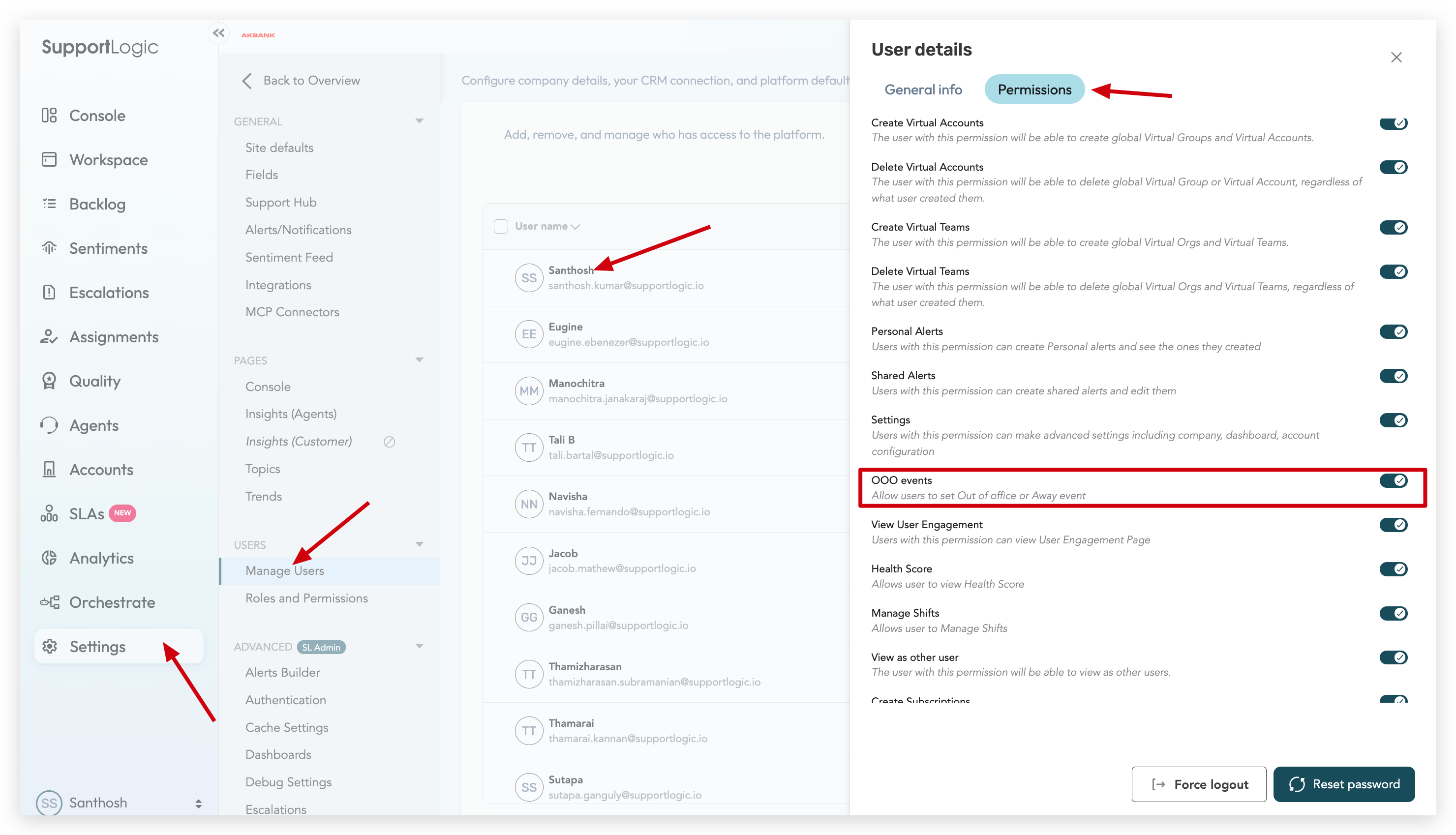
Once this permission is enabled, User will now be able to set OOO for an Agent.
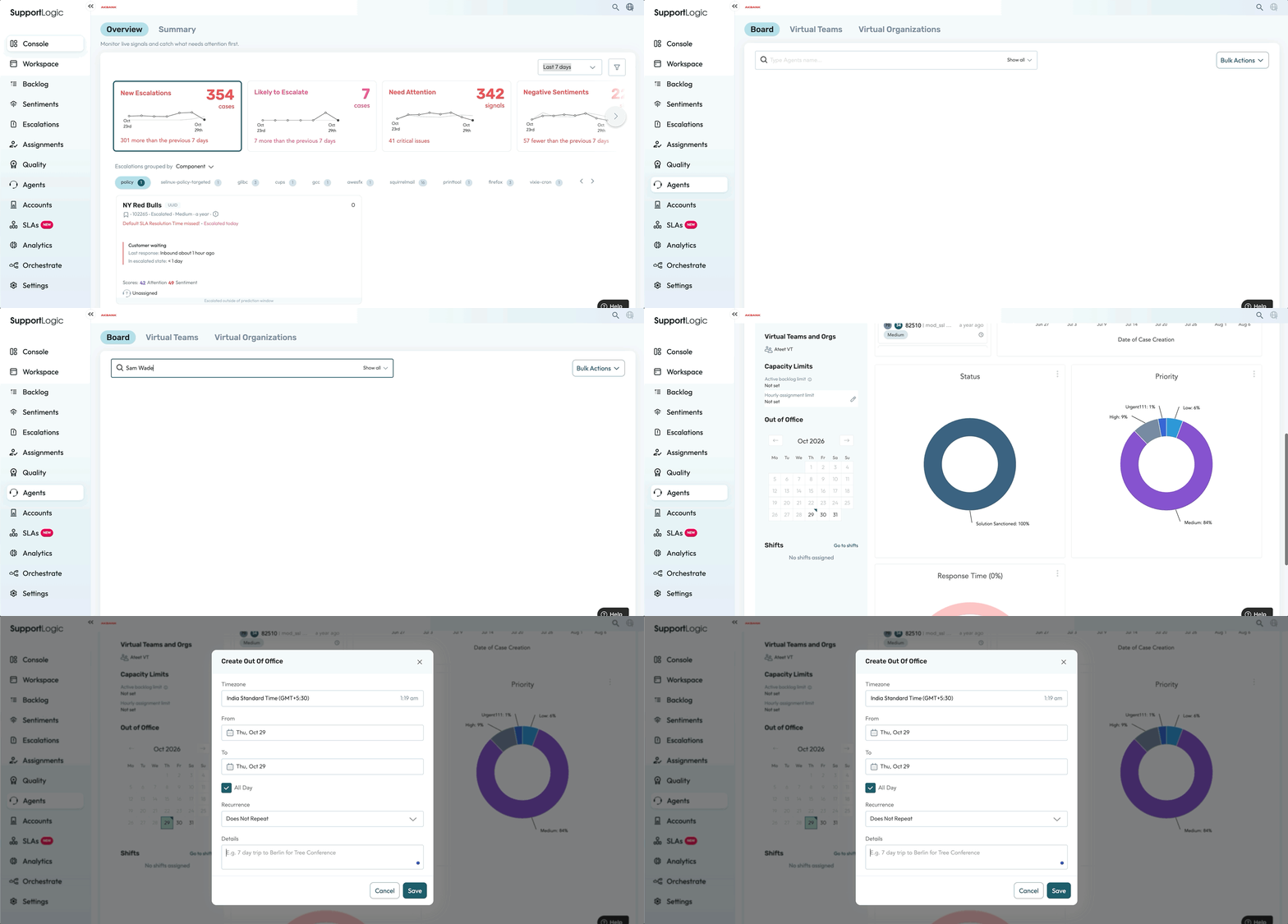
* Click on the Agent profile
* In the Out of Office column, select the date range for which you want to mark OOO/Away for an agent.
* Select the reason and click on save for OOO/Away.
* It is mandatory to select the reason for OOO or AWAY to be applied for the users.
* Please find the below GIF video for reference
Was this article helpful?
That’s Great!
Thank you for your feedback
Sorry! We couldn't be helpful
Thank you for your feedback
Feedback sent
We appreciate your effort and will try to fix the article