It is possible to drag and drop field values from Settings -> Fields. Go to the respective field setting(Case or Customer) and click on the drop-down from the Standard Fields or the Custom Fields. Click on the Rank icon to drag and drop the field values to the order you want to display in SupportLogic.
Refer below GIF to drag and drop field values.
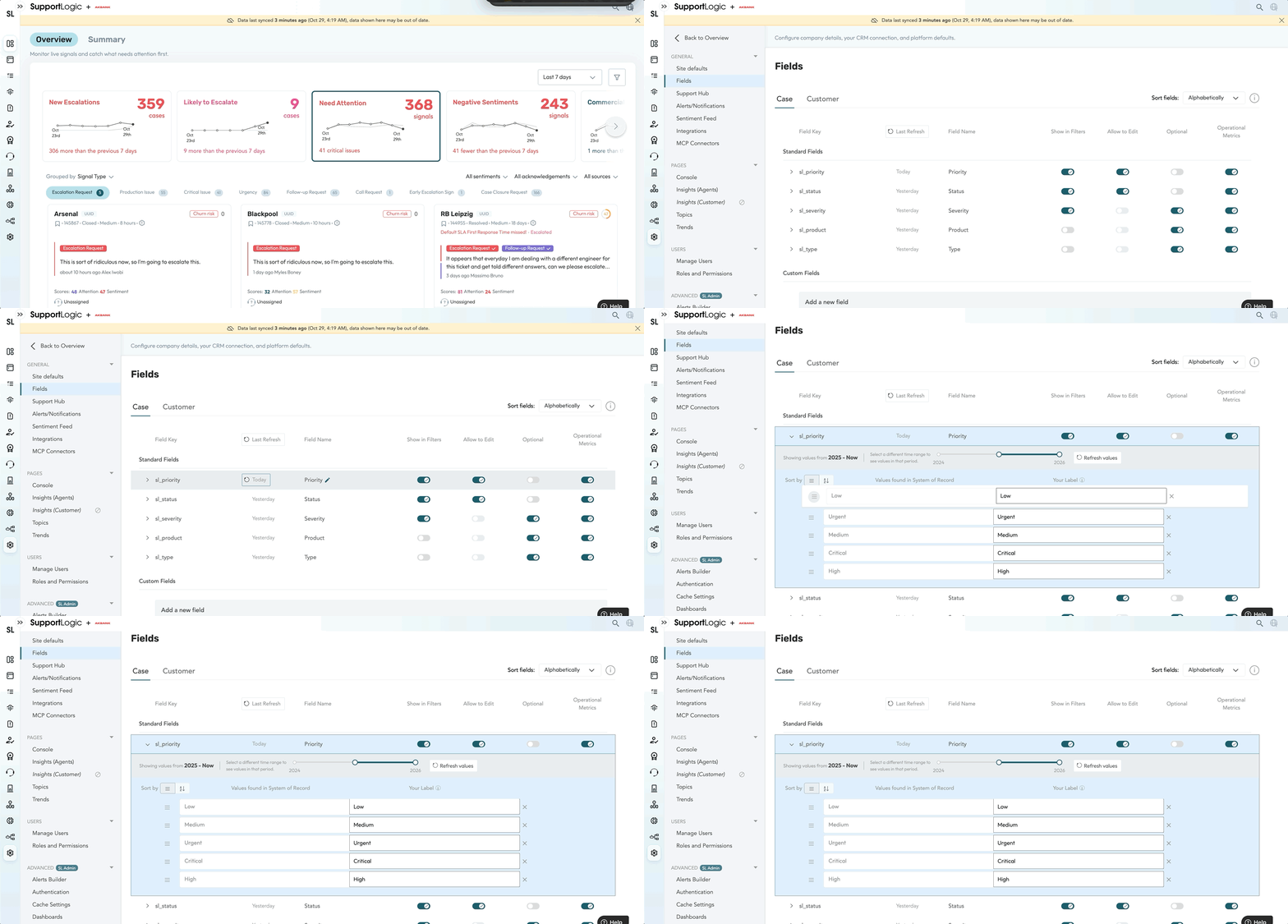
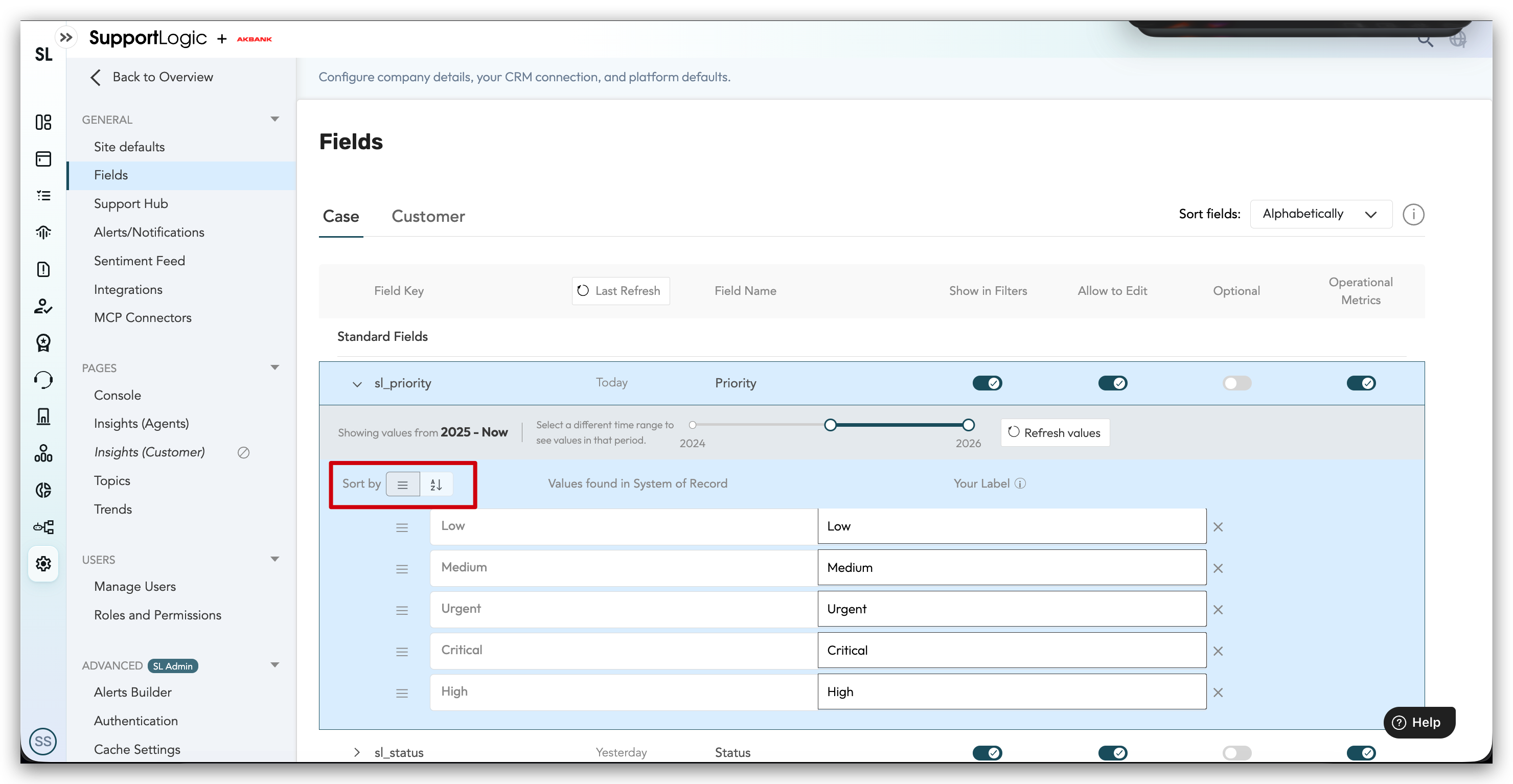
It is also possible to sort the field values by Rank or by Alphabetical order. To sort the field values by Rank or Alphabetical order, click on the dropdown near any field value and click on sort by Rank or by Alphabetical order.
Only the custom fields can be sorted by Rank or by Alphabetical order. The standard field is only sorted by Rank.
Refer to the screenshot below on sorting the custom fields
Was this article helpful?
That’s Great!
Thank you for your feedback
Sorry! We couldn't be helpful
Thank you for your feedback
Feedback sent
We appreciate your effort and will try to fix the article