This article helps to understand how to move a user from one user profile to another.
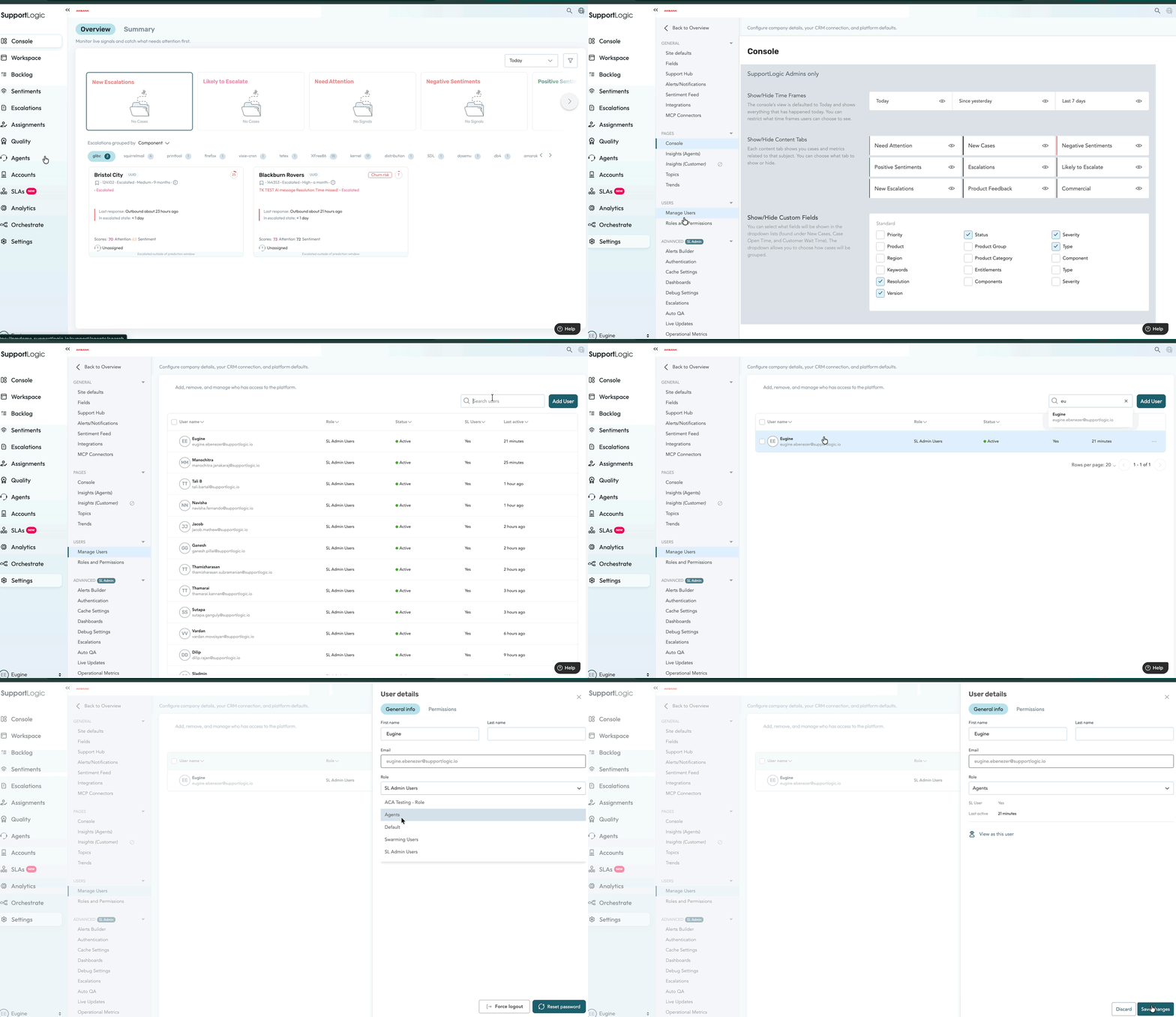
We can move a user from one role to another using the below steps.
To change a user's role in SupportLogic, follow these steps:
- Navigate to Settings → Users → Manage Users.
- Search for the user by name using the search box.
- Click on the user. The user's details will appear in a panel on the right.
- Update the Role field to the desired role.
- Click Save to apply the changes.
* Please refer to the below GIF video and screenshot for better understanding.
Was this article helpful?
That’s Great!
Thank you for your feedback
Sorry! We couldn't be helpful
Thank you for your feedback
Feedback sent
We appreciate your effort and will try to fix the article