SupportLogic allows you to set your preferred time zone, which will be used throughout the instance.
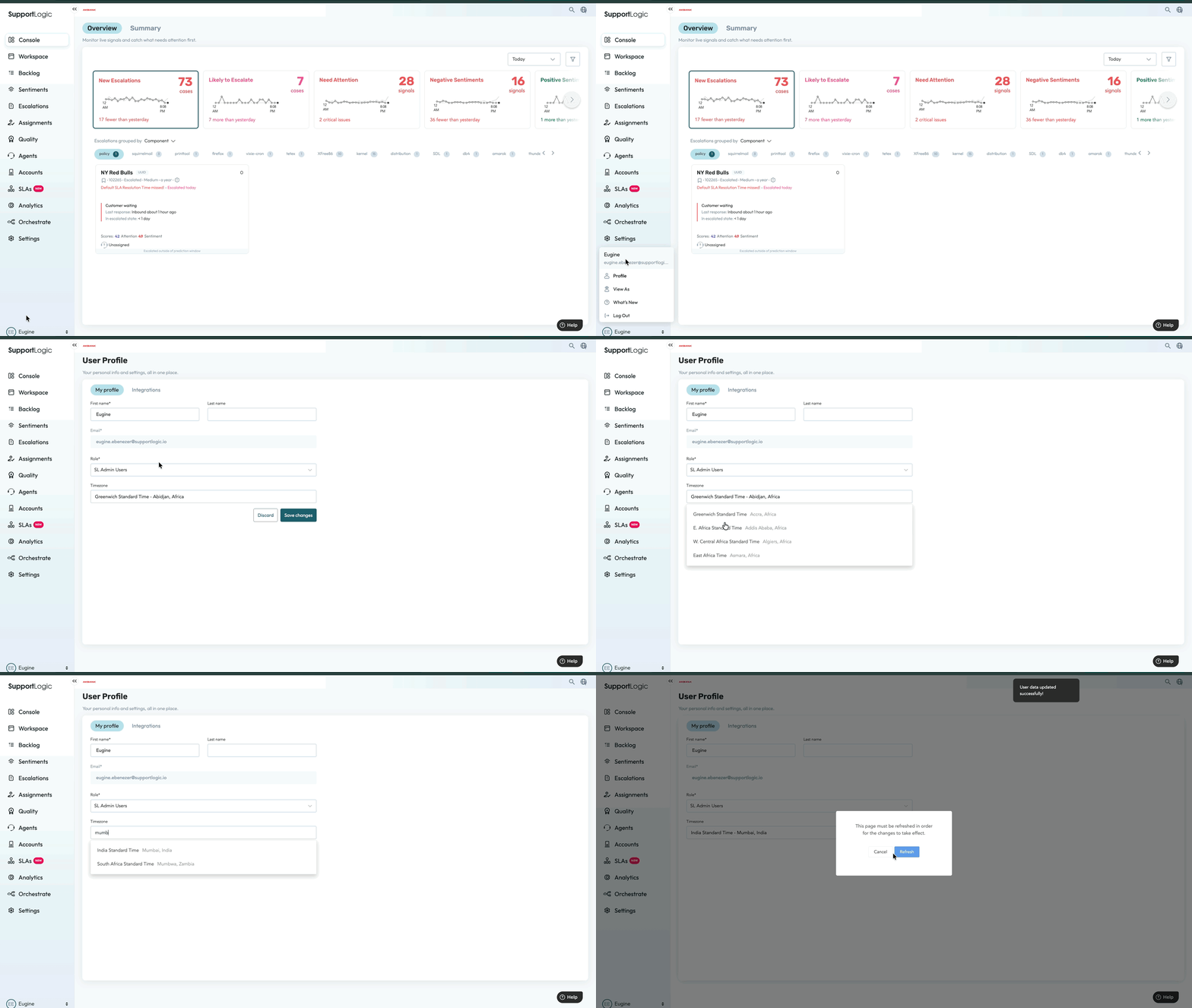
Follow these steps to update your time zone:
- Click your username in the bottom-left corner of the SupportLogic interface.
- Select Profile to open your user profile page.
- Locate the Time Zone field.
- Select your preferred time zone from the available options.
- Click Save Changes to apply the update.
Please refer to the below GIF video for setting the timezone in your instance:
Was this article helpful?
That’s Great!
Thank you for your feedback
Sorry! We couldn't be helpful
Thank you for your feedback
Feedback sent
We appreciate your effort and will try to fix the article