Purpose: This Knowledge Base article outlines the procedures for identifying the Account Champion associated with a Freshdesk ticket.
Methods:
1. Freshdesk Ticket Interface:
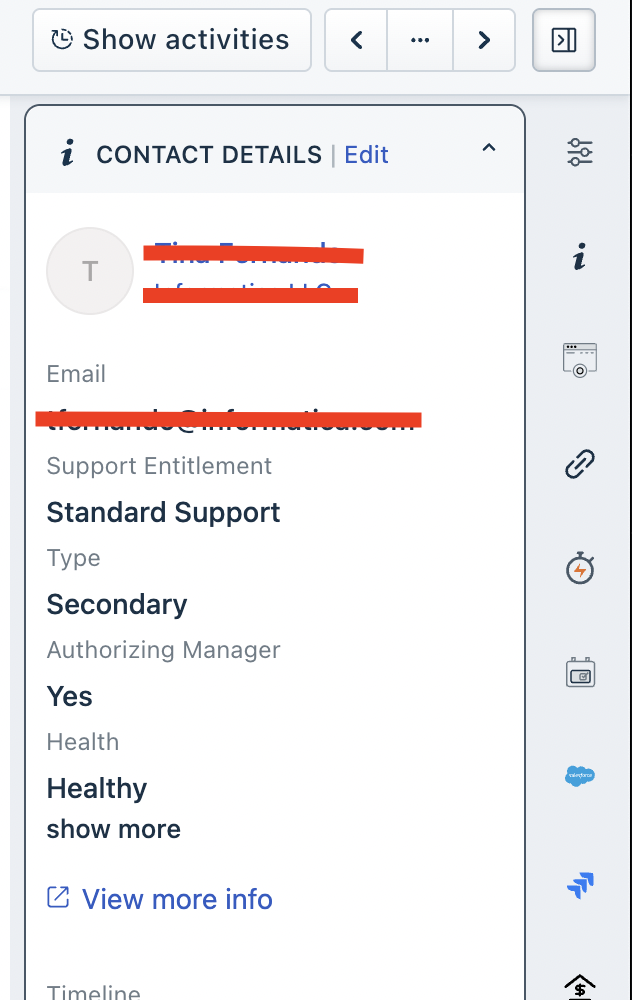
Navigate to the left-hand pane of the Freshdesk ticket UI.
Locate the "Authorising manager" field.
If a value is present in this field, the individual listed is the Account Champion.
2. Updated Contact Sheet:
Access the "Updated contact sheet" spreadsheet via the following link:
Consult the relevant columns within the spreadsheet to identify the Account Champion.
3. Support Team Lead Consultation:
If the above methods do not yield the required information, please consult with Support Team Lead, Yakesh, for further assistance.
Was this article helpful?
That’s Great!
Thank you for your feedback
Sorry! We couldn't be helpful
Thank you for your feedback
Feedback sent
We appreciate your effort and will try to fix the article