This article explains how to add agents to shifts in SupportLogic using the Virtual Team or Organization options within the Case Assignment module.
Steps to Add Agents to Shifts:
Log in to SupportLogic UI
Use your SupportLogic credentials to log in to the platform.Navigate to Shift Management
From the left-hand navigation panel, go to the Case Assignment module and click on Shift Management.Create a New Shift
Click on the New Shift button located at the top-right corner of the Shift Management page.Assign Agents
In the shift creation form:Define the shift name, timing, and any other relevant configurations.
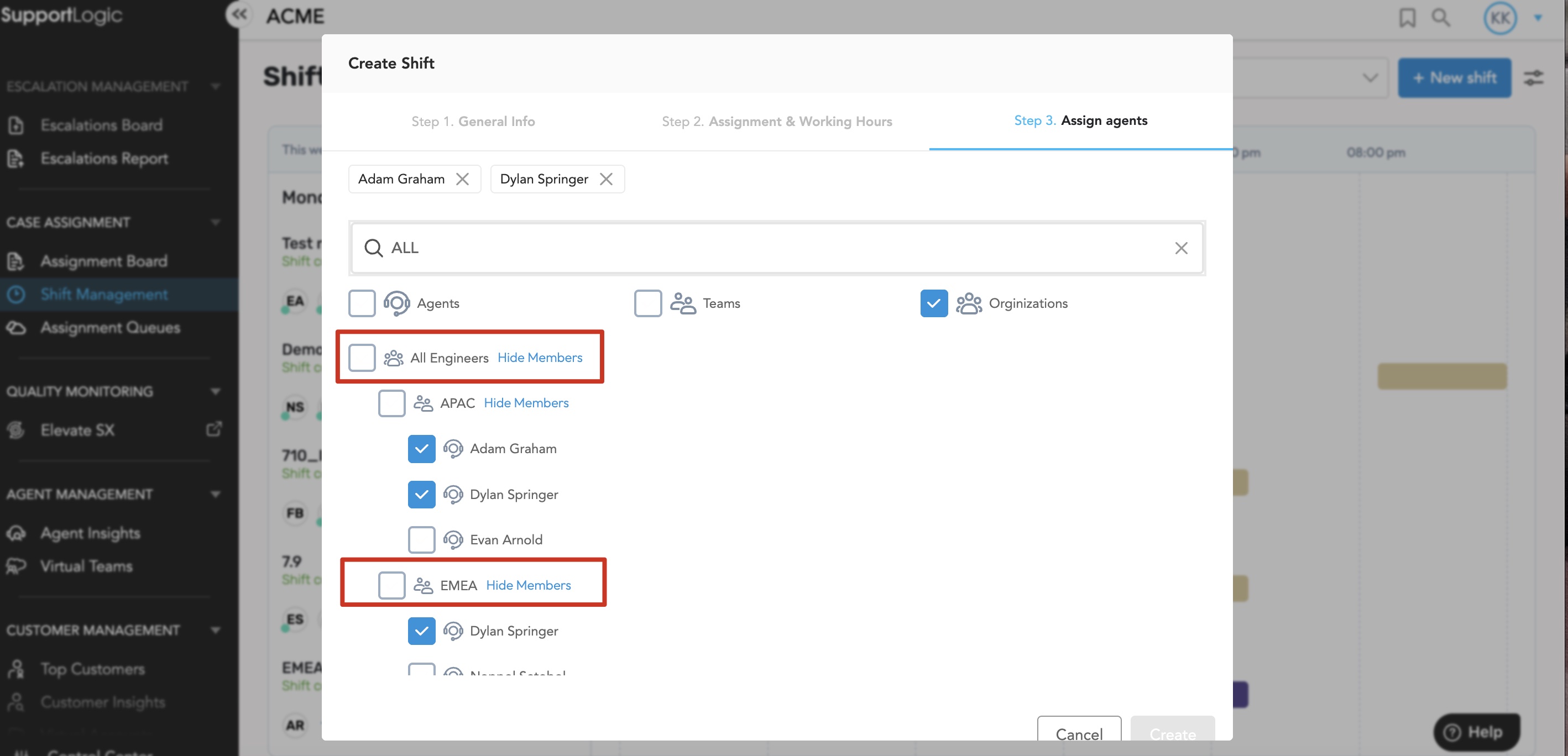
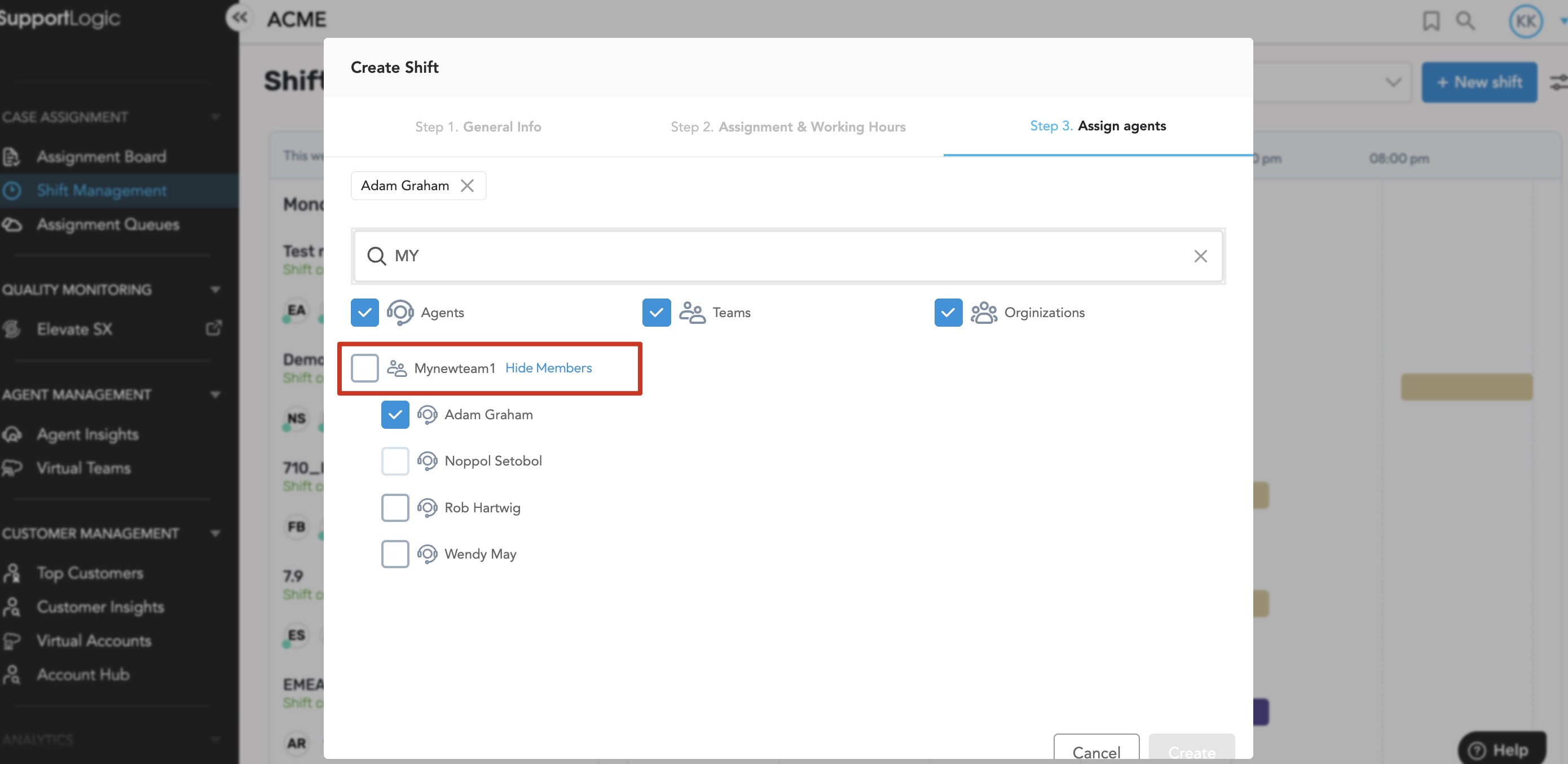
Use the Virtual Team or Organization dropdown menus to select and assign agents to the shift.
Refer to the Image for Guidance
Please refer to the attached screenshot below for visual reference.Need Help Creating a Shift?
For detailed instructions on how to create a shift, please refer to the related KB article:
https://support.supportlogic.com/support/solutions/articles/73000612773-shift-management
Was this article helpful?
That’s Great!
Thank you for your feedback
Sorry! We couldn't be helpful
Thank you for your feedback
Feedback sent
We appreciate your effort and will try to fix the article