Objective
This article explains why "Likely to Escalate" (LTE) signals may disappear from the SupportLogic Console or Escalation Board, even though they were initially predicted. It outlines how LTE predictions work, their dynamic nature, and how users can maintain visibility of such cases for operational or review purposes.
Design of LTE Prediction
SupportLogic’s LTE prediction is designed to proactively surface cases that are likely to escalate based on real-time analysis of three main factors - agent activity, customer activity, and case activity. These signals are dynamic and adapt to changes involved in the factors mentioned above.
Why LTE Signals May Not Show Up in the Console
When a case is initially predicted as LTE, it will appear under the LTE tile in the Console and Escalation Board.
If subsequent activity on the case (e.g., timely agent responses or improved case sentiment) causes the risk score to drop below the defined LTE threshold, the flag is automatically removed.
Once removed, the case will no longer be visible under the LTE section in the UI, even if it was previously flagged.
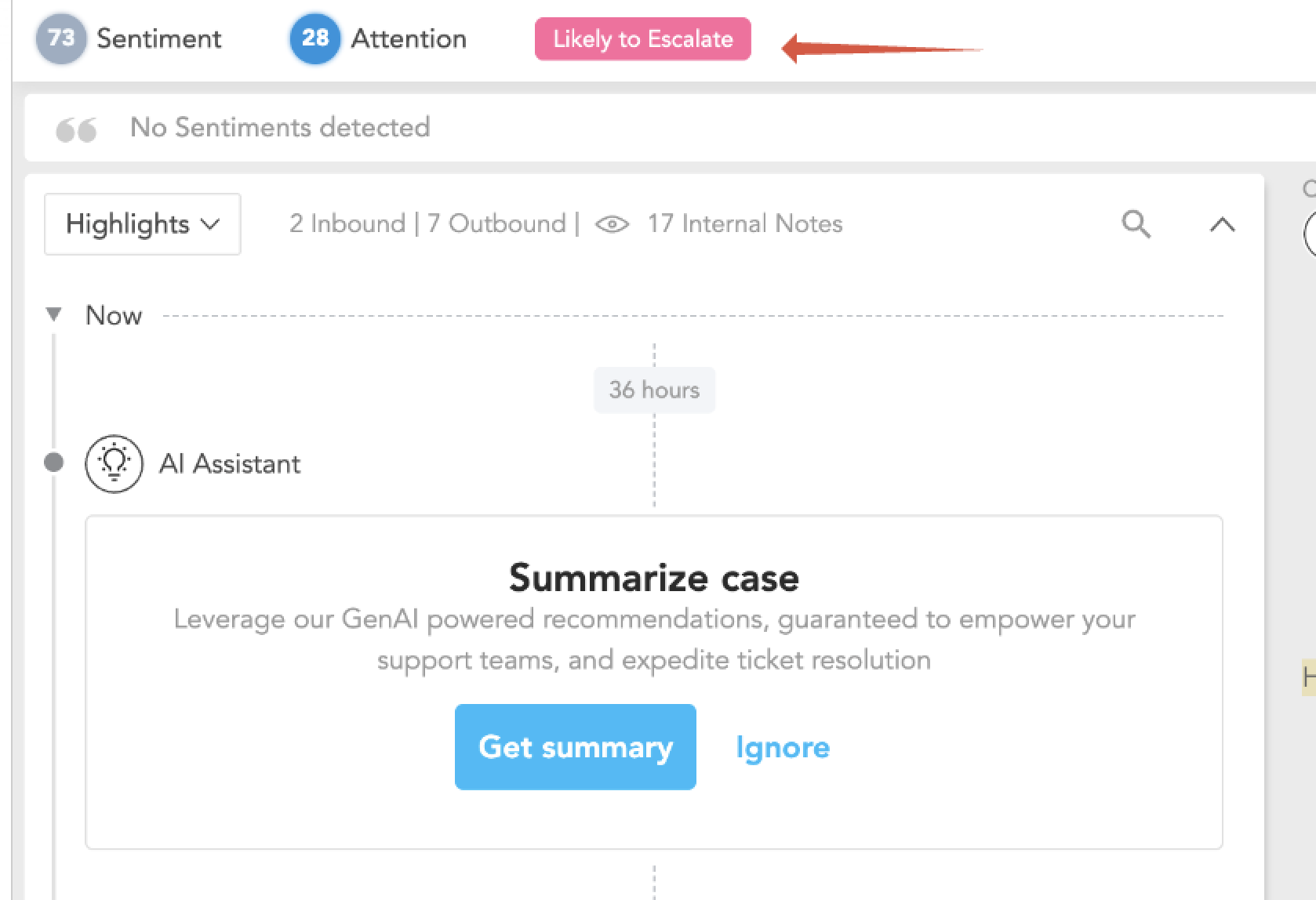
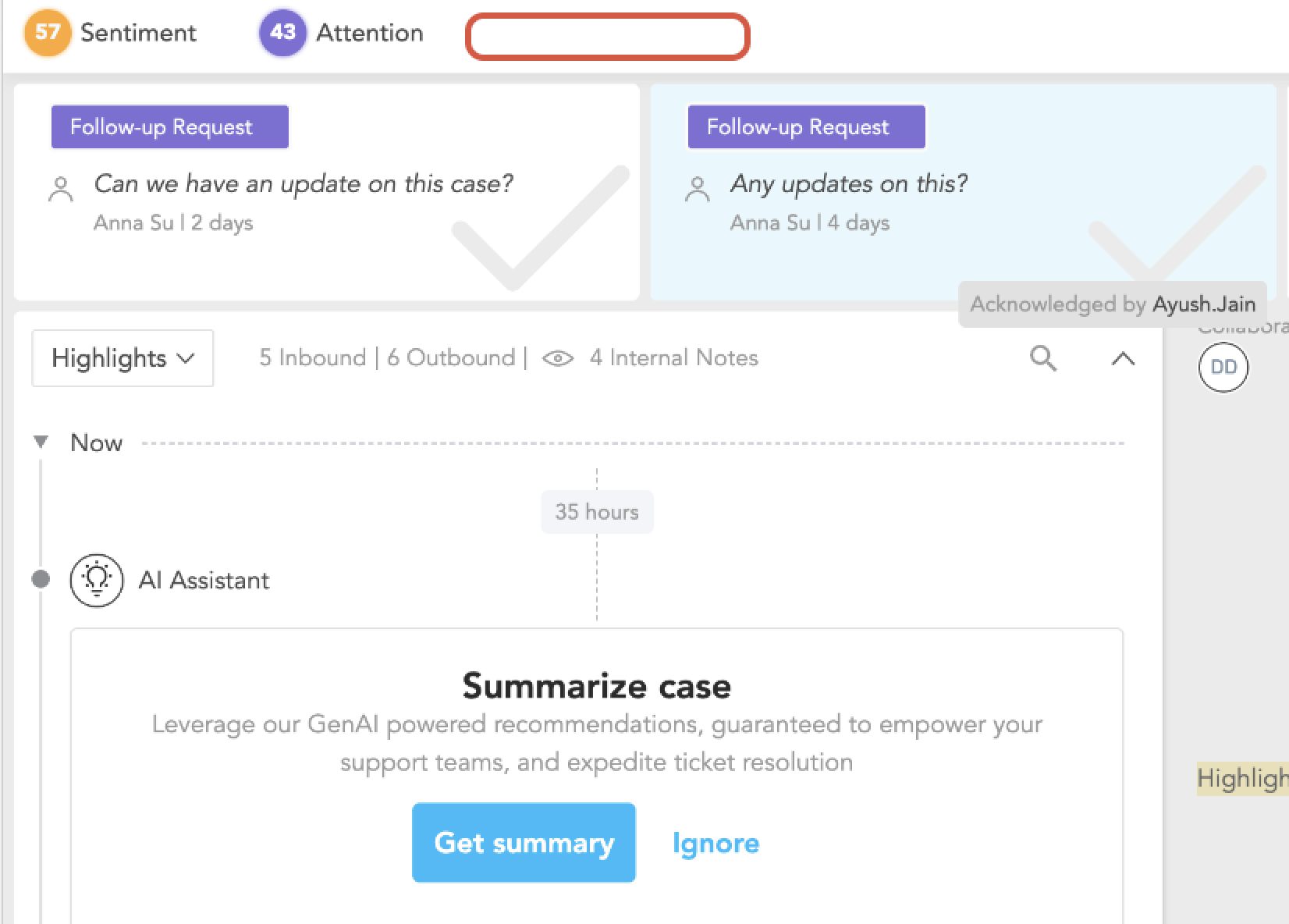
How to Verify LTE Prediction Was Removed
Open the case in SupportLogic.
If the LTE flag is no longer visible at the top of the case view, it means the prediction has been cleared.
However, the case highlights still retains the historical LTE prediction, including when it was tagged and its context.
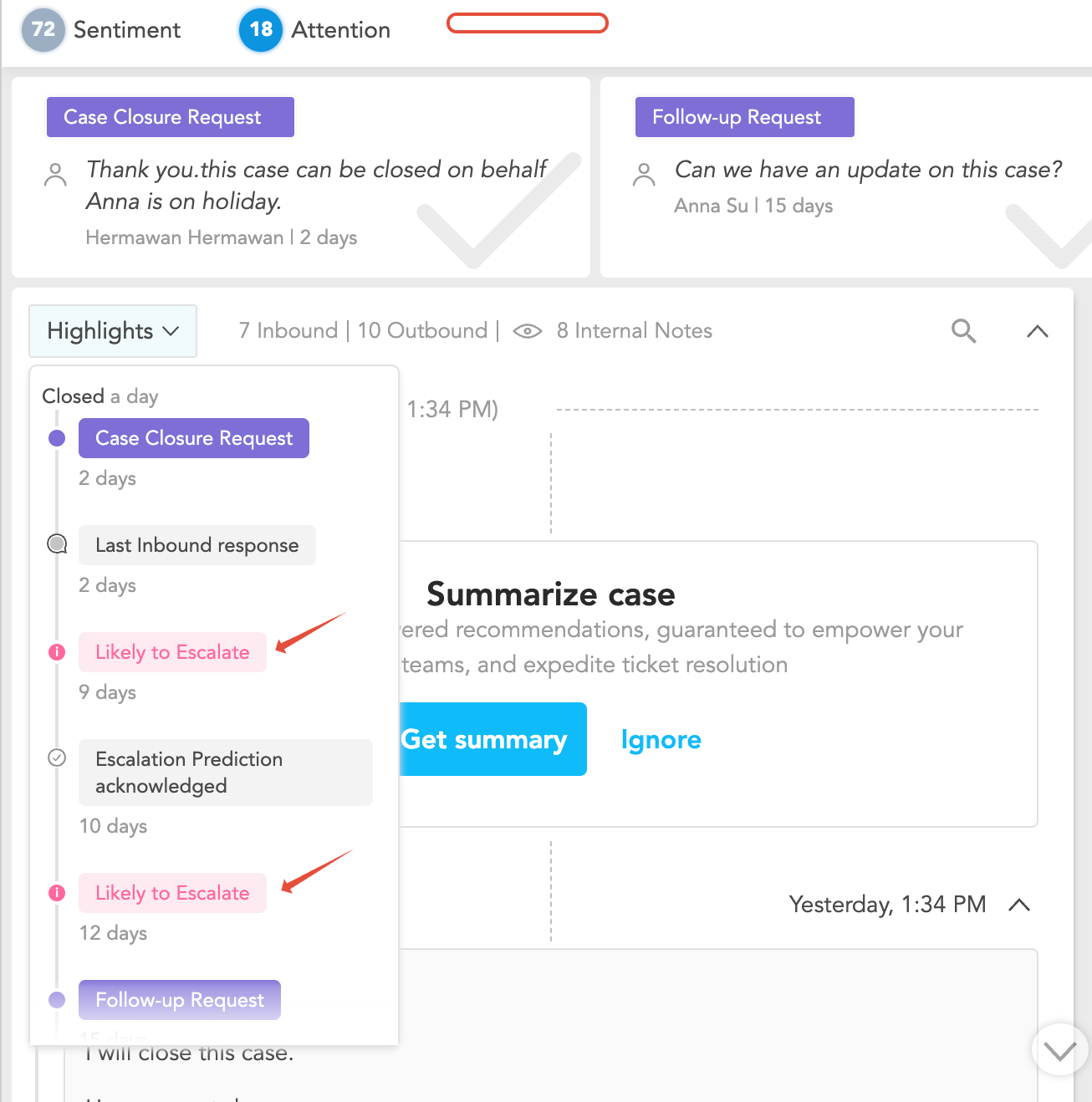
Key Notes About LTE Signal Behaviour
No Fixed Duration: LTE predictions do not have a minimum visibility period. Their presence in the UI depends entirely on real-time case dynamics.
Continuous Evaluation: The system continuously monitors changes in agent, customer and case activity. When conditions improve, the LTE signal is removed automatically.
No Timestamp for Removal: Currently, there is no separate log or timestamp indicating exactly when the LTE signal was removed.
Tracking Historical LTE Predictions
To maintain visibility on cases that were predicted LTE, even if the flag is later removed:
Navigate to:
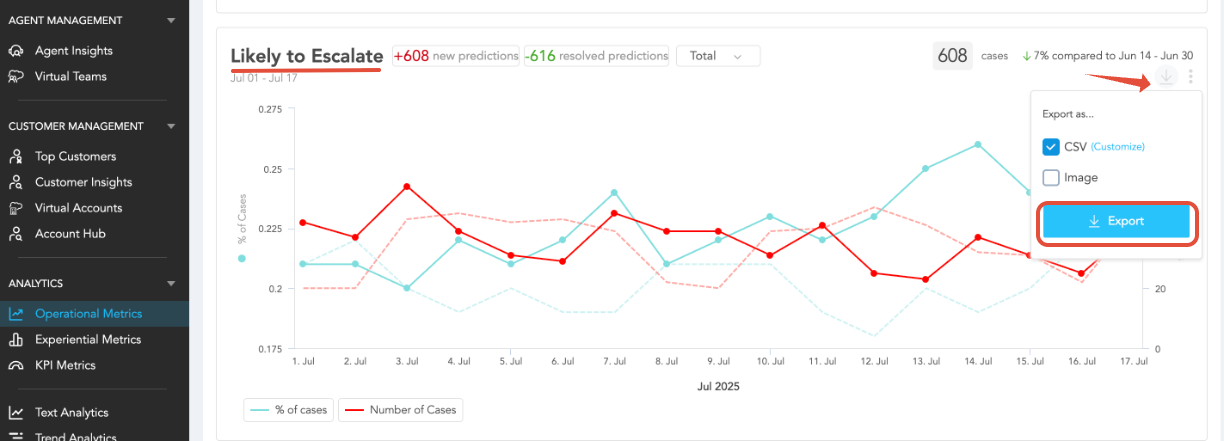
Operational Metrics → Likely to Escalate → Export CSV
This export contains all cases that were flagged LTE along with the date and time of the prediction.
Alternatively, set up an LTE-based alert using the Alerts module. Even if the LTE flag disappears, the alert history retains when the condition was met.
Recommended Workaround for Off-Hour Signal Loss
If LTE signals are missed due to time zone differences or off-hour review delays:
Use alerts to notify managers immediately when an LTE signal is triggered.
This ensures the case is reviewed even if the prediction criteria are no longer met by the time someone checks the UI.
Conclusion
SupportLogic's LTE predictions are a dynamic and proactive tool for case management. While they may not always remain visible in the Console due to evolving case activity, users can still track their history via case timelines (highlights), metrics exports, or automated alerts.
Refer to this article to know what LTE is: https://support.supportlogic.com/support/solutions/articles/73000649505-understanding-likely-to-escalate-lte-predictionsWas this article helpful?
That’s Great!
Thank you for your feedback
Sorry! We couldn't be helpful
Thank you for your feedback
Feedback sent
We appreciate your effort and will try to fix the article