Ways to view Product Updates

Introduction:

When a new version of the product is released, it’s important to keep our customers informed about the latest changes, feature enhancements, and UI updates. We share release notes through multiple channels to ensure all users are kept up to date.


Methods of Sharing Release Notes:
  1. Email Communication:

     Release notes are sent directly to customers via their registered email addresses. This ensures timely delivery of key updates and changes.

  2. Knowledge Base (KB) Section:

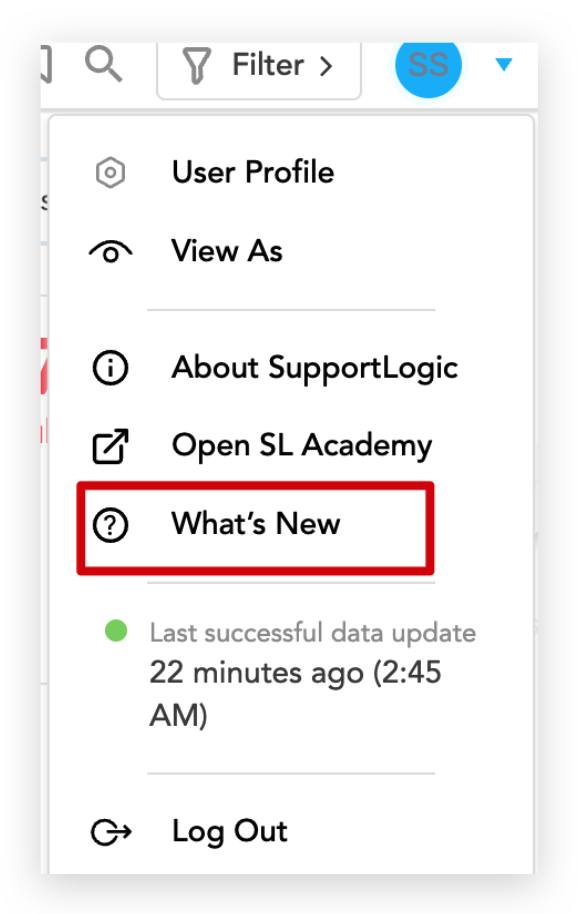
     A dedicated Release Notes section is maintained within our Knowledge Base, where customers can view detailed information about current and past updates. To check the updates please click on dropdown in the right hand side top corner of the page and click on ‘Whats New’.


Was this article helpful?

That’s Great!

Thank you for your feedback

Sorry! We couldn't be helpful

Thank you for your feedback

Let us know how can we improve this article!

Select at least one of the reasons
CAPTCHA verification is required.

Feedback sent

We appreciate your effort and will try to fix the article