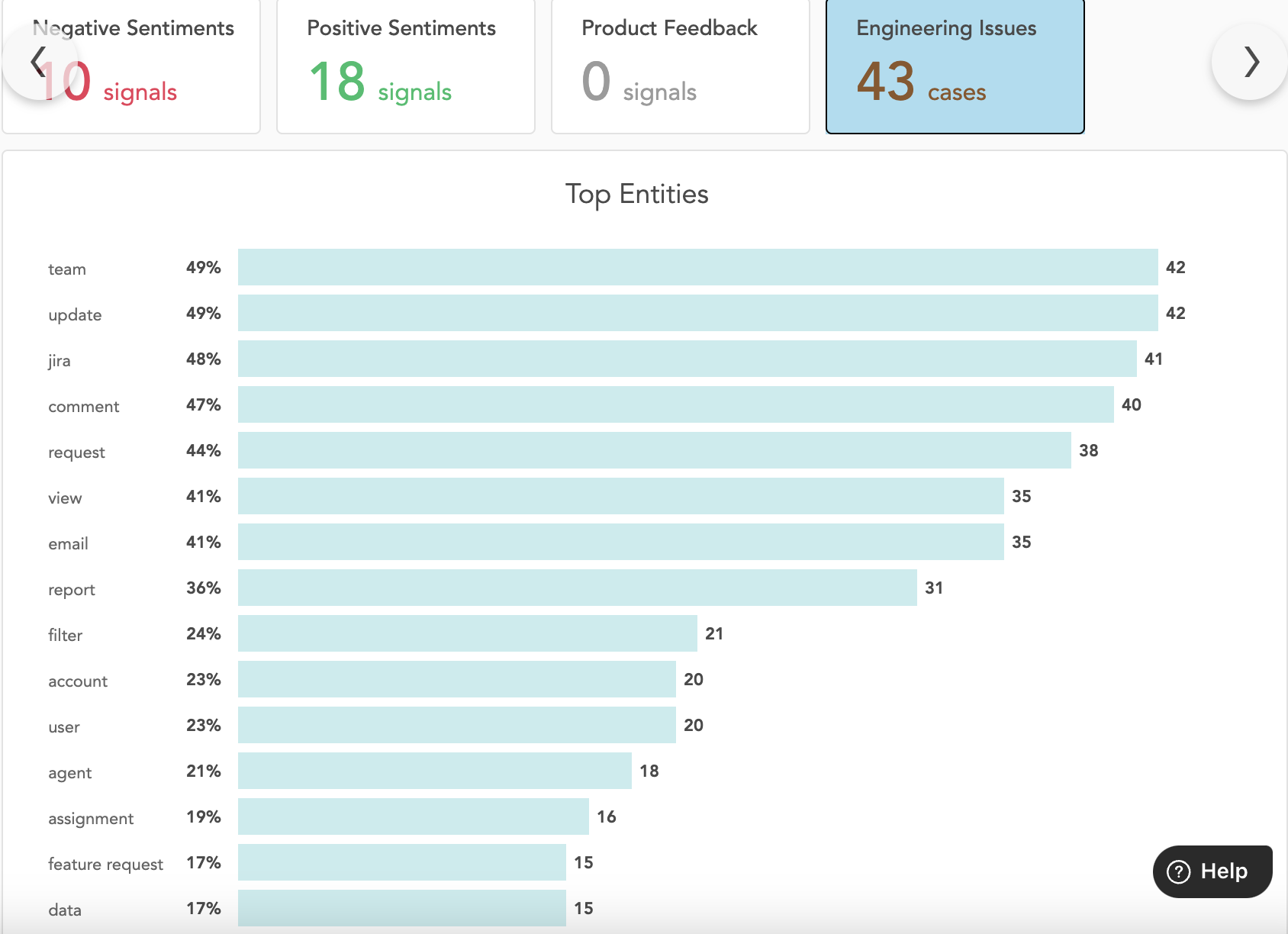
"Top Entities" section on Customers Insights page

Summary:


When you search for a customer or an individual from a customer account, two main modules are displayed:

  • Health Score

  • Insights


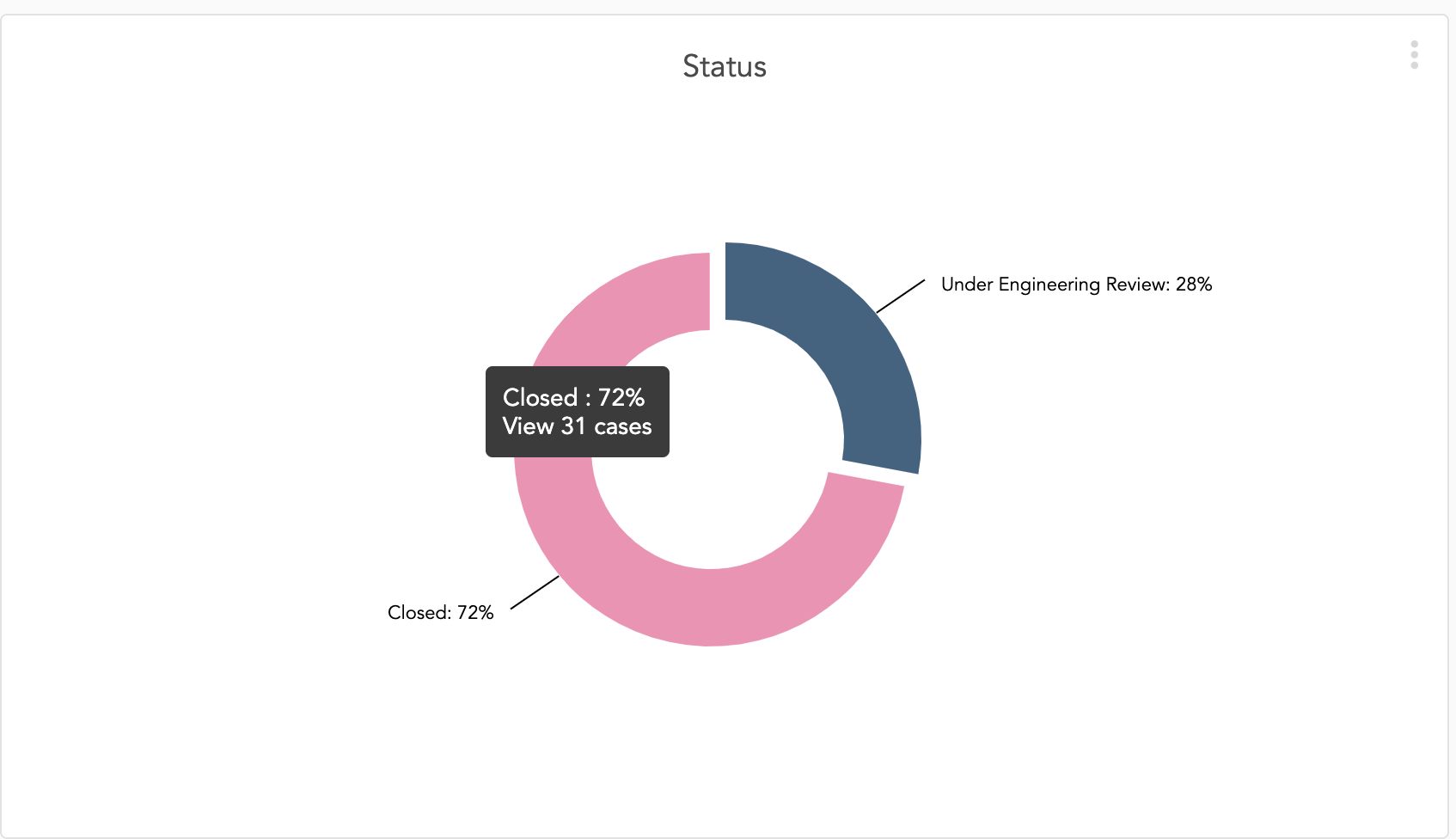
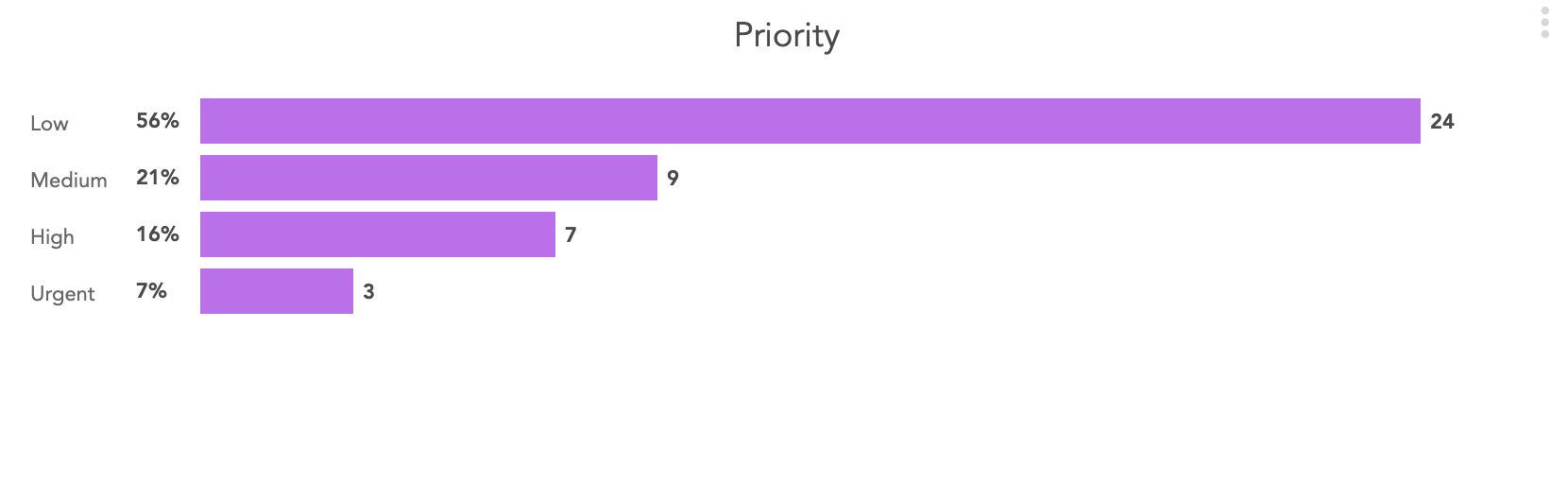
By clicking on Insights, you can view all sentiment tiles, along with the Engineering Issue tile that includes Top Entities, Status, and Priority.


Top Entities

  • Definition: Top Entities represent the case comments that have been added to engineering tickets for specific engineering cases.

  • Details: Below the Top Entities plot, you can view the Status and Priority segments of the associated tickets.

  • Keywords: The Add Top Entities option displays only the most significant keywords extracted from case comments.

  • Ontology Source: The Top Entities visualization is derived from the signals ontology list.


To display specific cases on top entities interactive bar graph is not possible as of now as per design.


Was this article helpful?

That’s Great!

Thank you for your feedback

Sorry! We couldn't be helpful

Thank you for your feedback

Let us know how can we improve this article!

Select at least one of the reasons
CAPTCHA verification is required.

Feedback sent

We appreciate your effort and will try to fix the article