Introduction:
This article explains the Case evaluations (ACE) functionality of the Core SX regarding the visibility of evaluations conducted by different managers for the same agent.
When users seek to access a comprehensive list of all QA evaluations conducted for a specific agent within a defined timeframe—irrespective of the evaluating manager—they are restricted to viewing only those evaluations they have personally performed.
Explanation:
Currently, Elevate SX is designed to record each evaluation as a distinct entry attributed to the manager who performed it. If multiple managers evaluate the same agent on different cases or even the same case, the system will create separate evaluation records.
Key Behavior:
Individual Records: Each completed evaluation is tied to the user who performed it.
No Consolidated View: There is no functionality to view a single, combined list of all evaluations done for an agent by different managers.
Duplicate Evaluations: If two different managers evaluate the same case for the same agent, two separate evaluation records will be created, one for each manager.
Workaround/Clarification:
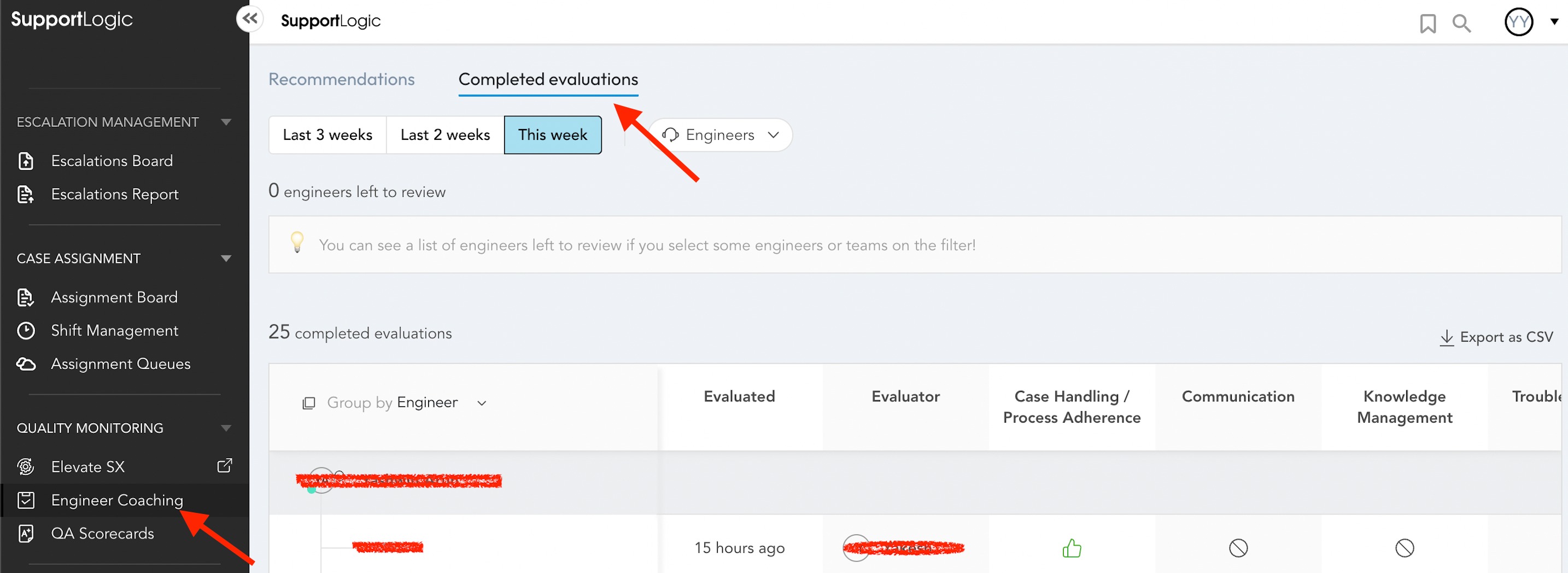
While a consolidated view is not available, managers can view the evaluations they have personally conducted for specific agents within a specific timeframe by navigating to Support Engineer Coaching -> Completed Evaluations.
Note: The system does not currently prevent multiple managers from evaluating the same case for the same agent. Each evaluation will be recorded separately.
Further Assistance:
If you have any further questions about the Elevate SX or its functionalities, please contact our support team at support@supportlogic.io. We are happy to assist you.
Was this article helpful?
That’s Great!
Thank you for your feedback
Sorry! We couldn't be helpful
Thank you for your feedback
Feedback sent
We appreciate your effort and will try to fix the article