Objective
To explain why certain customer accounts may not appear in the Customer Insights search and provide steps to resolve this behavior.
Issue Summary
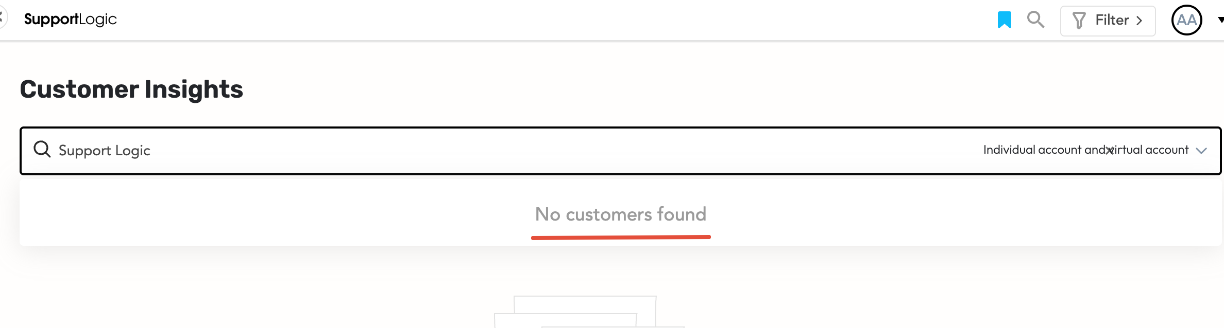
Users may sometimes notice that specific customer accounts are not visible in the Customer Insights search results, even when the correct account name or ID is entered.
Root Cause
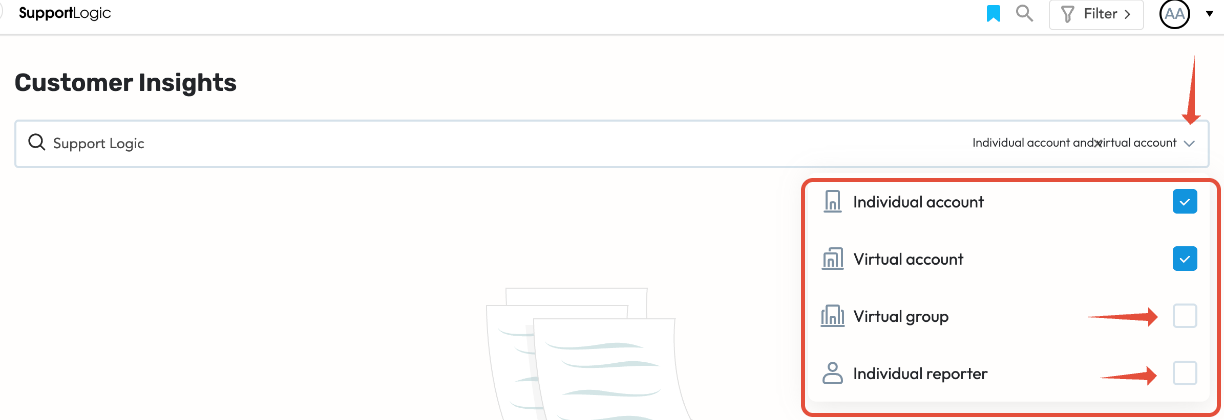
This typically occurs when the account type filter is not set correctly in the Customer Insights search bar. For example:
If only Individual Account or Virtual Account is selected, merged or other account types will not appear.
Steps to Resolve
Go to Customer Insights in SupportLogic.
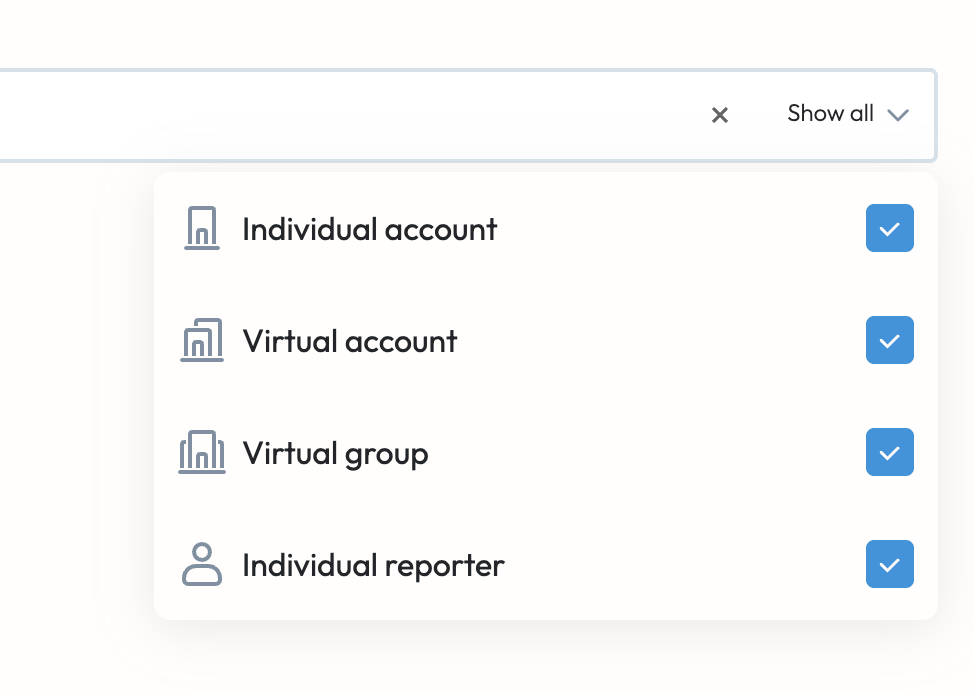
In the search bar, check the filters for Account Type.
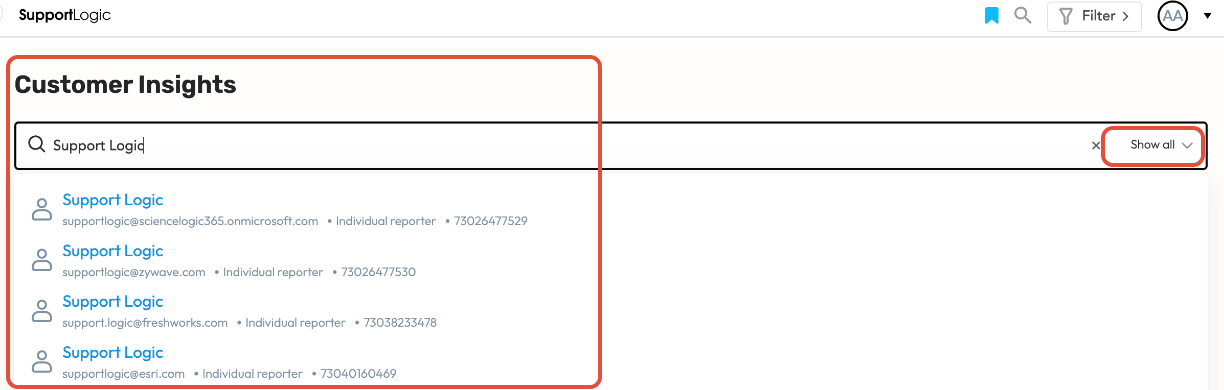
Ensure that All Account Types are selected.
Re-enter the account name or account ID in the search box.
The previously missing account should now appear in the results.
Keynotes
This behavior is expected and by design. Accounts are displayed only if their type is included in the search filter.
Always confirm that the correct Account Type filter is applied when searching.
If the account still does not appear after selecting all account types, please contact SupportLogic Support for further investigation.
Was this article helpful?
That’s Great!
Thank you for your feedback
Sorry! We couldn't be helpful
Thank you for your feedback
Feedback sent
We appreciate your effort and will try to fix the article