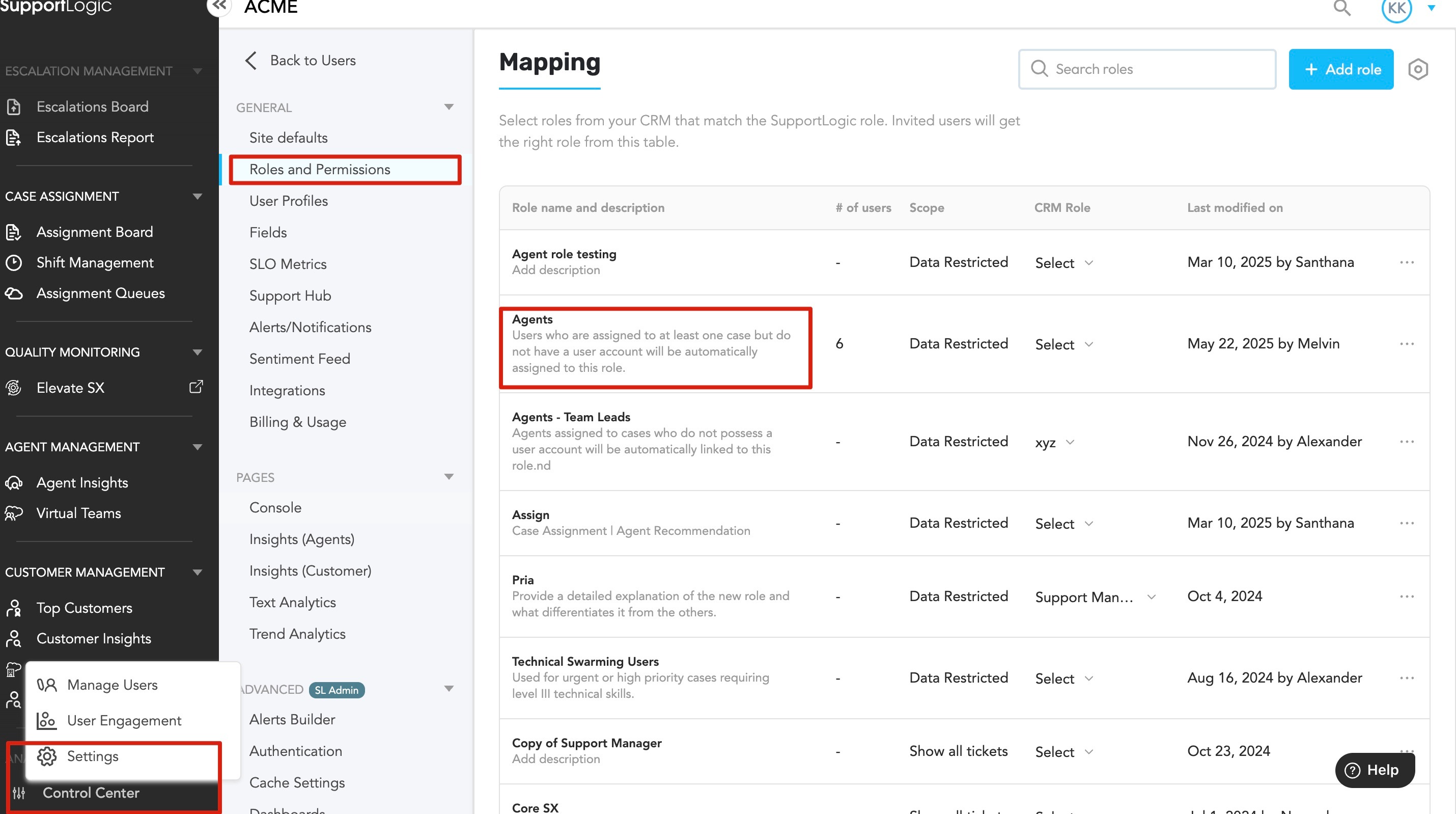
PurposeThis article explains how Admin's can configure which application pages and modules are accessible to users assigned the Agent role in SupportLogic. By customizing module visibility, the Admin's can ensure that only agents access the pages relevant to their responsibilities, enhancing usability and security. Issue DescriptionWithout proper configuration, agents may have access to application modules that are not relevant to their role. Configuring module access ensures a streamlined user experience and prevents unauthorized access to unrelated features. Resolution / Configuration Steps1. Access Control Center – Settings
2. Navigate to Roles and Permissions
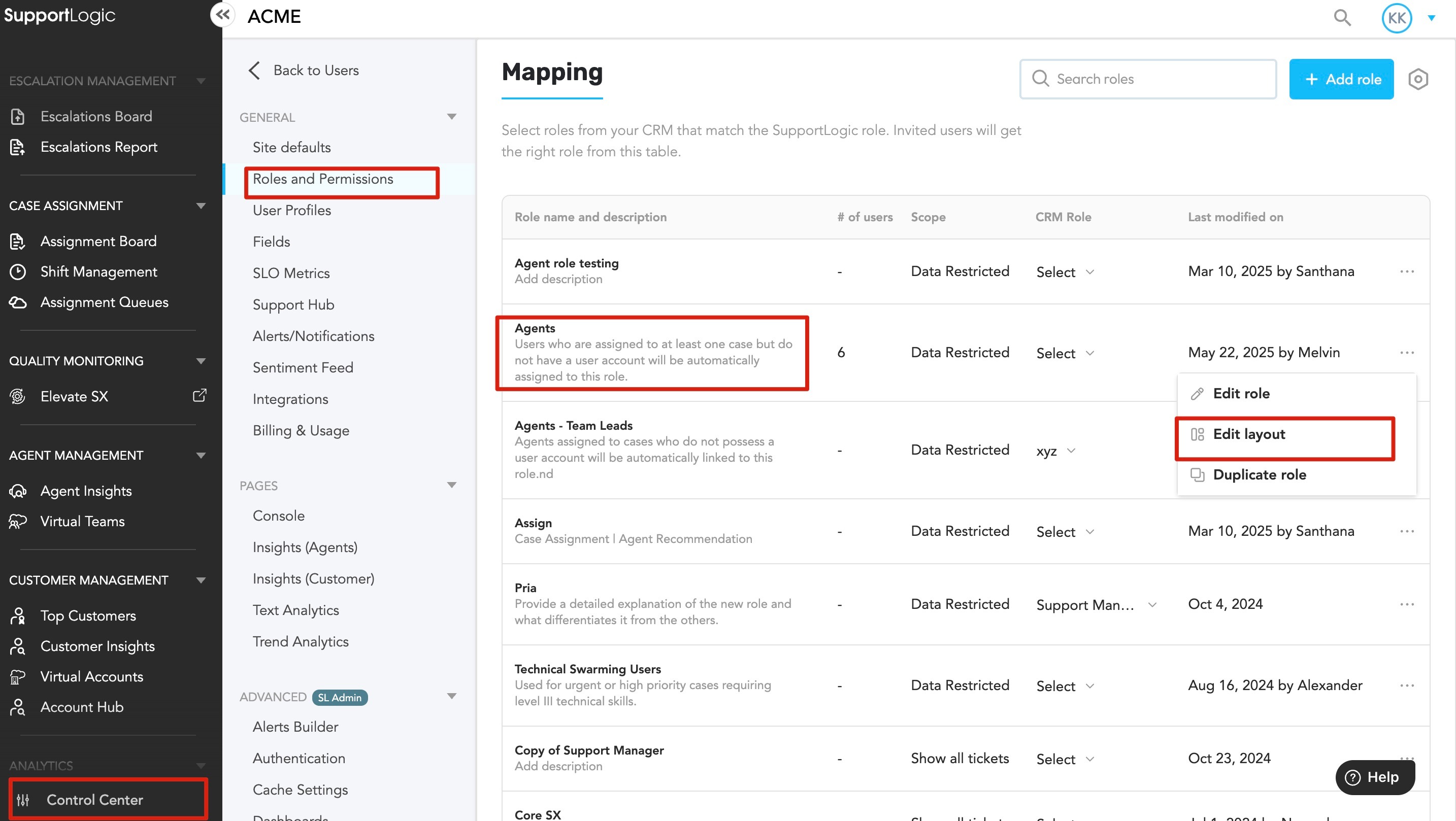
3. Edit Agent Role Layout
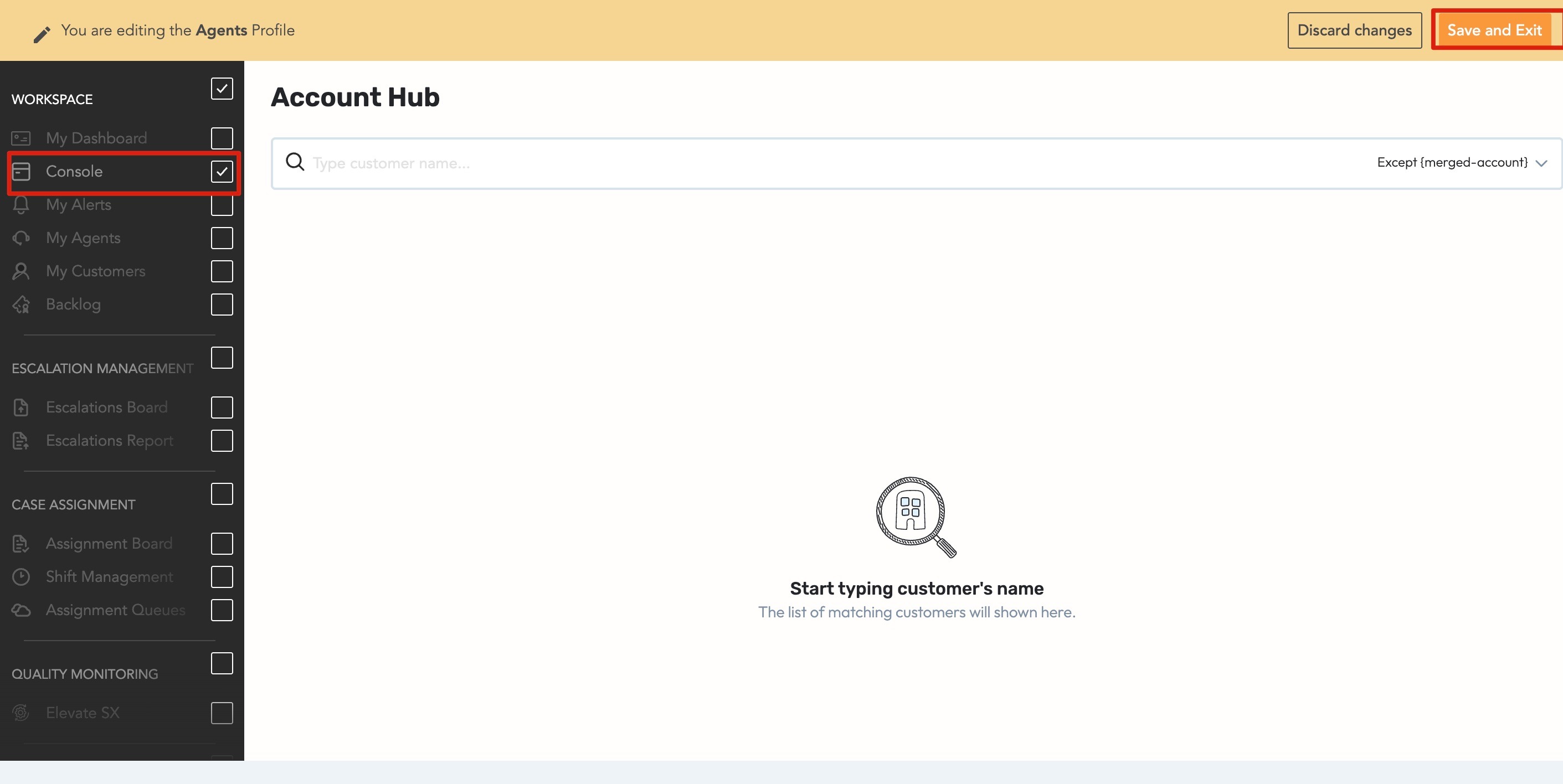
4. Customize Application Modules for Agent
5. Ensure Proper Permissions
Additional ReferenceFor more information on managing user permissions, refer to: |
Was this article helpful?
That’s Great!
Thank you for your feedback
Sorry! We couldn't be helpful
Thank you for your feedback
Feedback sent
We appreciate your effort and will try to fix the article