Purpose
This article provides insights into the root cause and resolution steps when a user is unable to add comments in the Case Note section within SupportLogic.
Issue Description
Users may encounter an error when attempting to add a comment to a case note in SupportLogic. The error message typically indicates a permission-related issue, as shown in the example screenshot below:
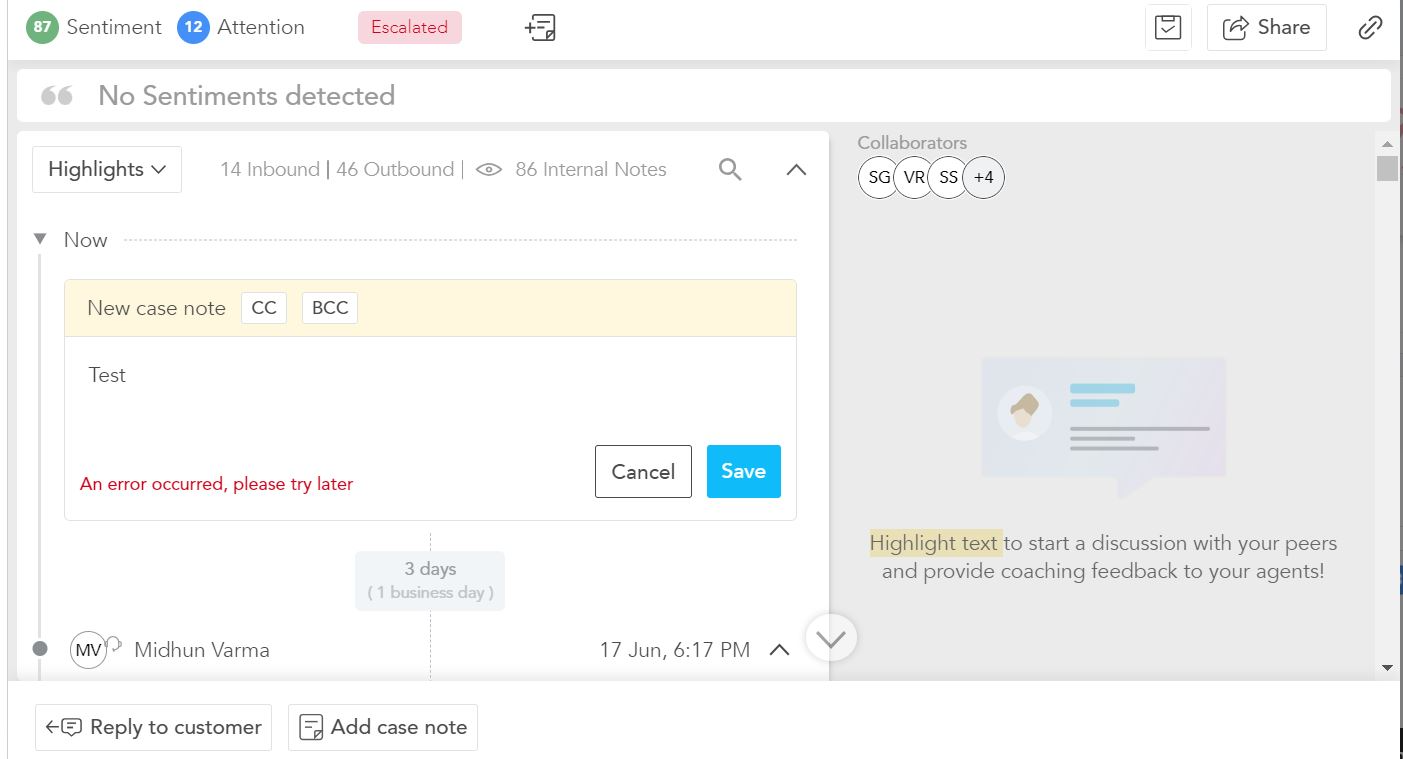
This issue is usually related to insufficient Salesforce permissions configured for the user profile.
Resolution Steps
1. Verify Salesforce Apex Class Access
Contact your Salesforce CRM administrator.
Ensure that the affected user's profile has access to the required Apex Classes.
The Salesforce admin must enable Apex Class Access for the relevant user profile.
This ensures that the user can successfully add comments to case notes.
Note : This option is available only when SFDC plugin is enabled on the CRM to writeback SupportLogic to Salesforce Refer the link about Installing SFDC Plugin2. Re-authenticate Integration (If Needed)
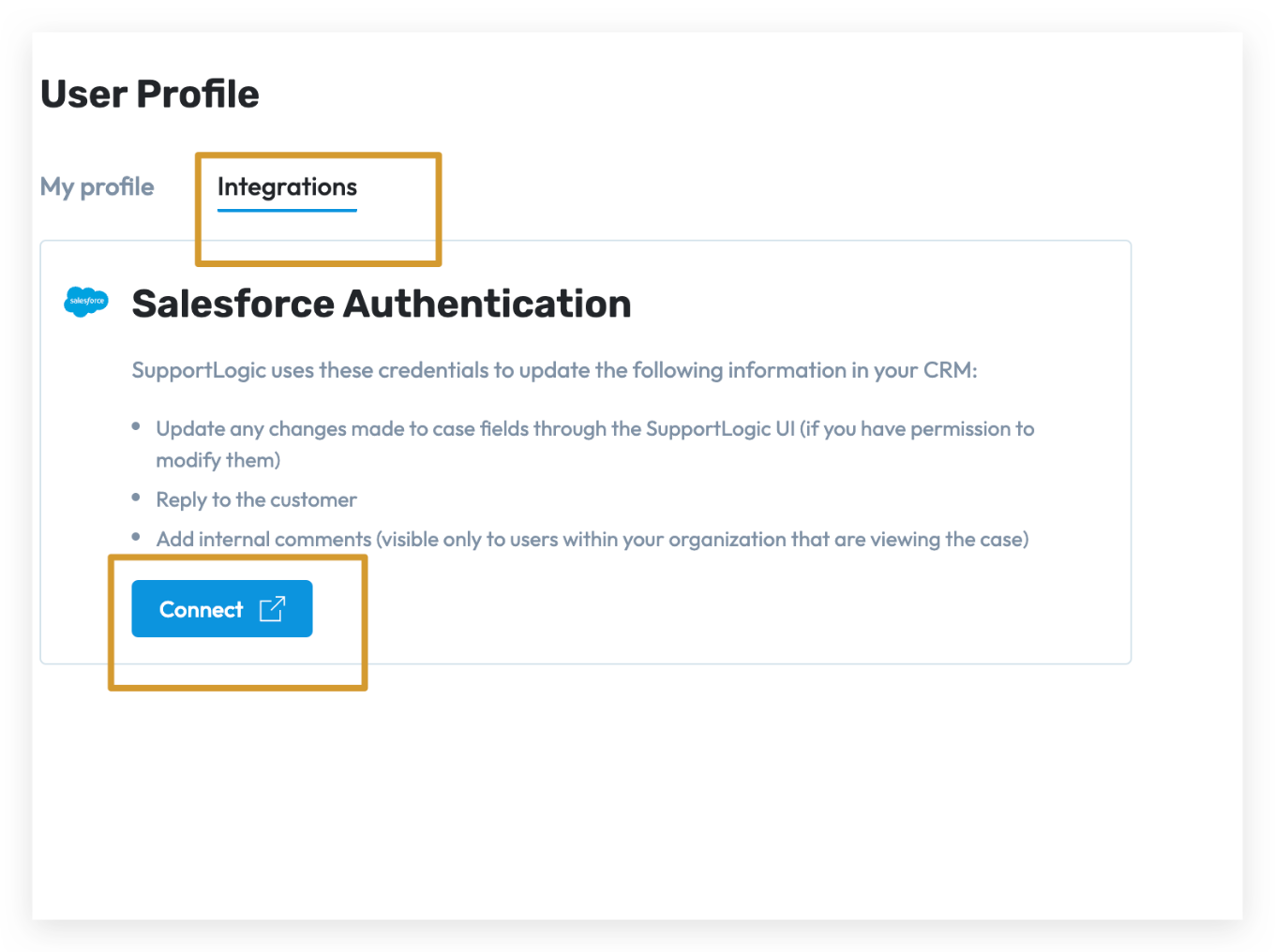
If the user still faces issues after enabling Apex Class Access, follow these steps to re-authenticate the integration:
Log in to SupportLogic UI.
Click the Profile Icon in the top-right corner.
Select User Profile.
Navigate to the Integration tab.
Complete the Integration Process by authenticating your Salesforce account.
Was this article helpful?
That’s Great!
Thank you for your feedback
Sorry! We couldn't be helpful
Thank you for your feedback
Feedback sent
We appreciate your effort and will try to fix the article