Purpose
The purpose of this article is to explain how the “All Day” option works when setting an Out-Of-Office (OOO) event for agents in SupportLogic. This ensures proper handling of agent availability and case assignments.
Description
The “All Day” option marks an agent as out-of-office for an entire day. When this option is selected, the system considers the OOO period from 12:00 AM to 11:59 PM of the selected date, based on the time zone specified in the OOO event.
Key Points:
Time Range: 12:00 AM – 11:59 PM of the selected date.
Time Zone: The OOO period is determined according to the time zone chosen in the OOO event.
Example
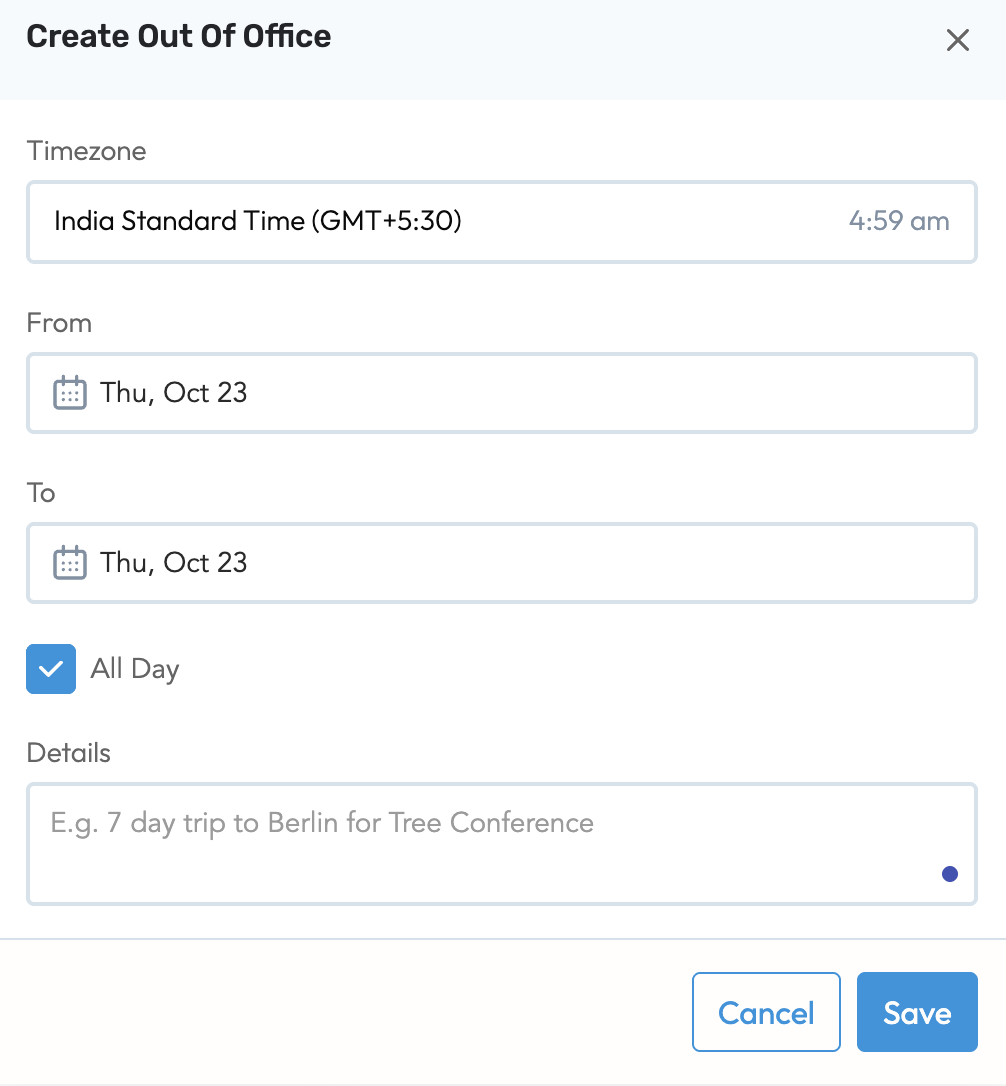
If an agent sets an OOO event with the “All Day” option on October 23 and selects the IST (Indian Standard Time) zone:
OOO Start: October 23, 12:00 AM IST
OOO End: October 23, 11:59 PM IST
The system will mark the agent as unavailable for the entire day in the selected time zone.
Screenshot for Reference:
Was this article helpful?
That’s Great!
Thank you for your feedback
Sorry! We couldn't be helpful
Thank you for your feedback
Feedback sent
We appreciate your effort and will try to fix the article