Purpose
This article explains the process for enabling and displaying a new CRM field within the SupportLogic UI. It outlines how field mapping works, the prerequisites for data availability, and the steps involved in syncing and mapping a field to ensure accurate data representation in SupportLogic.
Description
SupportLogic uses an ETL (Extract, Transform, Load) process to sync data from your CRM into our platform. However, not all CRM objects or fields are fetched automatically. Only the fields that have read access granted to the SupportLogic integration user in your CRM are eligible for syncing.
When a new field becomes available with the required access permissions, it must first be enabled in the ETL so that the data can begin flowing into SupportLogic. Since our ETL does not automatically sync every field, our team reviews and selectively enables only the necessary fields or objects based on the customer’s request.
Once the field is enabled in the ETL layer, the data starts syncing into the SupportLogic database. After successful data ingestion, we proceed to map the field within SupportLogic, allowing it to be displayed and used in the UI.
Verifying Field Mappings
You can review existing field mappings in your SupportLogic instance by navigating to:
Settings → Fields
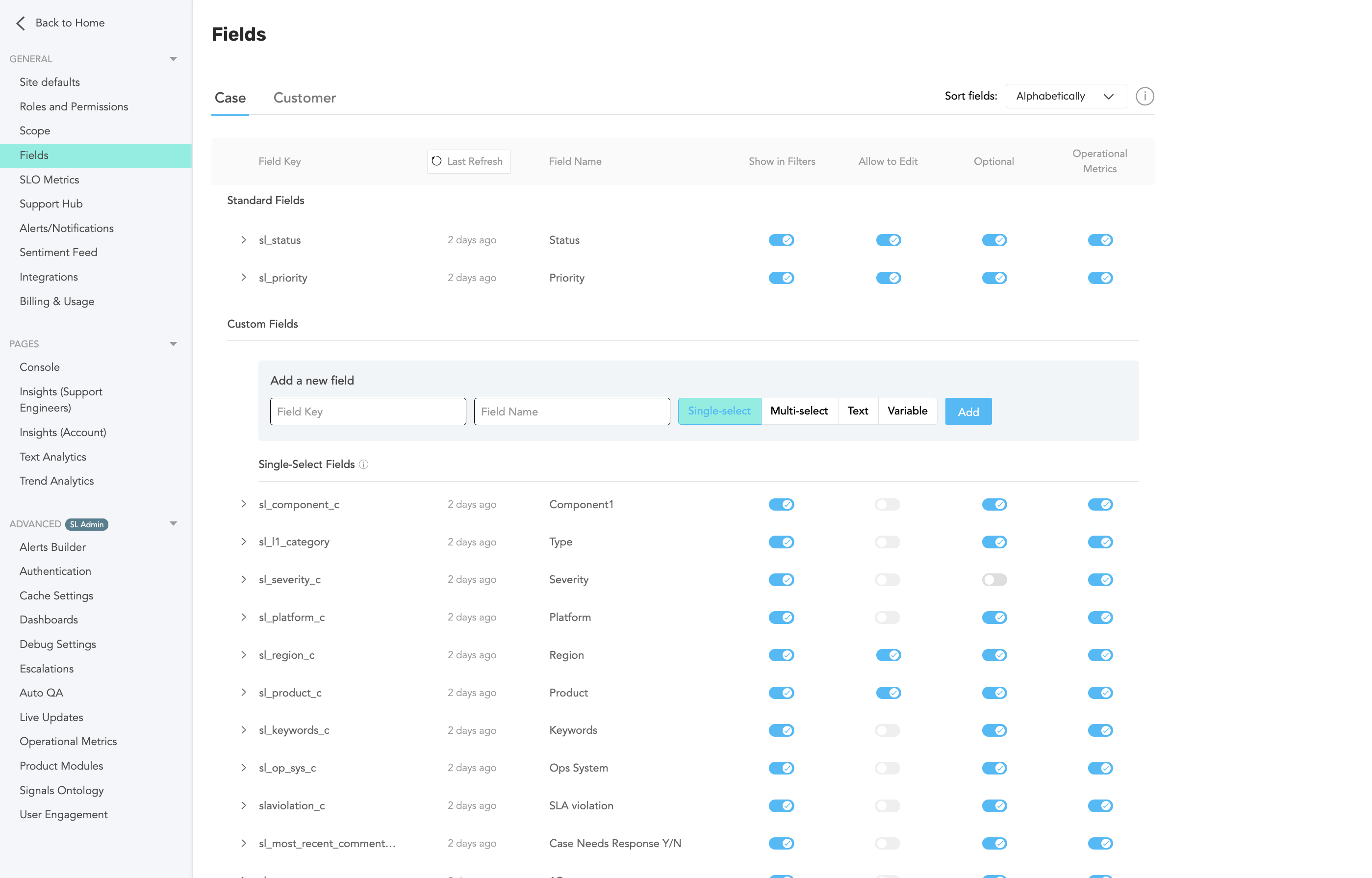
Here you’ll find a list of fields currently configured.
If the field is already mapped in our backend system, you can search for it under the Add Field Key option. Once found, you can add it directly to the UI.
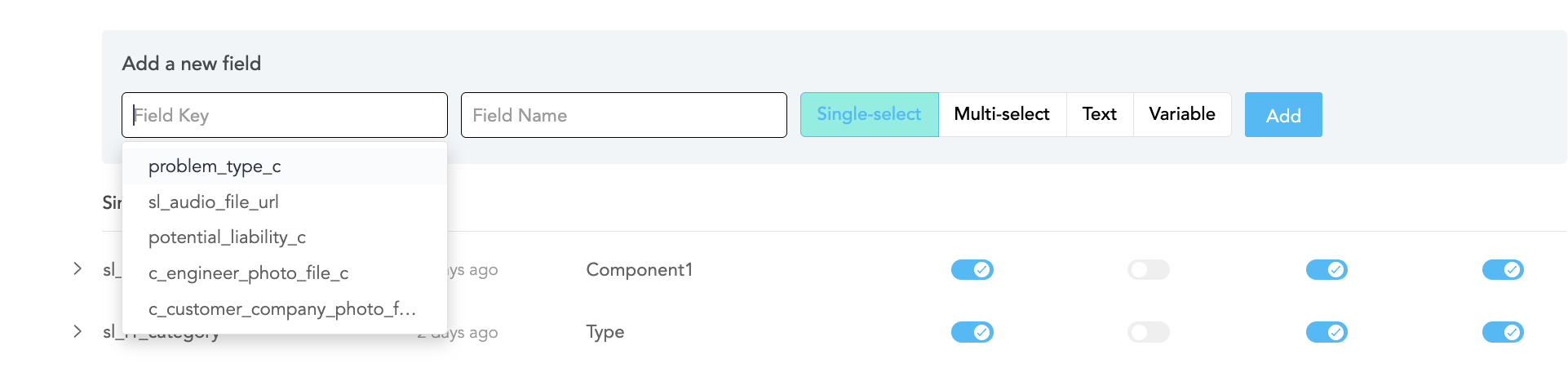
If the field is not listed, please share the field details (API name and object) with our Support team. We’ll review your request, enable the field in Fivetran, and complete the mapping process on our end.
Was this article helpful?
That’s Great!
Thank you for your feedback
Sorry! We couldn't be helpful
Thank you for your feedback
Feedback sent
We appreciate your effort and will try to fix the article