Overview
This article explains how Daylight Saving Time (DST) adjustments are handled within the system. DST changes are determined solely by the time zone assigned to the shift, not by the individual agent’s local time zone or the tenant’s time zone.
How DST Adjustments Work
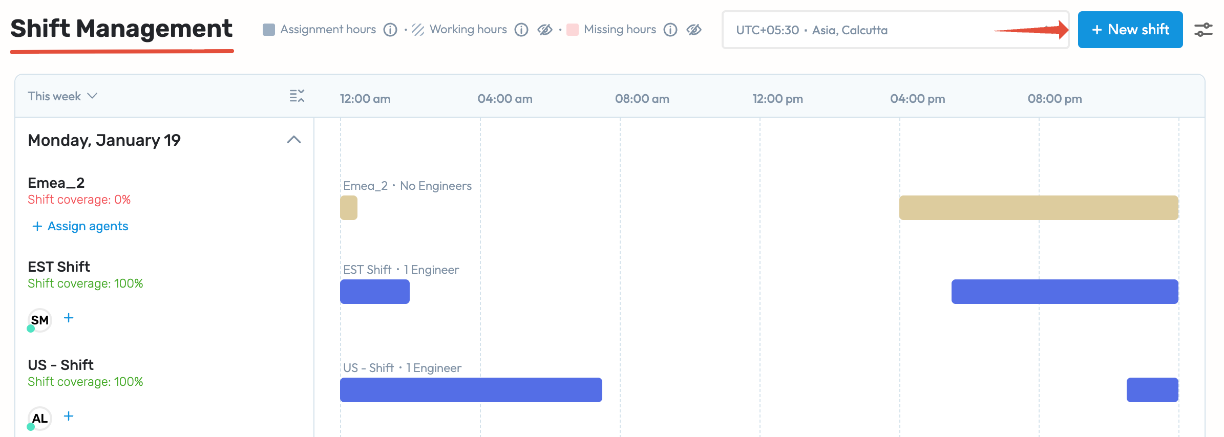
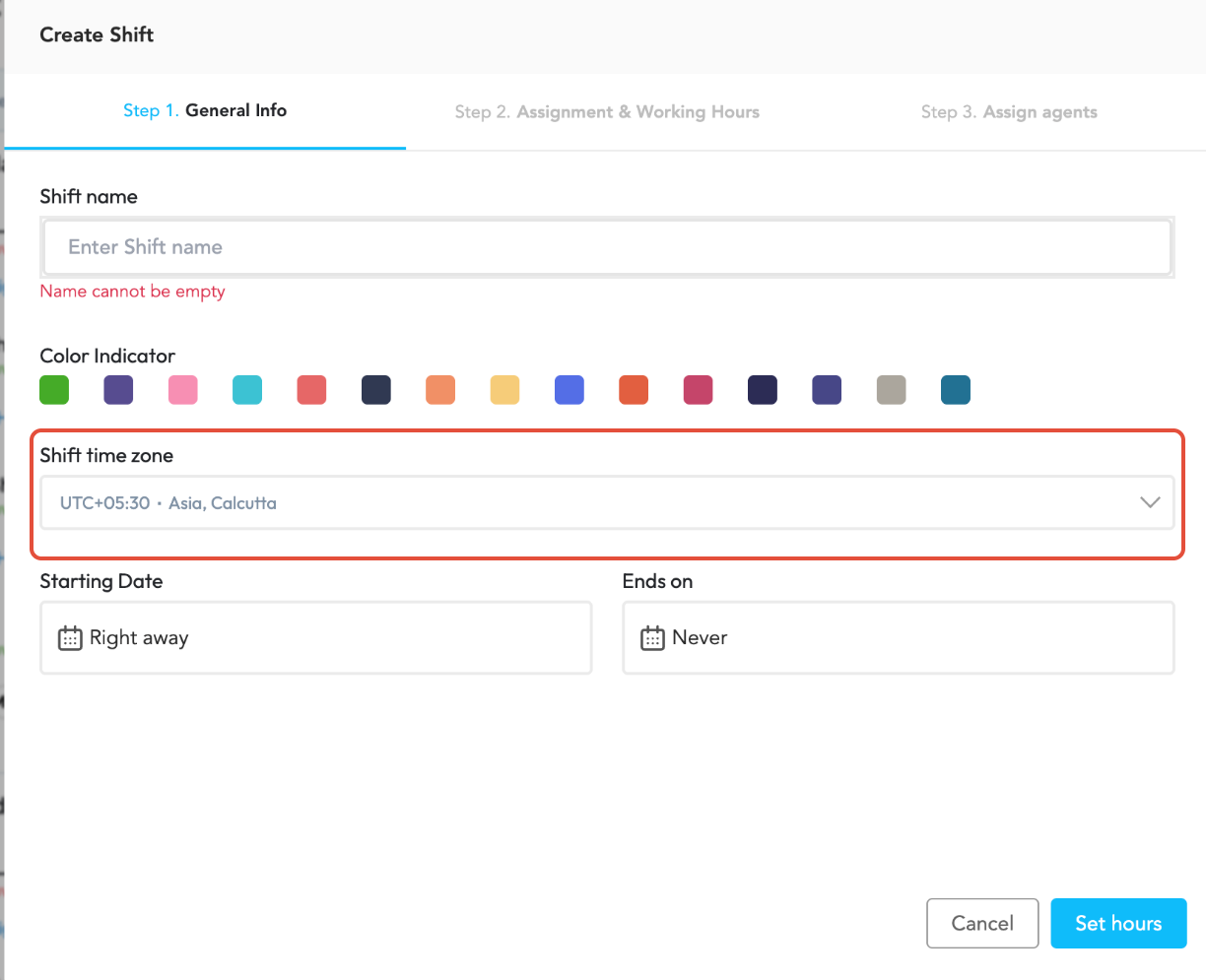
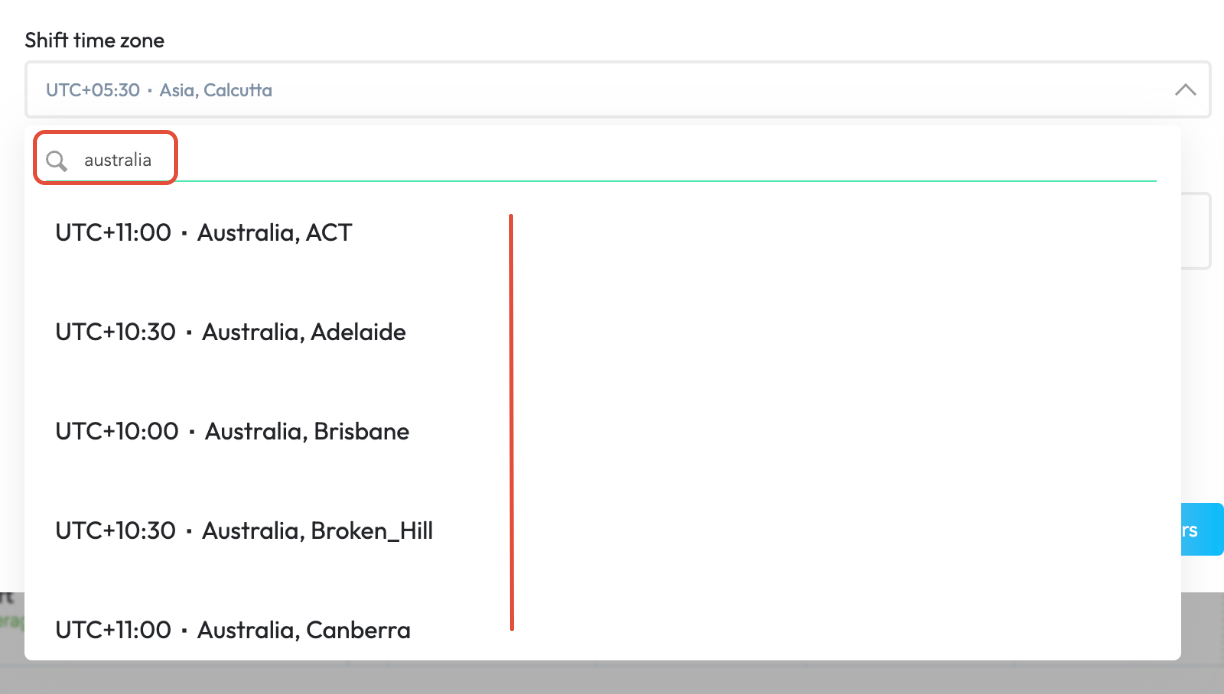
When creating a shift, the creator must select a time zone (e.g., Australia/Sydney, Europe/London, or Asia/Kolkata).
If the selected time zone observes DST (such as Sydney or London), the system will automatically adjust shift times when DST begins or ends.
If the selected time zone does not observe DST (such as India), no automatic changes will occur.
Important Notes
DST adjustments are based only on the shift’s assigned time zone.
The tenant time zone (e.g., EST) and individual agent time zones does not affect DST adjustments.
To ensure scheduling accuracy across global teams, it is recommended to create shifts using the local time zone of the region or team they apply to.
Agent View and Time Display
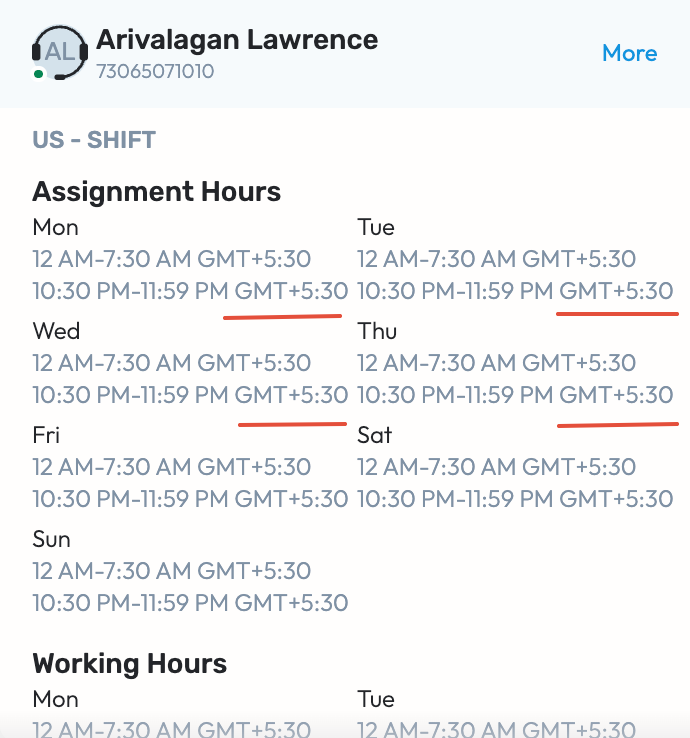
While DST adjustments are applied automatically to the shift’s base time zone, each agent’s schedule will continue to display in their own local time zone (e.g., Pacific, Mountain, Central, or Eastern), accurately reflecting the updated time after DST changes.
Example
A shift is created in the Europe/London time zone.
When DST begins, the system automatically adjusts the shift start and end times accordingly.
Agents in other time zones (e.g., US Eastern or Pacific) will see the updated shift time reflected correctly in their local time zones.
Was this article helpful?
That’s Great!
Thank you for your feedback
Sorry! We couldn't be helpful
Thank you for your feedback
Feedback sent
We appreciate your effort and will try to fix the article