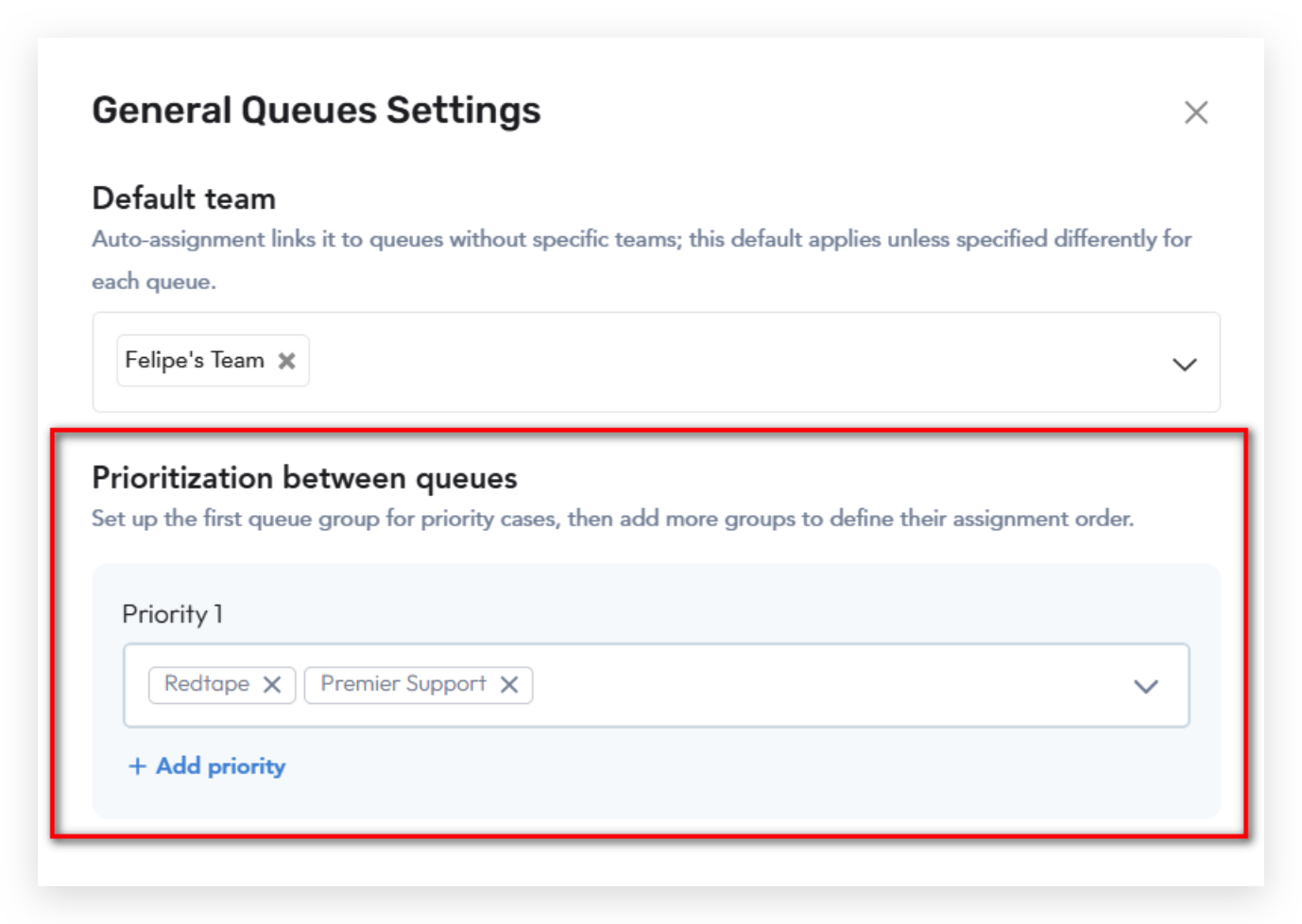
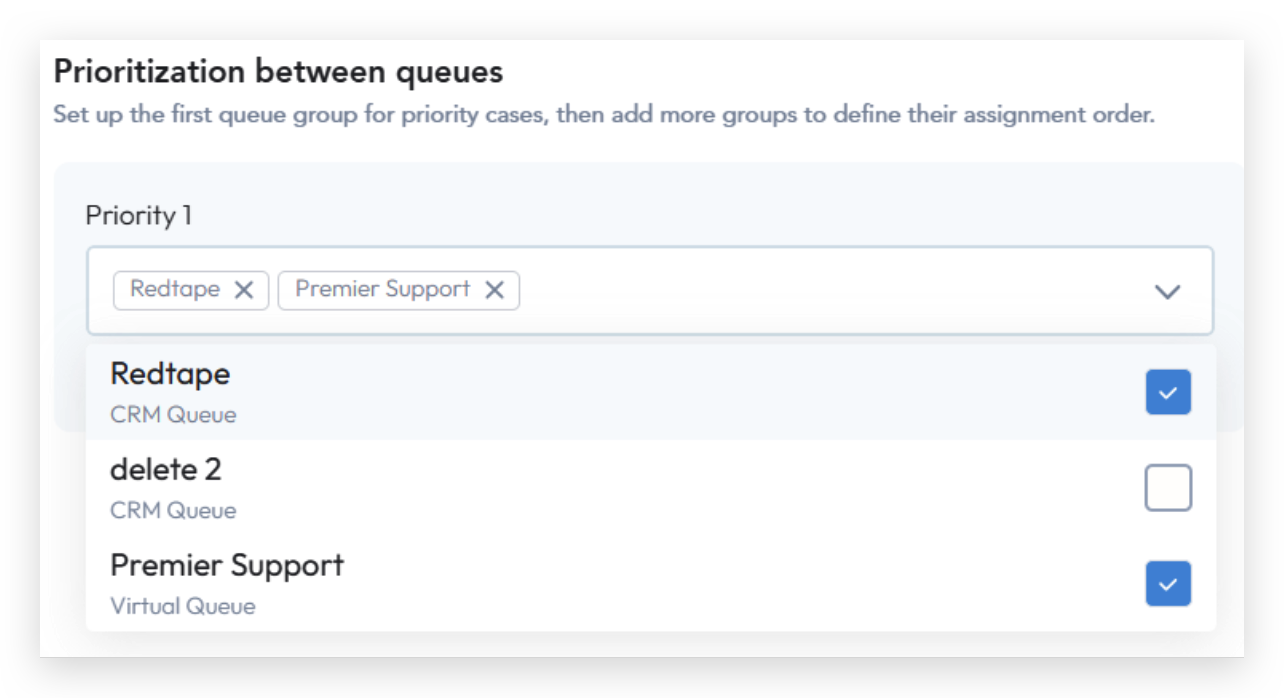
Introduction: The Queue Prioritization feature allows admins to control the order in which cases are evaluated and assigned across multiple queues. By defining priority levels, teams can ensure that critical or high-impact cases are automatically addressed before lower-priority ones. This helps improve operational efficiency, maintain service-level goals, and align case routing with business priorities. Accessing the Feature:The Queue Prioritization functionality is available under General Queue Settings in the upper-right corner of the Assignment Queues page. Configuration Steps
 |
Logic and Behavior
Priority Evaluation:
Cases in Priority 1 queues are evaluated and assigned before those in lower buckets.
Queues not included in any priority bucket are processed last.
Multiple Queue Cases:
If a case appears in multiple queues, it’s assigned based on the highest priority queue.
If a case belongs to several queues within the same priority bucket, agents from those queues are combined into a single assignment list.
Assignment Rules:
ML recommendations take precedence over Round Robin assignments, except during designated Round Robin hours.
If an agent belongs to multiple queues for the same case, the same logic applies.
Was this article helpful?
That’s Great!
Thank you for your feedback
Sorry! We couldn't be helpful
Thank you for your feedback
Feedback sent
We appreciate your effort and will try to fix the article