Overview
When attempting to open a case in SupportLogic, you may encounter the message:
“Oops! Your scope settings don’t allow access to this case.”
This article explains why this occurs, what it means, and how cases categorized as bot cases may affect your ability to view them.
Why You See This Message
This message appears when profile scope settings do not allow access to a certain type of case. In many environments, profiles are configured to exclude specific categories, such as:
Bot-created cases
Deleted cases
Cases in excluded categories appear greyed out in search results, and attempting to open them will trigger the scope restriction message.
Why a Case Is Categorized as a Bot Case
A case is classified as a bot case when it is created by a system user or integration account mapped as a “bot user” in the CRM importer configuration.
Any case created by this user is automatically classified as a bot case.
This classification helps distinguish system-generated cases from human-generated cases, ensuring accurate filtering, reporting, and workflow management.
How to Resolve this issue
To view cases categorized as bot cases:
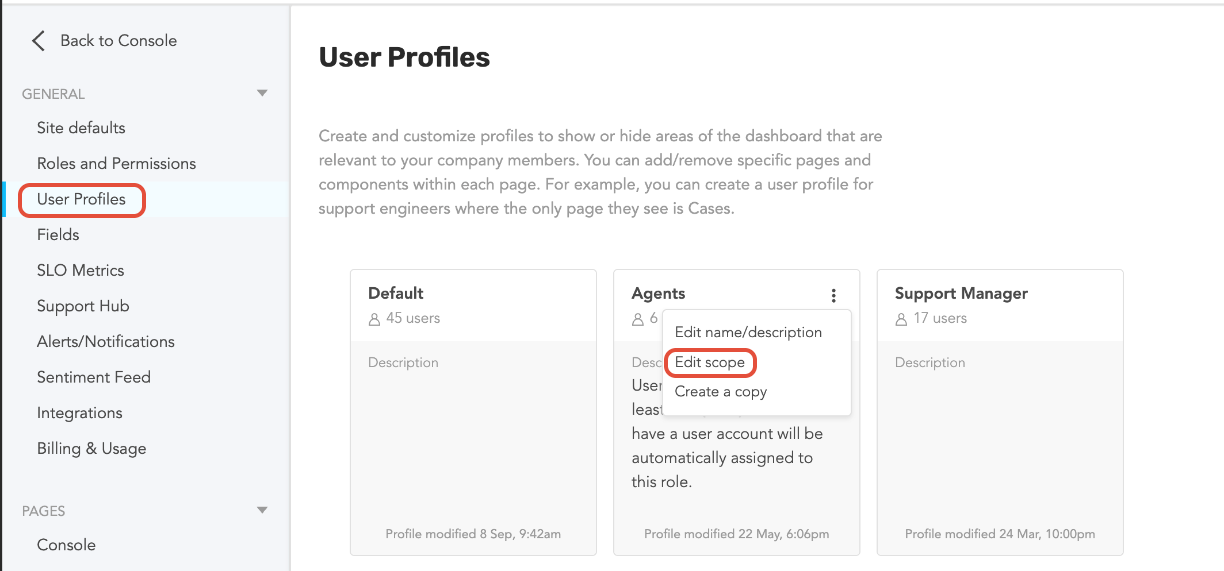
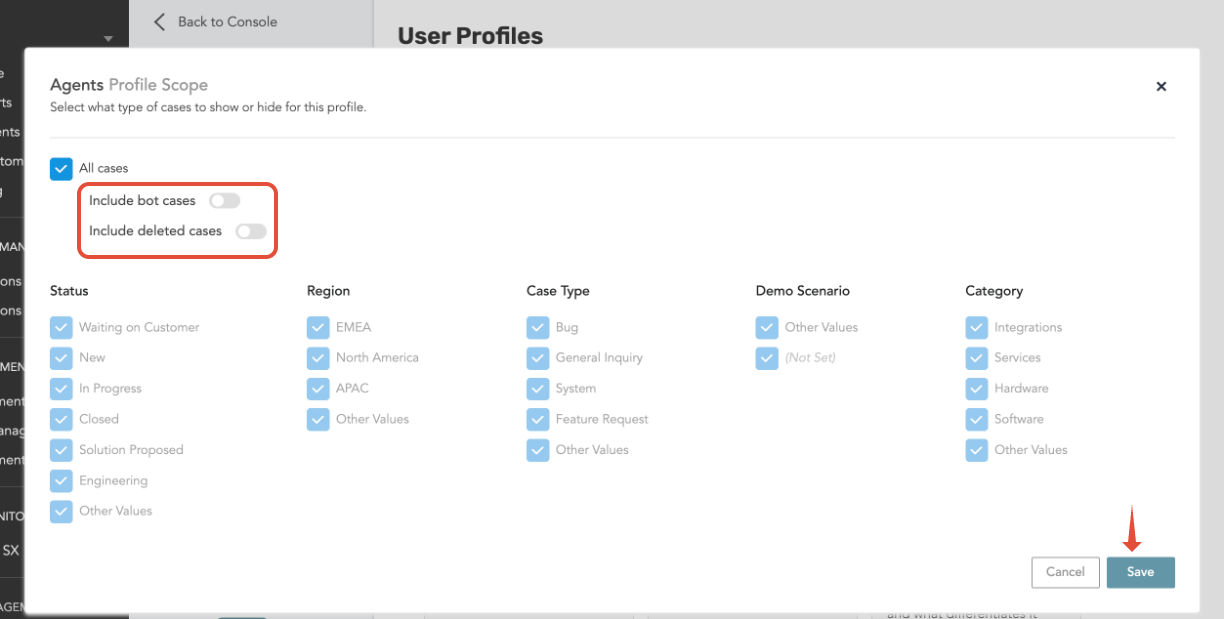
Enable the “Include bot cases” option for the relevant profile in the User Profile settings section.
Once this option is enabled, bot-created cases become visible according to the updated scope settings.
If it Occurs Again
If the message is displayed in the future:
Verify whether the case is bot-created, deleted, or otherwise restricted.
Contact the SupportLogic administrator or SupportLogic Support to update profile scope settings if necessary.
Was this article helpful?
That’s Great!
Thank you for your feedback
Sorry! We couldn't be helpful
Thank you for your feedback
Feedback sent
We appreciate your effort and will try to fix the article