Purpose
This KB explains how to manage hourly assignment Limits limits, backlog limits, Out of Office (OOO), and agent skills in bulk using a Virtual Team or Virtual Org. It is designed to help admins efficiently update a large number of agents without modifying each profile individually.
Description
When working with a large agent count, updating hourly assignment Limits limits, backlog limits, OOO schedules, or skills one agent at a time can be time-consuming and inefficient.
SupportLogic provides a way to apply these settings in bulk by targeting a Virtual Team or Virtual Org. Any updates applied at the group level are automatically reflected for all associated agents.
Step 1: Navigate to Agent Insights
Go to the Agent Insights page in the SupportLogic UI.
Step 2: Click Create
In the top‑right corner, click the Create button.
You will see options such as:
OOO
Agent Hourly assignment Limits
Backlog Limit
Agent Skills
Step 3: Select the Action Type
Choose the action you want to perform.
Example: Select Backlog Limit
A popup window will appear to configure the selected setting.
Step 4: Select Target (Agent / Virtual Team / Virtual Org)
Click Next, then enter one of the following:
An Individual Agent
A Virtual Team
A Virtual Org
Selecting a Virtual Team or Virtual Org will apply the update to all associated agents in bulk.
Step 5: Save and Apply
Confirm the configuration and save the changes.
The updates will automatically apply to all linked agents.
GIF Reference
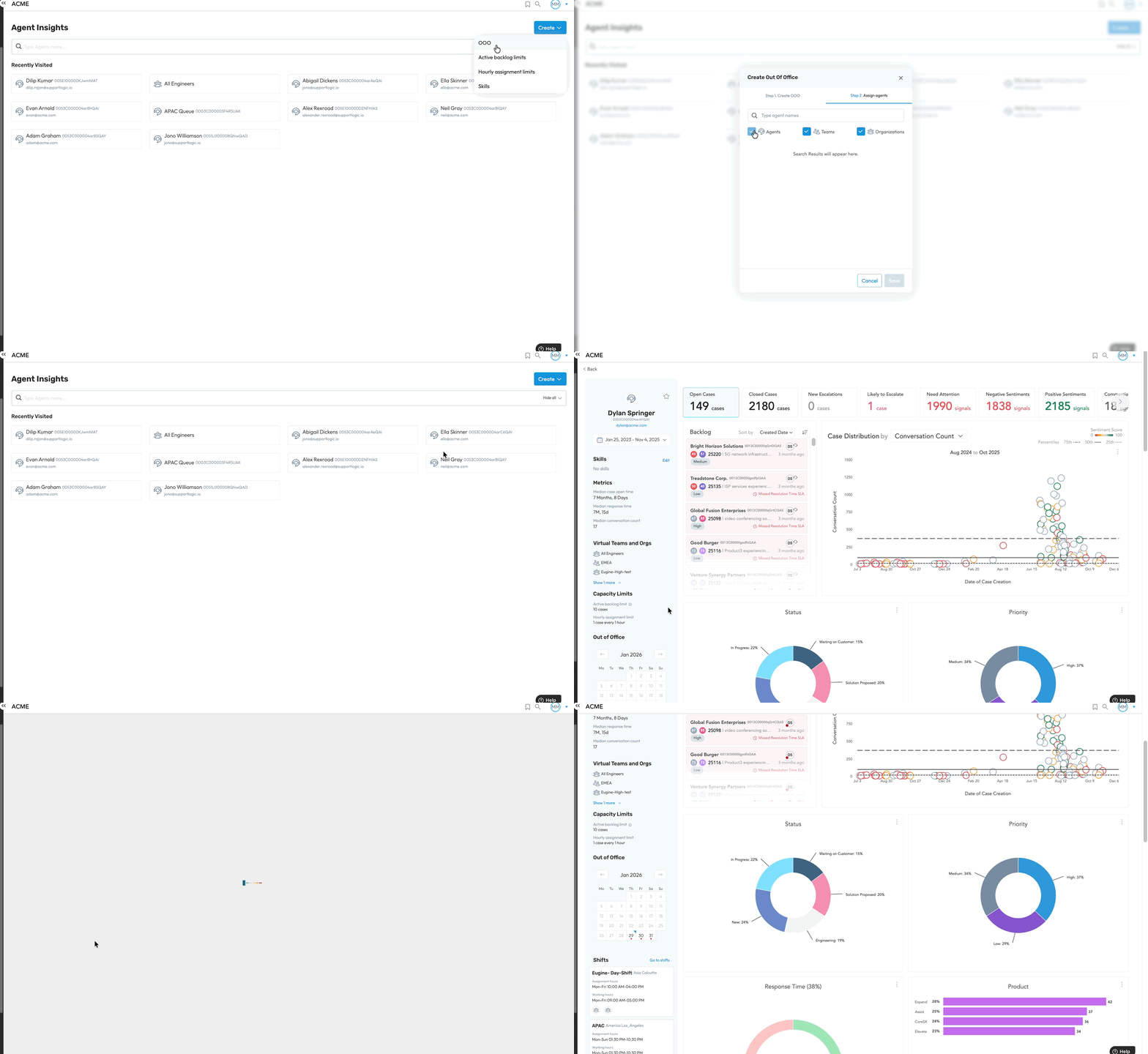
Please refer to the attached GIF examples demonstrating:
Configuring OOO
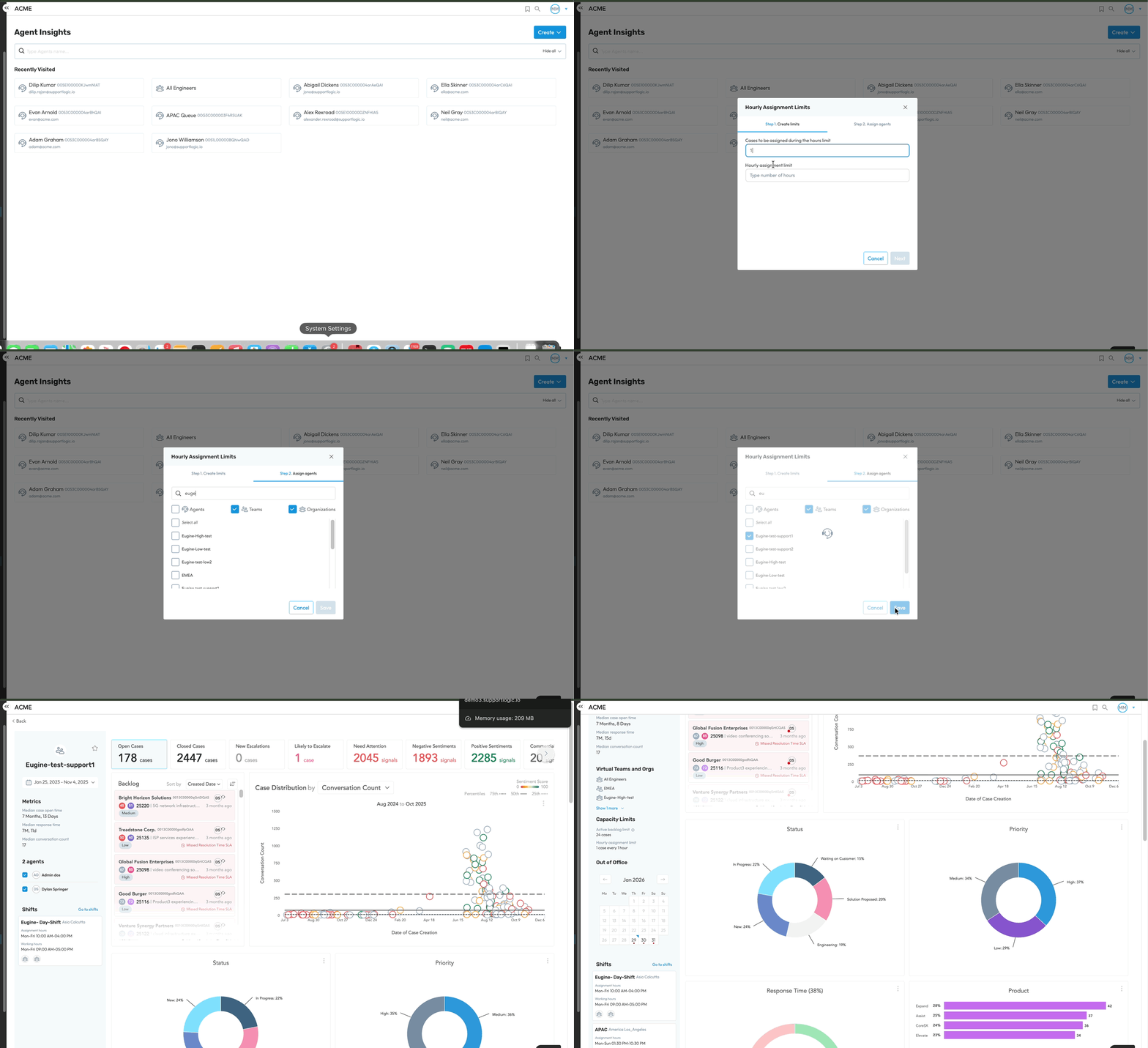
Updating Hourly assignment Limits
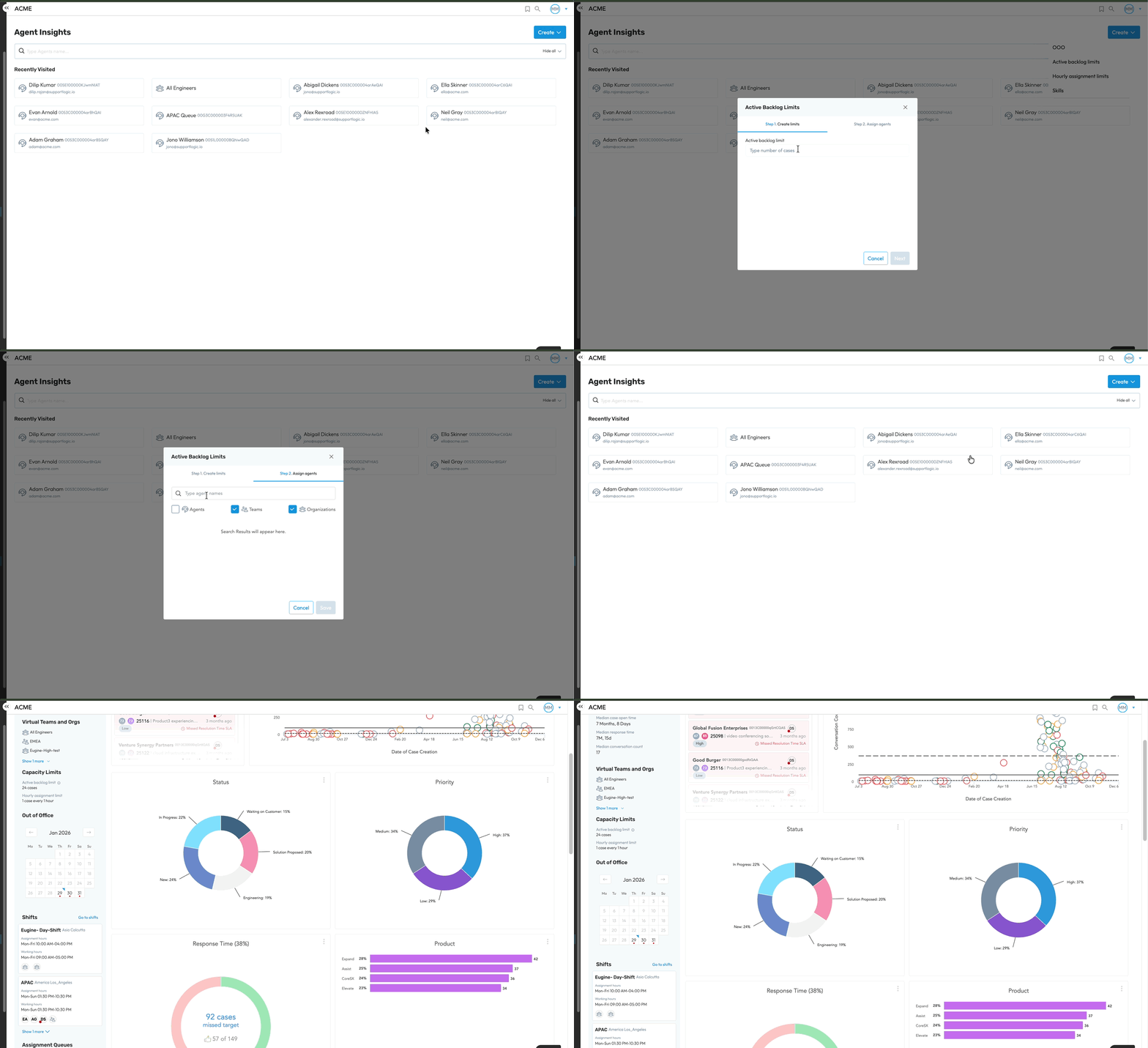
Setting Backlog Limits
Was this article helpful?
That’s Great!
Thank you for your feedback
Sorry! We couldn't be helpful
Thank you for your feedback
Feedback sent
We appreciate your effort and will try to fix the article