- Core SX
- Likely to escalate (LTE) filters and configuration SL
- Signal acknowledgement write back for all CRMs SL
- Active escalation summarization write back for all CRMs SL PREMIUM
- Case Cohort Summary - Possible Next Steps SL PREMIUM
- Unified SupportHub feedback-based update SL BETA
- Based on direct customer feedback, we improved the Unified SupportHub page to enhance clarity, usability, and access to the most important case information. Updates include:
- Auto Knowledge Summary – Performance & Freshness Improvements SL PREMIUM BETA
- Active escalation summarization improvements PREMIUM BETA
- Automated Likely to Escalate (LTE) Prediction Model Retraining & Optimization
- Likely to escalate (LTE) hold after user review
- Case score colors on Console page
- Assign
- Assist
- Expand
- Elevate
Thanks
The SupportLogic Team
Core SX
Likely to escalate (LTE) filters and configuration SL
Introduced exclusion filters to explicitly define which support cases should be ignored by LTE.
Excluded cases are fully skipped - used neither for LTE predictions nor for model training.
Rules are centrally managed via the configuration flag and evaluated per case.
Supports flexible rule conditions, including case priority, bot indicators (case or assignee), and custom fields (e.g., product category).
Helps improve LTE quality and reliability by removing non-actionable cases such as bot-generated, low-priority, or irrelevant cases.
Signal acknowledgement write back for all CRMs SL
Implemented write-back functionality to include user signal acknowledgment actions.
Each time a user acknowledges or removes an acknowledgment of a signal, this action is written back to the CRM along with the related signal.
Write back includes the user identity performing the acknowledgment or removal.
Write back also includes the date and time of the acknowledgment or its removal.
Enabled for all CRMs except JIRA. JIRA CRM does not support custom objects, so this functionality can not be enabled for them.
Active escalation summarization write back for all CRMs SL PREMIUM
Write-back of active escalation summarization is now available for Premium customers on UWF and is supported across all CRM types.
Once enabled, the system will automatically write back an active escalation summary each time a new active escalation summary is generated.
Case Cohort Summary - Possible Next Steps SL PREMIUM
Review Product Issue
Identify product-driven issue spikes: Once enabled, Product Issue helps customers quickly identify if a spike in engineering issues is driven by a specific product or module, using summarization agent to detect common themes and recurring patterns across cases.
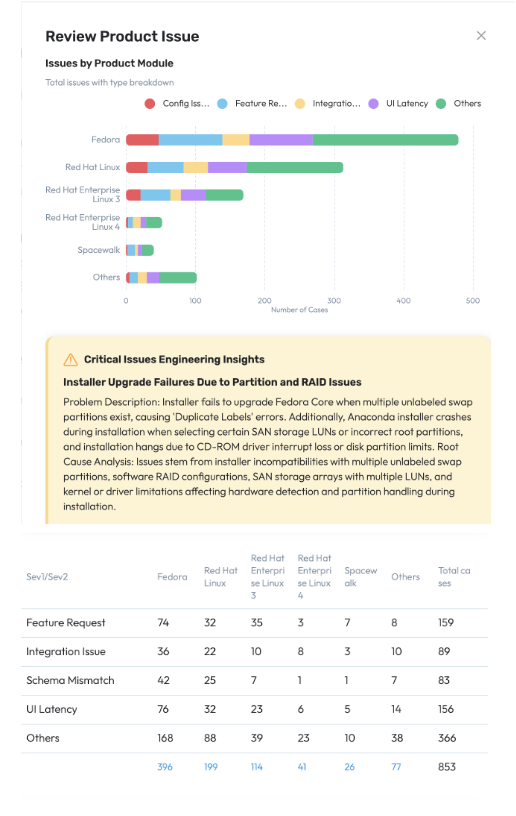
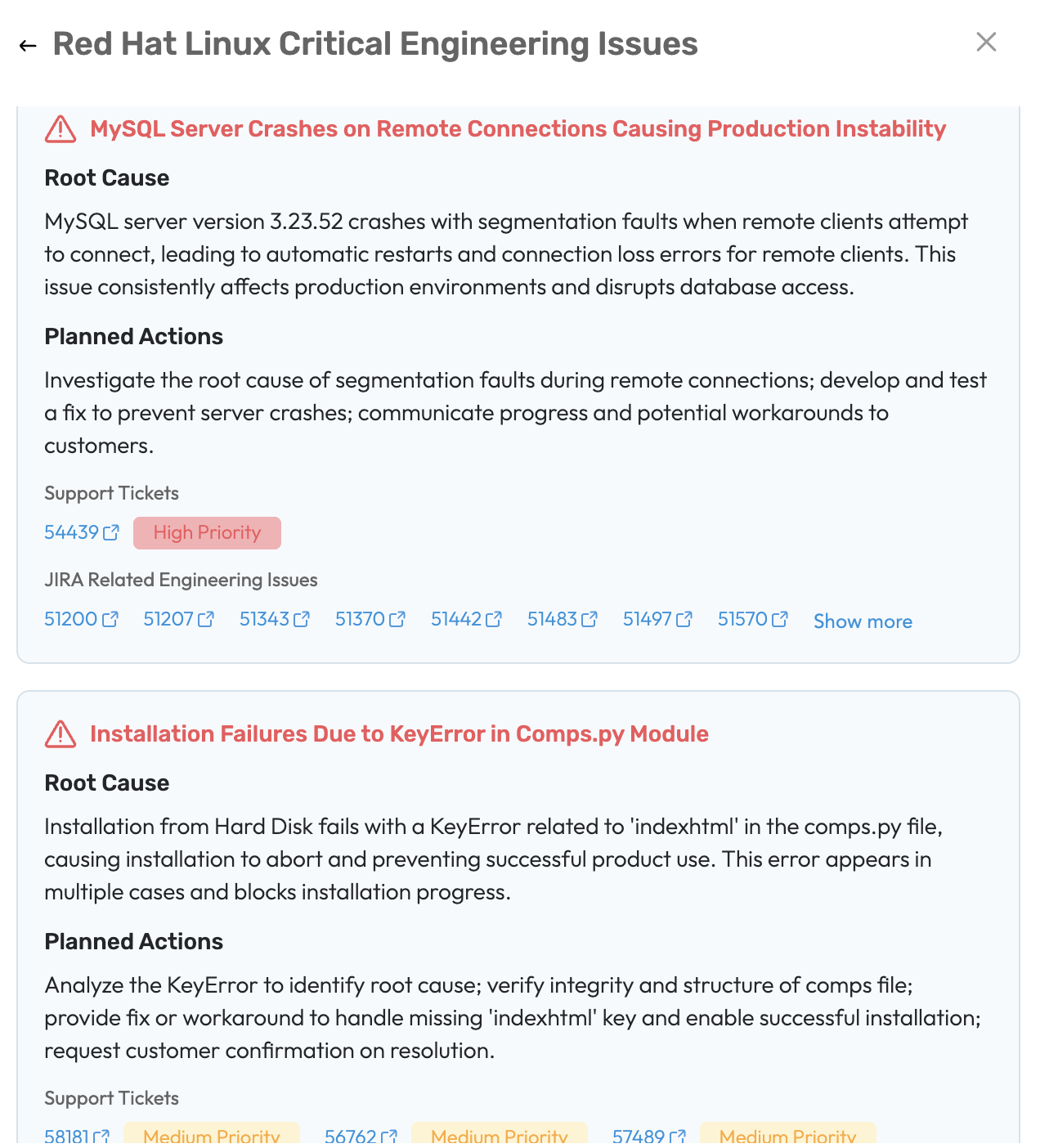
Identify and analyze root causes: View a structured breakdown by case type, underlying issues, and engineering issues to pinpoint the most critical insights.
Review Case Volume
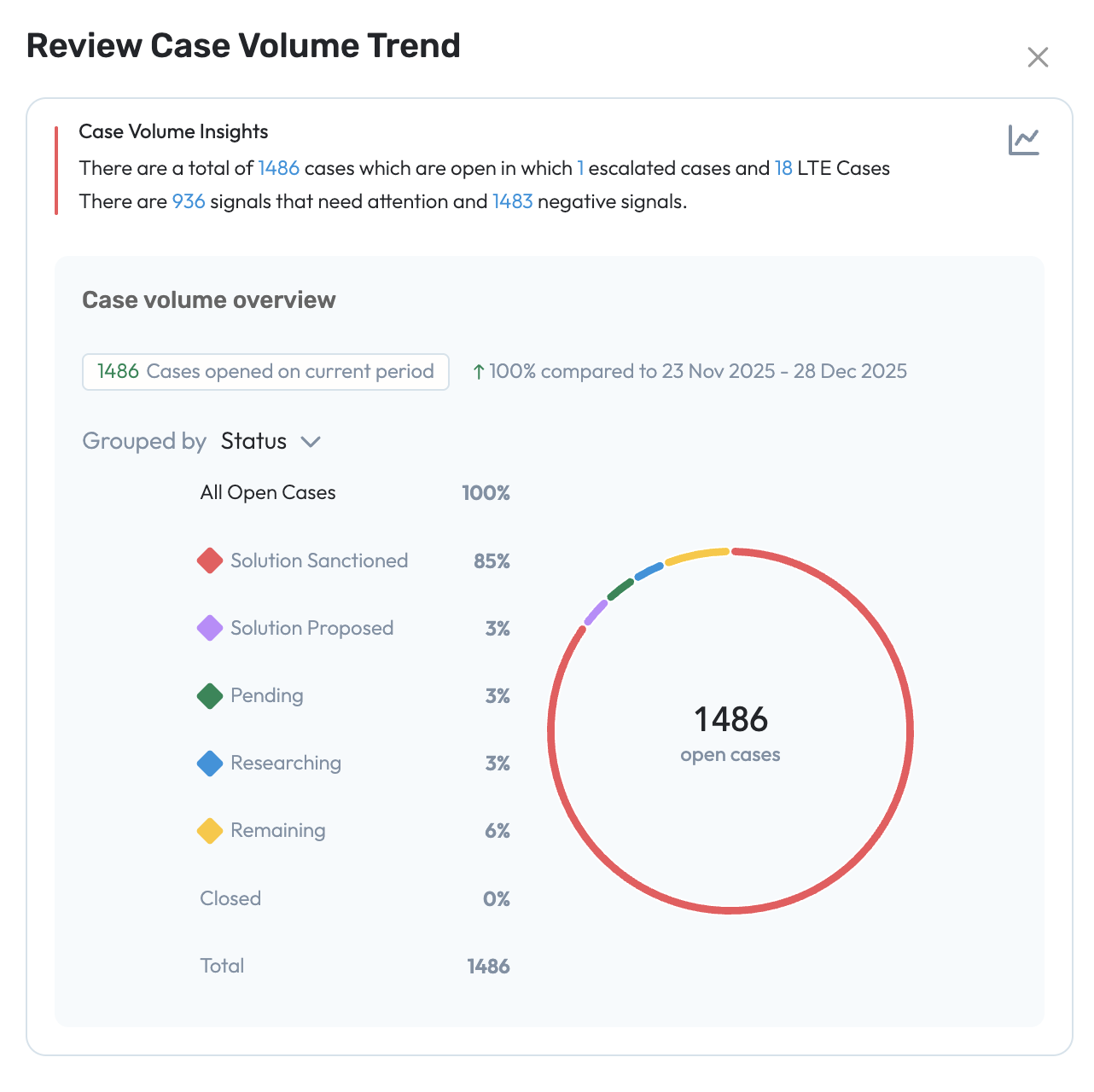
Review Case Volume allows users to detect patterns of spikes or decline in case volume by comparing current volumes against historical baselines. The users can get a quick glimpse of analytical info overview of case volume related insights and also view the cases volume breakdown by status(by priority, Category, Component,Operating System,Platform, Priority).
Review Agent Insights Update
We have enhanced our user experience, which allows an added feature to review the skills and time overlap gaps . Review Agent Insight helps users assess case assignment effectiveness for a specific support engineer and identify factors impacting case load, and responsiveness.
Case Load & Assignment Overview
View the current backlog of cases assigned to an agent.
Analyze case distribution by status, priority, severity, product, and key quality indicators.
Skill Match Score Review
Review assigned cases with a breakdown of good vs. poor skill match scores.
Identify cases with skill mismatches in the current backlog.
View required skills that are missing.
See recommended agents with the appropriate skill set for reassignment
Time Overlap Review
Identify cases with limited or no working-hour overlap between agent and customer.
View recommended agents with better time-zone alignment
Unified SupportHub feedback-based update SL BETA
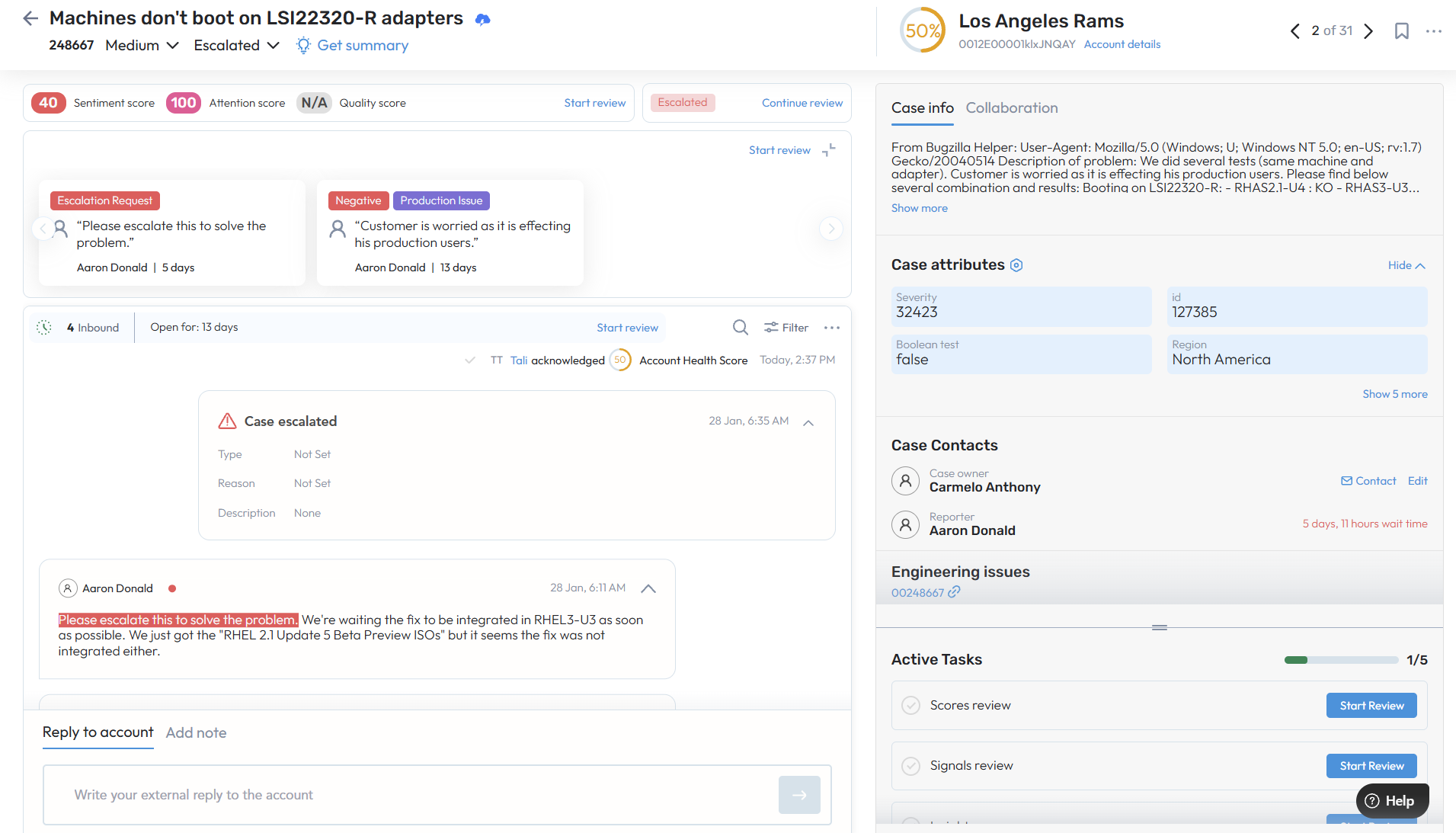
Based on direct customer feedback, we improved the Unified SupportHub page to enhance clarity, usability, and access to the most important case information. Updates include:
Refreshed layout with clearer background colors, shading, scrolling, and section separation to better distinguish core case details from secondary metadata
Enlarged Account Health Score for improved visibility.
Moved case number, status, and priority directly under the case name for easier scanning.
Restored signal snippets to clearly highlight the exact text where a signal was detected.
Repositioned search, timeline sorting, and filters to the top of the Timeline for better contextual access.
Unified Highlights and Case Insights into a single workflow, placed above the Timeline next to search, sort, and filter controls.
Updated Reply area maximize/minimize behavior to better fit different page layouts.
Relocated Active Tasks directly under basic case information in the left panel for better visibility and access.
Added a Back button in the top-left corner to easily return to the previous screen.
Auto Knowledge Summary – Performance & Freshness Improvements SL PREMIUM BETA
Knowledge sources are now automatically summarized per case to improve relevance and performance.
Summaries refresh whenever the case summary changes (new case or case detail updates), checked every 5 minutes (configurable).
Active/open cases also receive periodic re-summarization (every 8 hours, configurable) to capture updates to knowledge articles - even when case details remain unchanged.
Ensures case insights stay up to date with the latest knowledge without manual intervention.
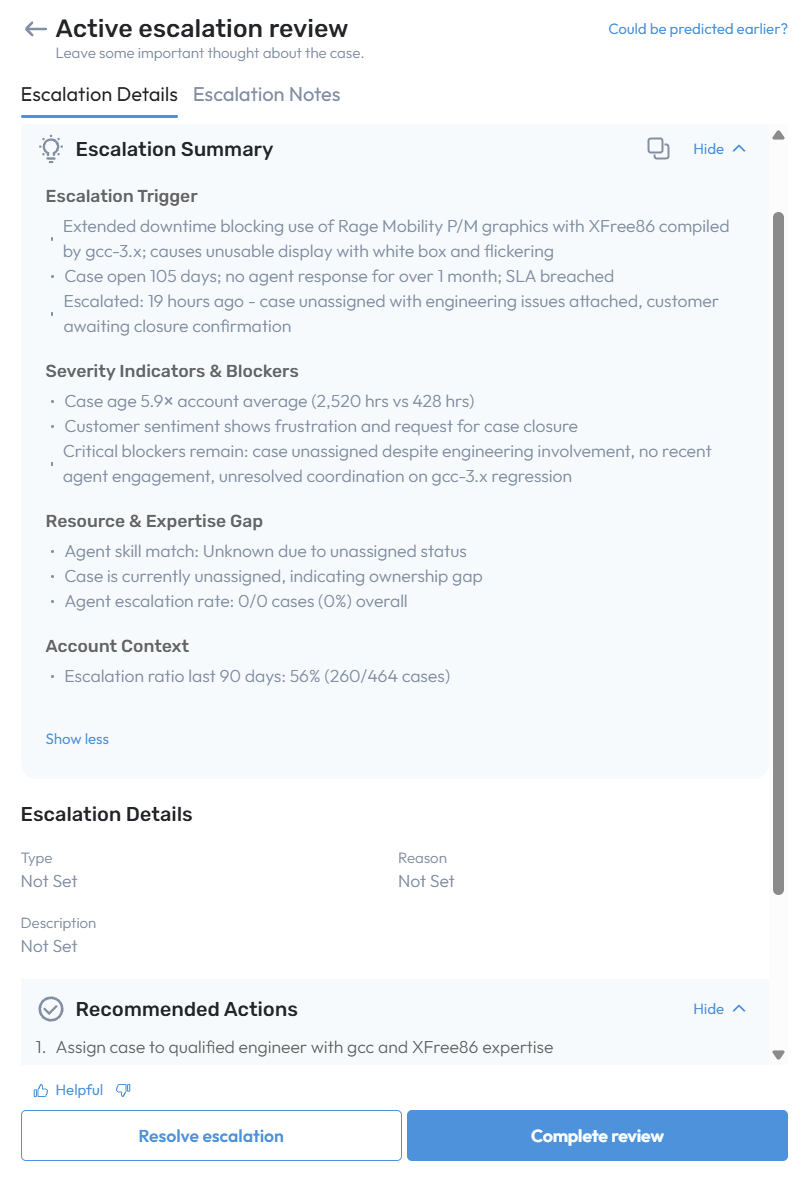
Active escalation summarization improvements PREMIUM BETA
Added early warning signs to active escalation summaries for better proactive insight.
Active escalation summary now processes escalation request signals, acknowledgments, missing LTE indicators, and prior active escalations with related actions.
Updated LLM interpretation rules to identify and highlight early signs as potential escalation drivers.
Shortened and simplified the Active Escalation Summary to improve clarity and engagement.
Reduced complexity by removing nested titles and restructuring content into concise bullet points, while preserving essential details.
Automated Likely to Escalate (LTE) Prediction Model Retraining & Optimization
We have enhanced the automation of our Likely-to-Escalate (LTE) prediction modules to continuously improve accuracy and customer-specific performance.
Automatic model retraining
LTE prediction modules are now retrained automatically on a scheduled cadence for all customers. This includes both customers with dedicated LTE models (which continue to be retrained) and customers without sufficient historical data, for whom the best-performing existing model is re-evaluated and reassigned as needed.Customer-specific model evaluation
On each retraining cycle, every customer is re-evaluated using their own active escalation history to determine whether a dedicated LTE model should be created or updated to better fit their needs.Intelligent model selection
When sufficient historical data is available, a custom LTE model is trained and adjusted specifically for the customer.
When historical data is limited, the system automatically selects and assigns the best-performing LTE model from existing models.
Performance-driven outcomes
Each evaluation is unique, and customers will:Receive a better-performing LTE model when improvements are possible, or
Continue using their current LTE model if it already delivers the highest recall and accuracy.
Benefits
Improved prediction accuracy over time
Models tailored to each customer’s escalation patterns
Zero manual intervention required
Consistent optimization while maintaining strong recall performance
Likely to escalate (LTE) hold after user review
LTE now respects the outcome of the most recent user review before generating new predictions for the same case.
If an LTE is snoozed, no new LTE predictions are made until the snooze period ends.
If an LTE is acknowledged or disagreed with, additional LTE predictions are paused for a configurable time period.
Default hold time is 24 hours, configurable by SL admins.
Reduces alert fatigue and prevents repeated LTE predictions on recently reviewed cases.
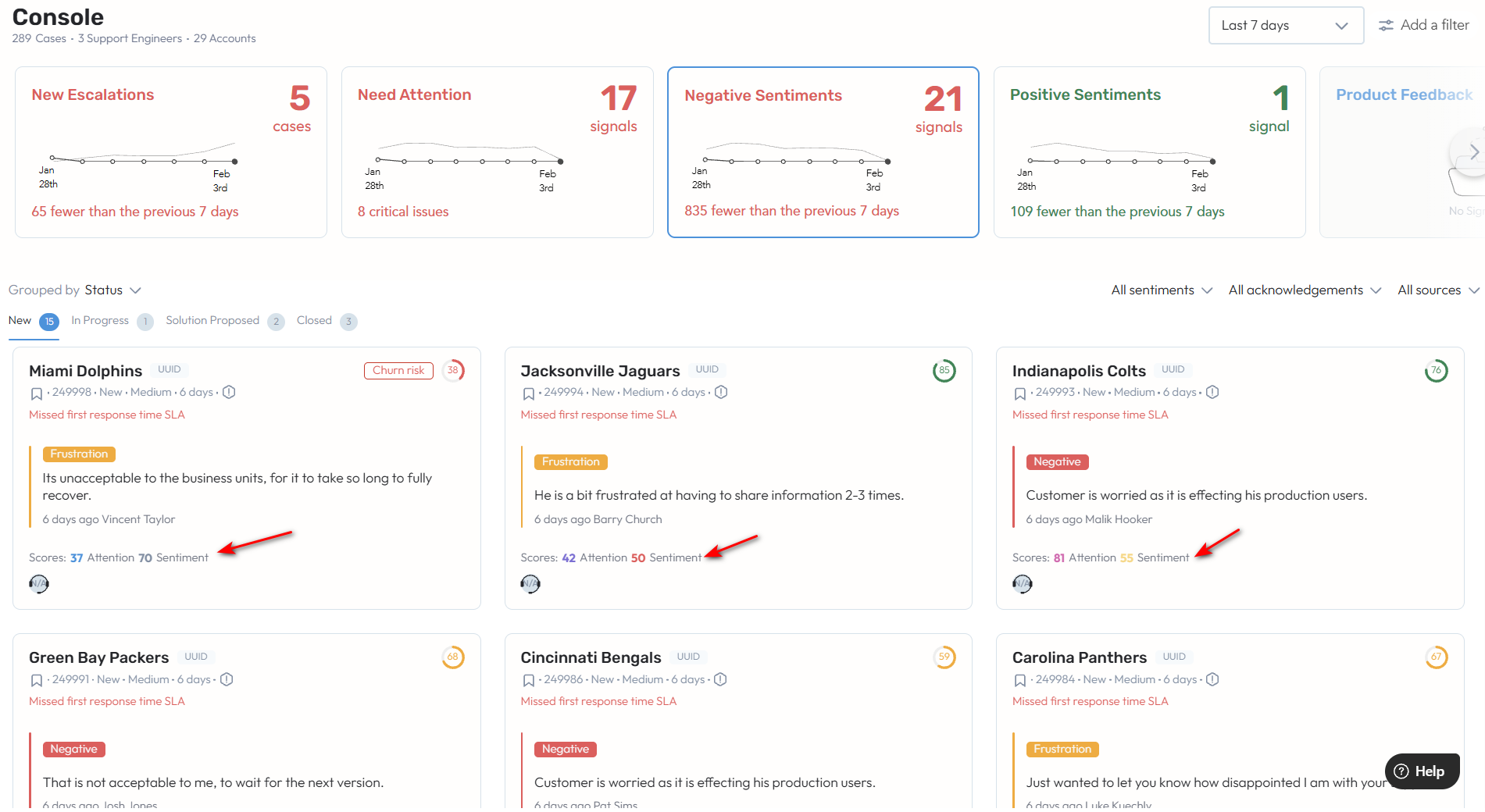
Case score colors on Console page
Case score colors on the Console page are now aligned with and match the colors used in the Support Hub.
Assign
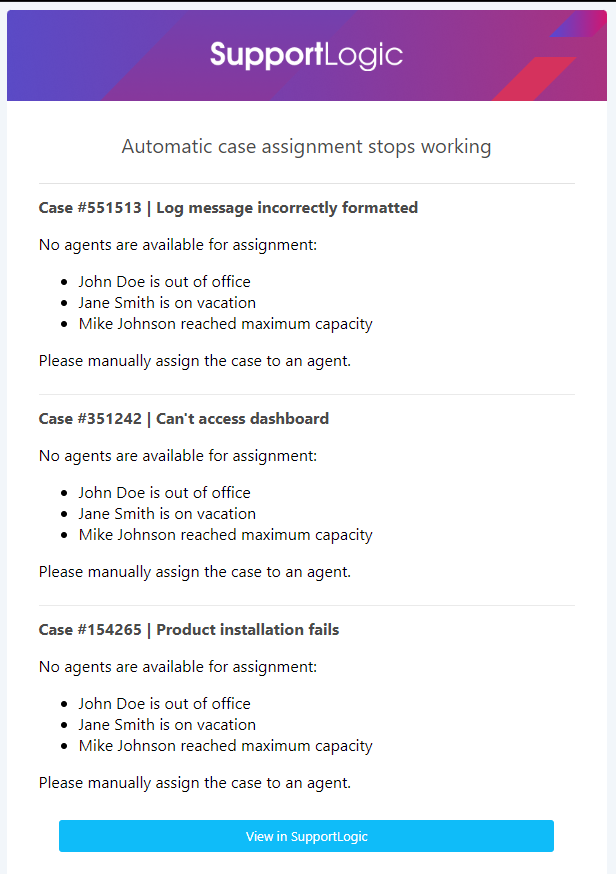
Customer-Facing Alerting Framework for Auto-case assignment SL
Notifies customers when Intelligent Case Assignment (ICA) fails or stops.
Leverages existing ICA error and failure events already tracked in the Event Log API.
Supported Alert Reasons & Severities:
Warnings:
All agents recently assigned and declined the case
No agents available
Too many matching agents (queue scope too broad)
Urgent:
CRM sync failure (auto assignment stopped)
ML model failures (auto assignment stopped)
Critical:
Unhandled exceptions (auto assignment stopped)
Alert Aggregation to Reduce Noise
Critical: 3 occurrences within 15 minutes
Urgent: 5 occurrences within 30 minutes
Warning: 10 occurrences within 1 hour
Alerts trigger immediately if thresholds are met sooner.
Configurable Thresholds
Event counts and time windows can be adjusted as needed.
Shared Visibility
Alerts are sent to customers and an internal mailing list by default.
Assist
Case Draft Knowledge Article writeback to CRM beta premium SL
Introduced support for writing back case draft knowledge articles to customer CRMs.
Enables seamless synchronization of case-generated draft knowledge articles into CRM systems.
Requires a CRM-specific JSON writeback mapping to define where draft articles are stored.
Writeback mappings are ingested via Unified Write Back (UWF) CLI and applied per environment.
Issue Resolution Agentic Workflow - Customer Response Driven Paths SL PREMIUM BETA
The issue resolution workflow illustrates how support agents and support engineers collaborate to troubleshoot an issue once a potential resolution is identified and the case enters the Solution Proposed state.
If the proposed resolution is accepted by the customer, the workflow proceeds along the successful resolution path and moves toward closure. If the resolution requires further refinement, the workflow follows an exception handling path, enabling teams to improve the response and drive the case to a closed status.
1. Resolution Accepted by Customer (Successful Resolution Path)
Accelerates issue resolution: Once enabled, this workflow empowers support engineers to quickly resolve customer issues by surfacing relevant context, prior resolutions, and knowledge without manual searching.
Reduces cognitive load for engineers: Automatically generated case and knowledge summaries help users focus on solving the problem rather than piecing together information.
Improves response quality and consistency: Auto-generated responses ensure customer communications are clear, professional, and context-aware, while still allowing users full control to review and edit before sending
Support Knowledge Base Captures successful resolutions as reusable knowledge draft articles, helping prevent repeat issues and improving future case handling.
2.Resolution Not Accepted by Customer (Exception / Recovery Path)
Customer indicates that the proposed resolution did not resolve the issue during follow-up.
Reliable Case Closure
Ensures cases are closed only after the customer confirms the resolution, reducing repeat issues and confusion.Early Issue Detection
Identifies when a resolution has not worked and brings the case back into active handling quickly.Faster Follow-up
Re-engages users promptly with full context, enabling quicker troubleshooting and next steps.
Expand
Account Cohort Summary - Possible next steps SL PREMIUM BETA
Review Product Issue
Identify product-driven issue patterns across accounts: Once enabled, Product Issue helps customers identify when spikes in engineering issues are driven by a specific product or module across an account cohort, using summarization agents to surface common themes and recurring patterns across products
Analyze root causes and cohort impact: Enables users to view a structured breakdown by case type, underlying issues, and engineering drivers to understand the most critical problems affecting multiple accounts and prioritize corrective actions
Review Case Volume
Once enabled, it allows users to detect patterns of spikes or decline in case volume by comparing current volumes against historical baselines.
The users can get a quick glimpse of analytical info overview of case volume related insights and also view the cases volume breakdown by status(by priority, Category, Component,Operating System,Platform, Priority) for an account or for an account cohort summary.
Review Agent Insights Update
We have enhanced our user experience, which allows an added feature to review the skills and time overlap gaps . Review Agent Insight helps users assess case assignment effectiveness for a specific support engineer and identify factors impacting case load, and responsiveness.
Case Load & Assignment Overview
View the current backlog of cases assigned to an agent.
Analyze case distribution by status, priority, severity, product, and key quality indicators.
Skill Match Score Review
Review assigned cases with a breakdown of good vs. poor skill match scores.
Identify cases with skill mismatches in the current backlog.
View required skills that are missing.
See recommended agents with the appropriate skill set for reassignment
Time Overlap Review
Identify cases with limited or no working-hour overlap between agent and customer.
View recommended agents with better time-zone alignment
Zoom Integration Enhancements: Auto-ingest calls and transcripts with account-level mapping SL
Zoom Integration enables automatic ingestion of Zoom meeting recordings and voice transcripts as soon as they become available. Interactions are auto-mapped to the correct account using participant email domains, eliminating any manual CRM linking.
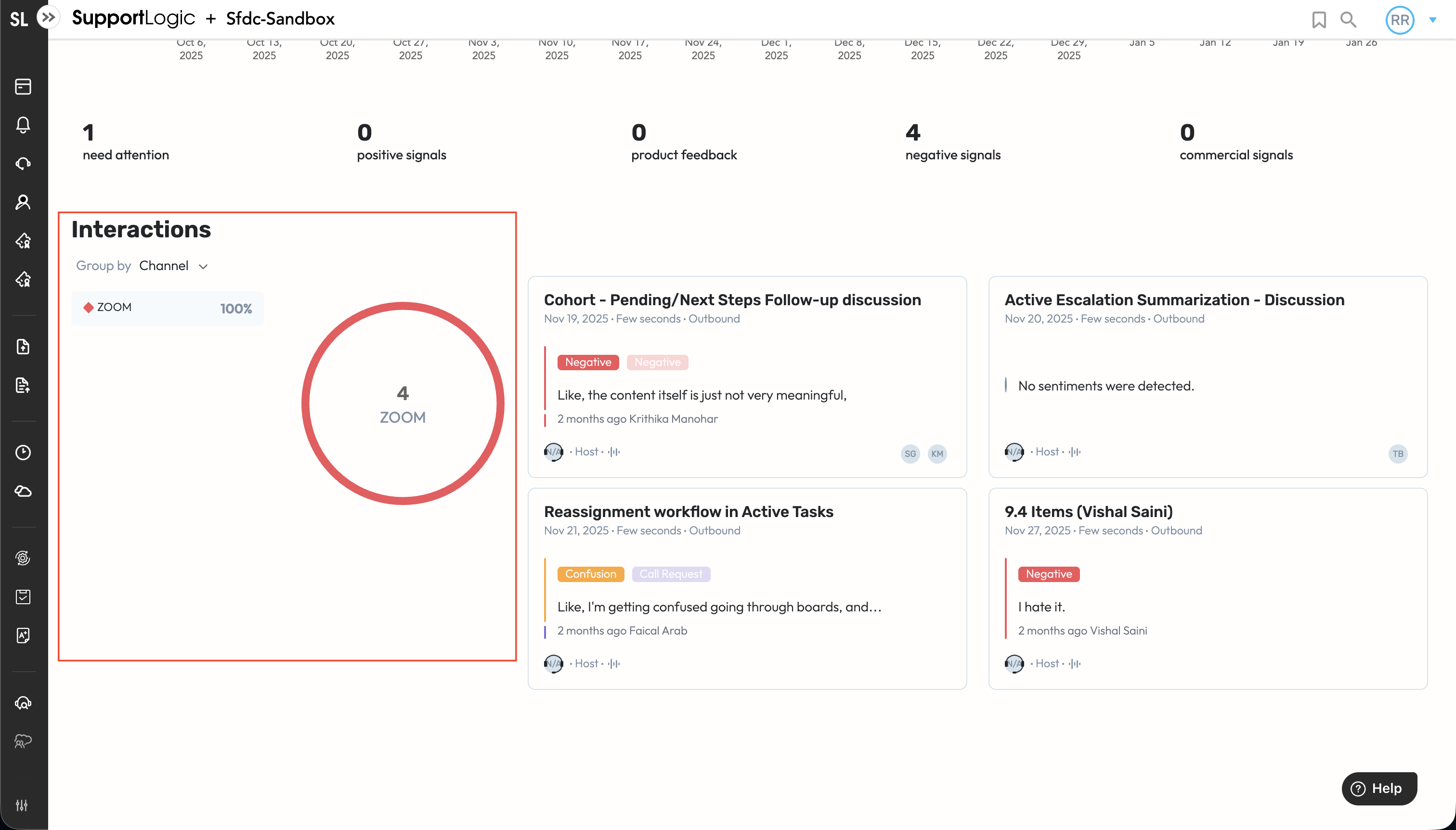 All Zoom interactions appear seamlessly in the Account Hub under the Zoom channel, alongside sentiment and participant insights.
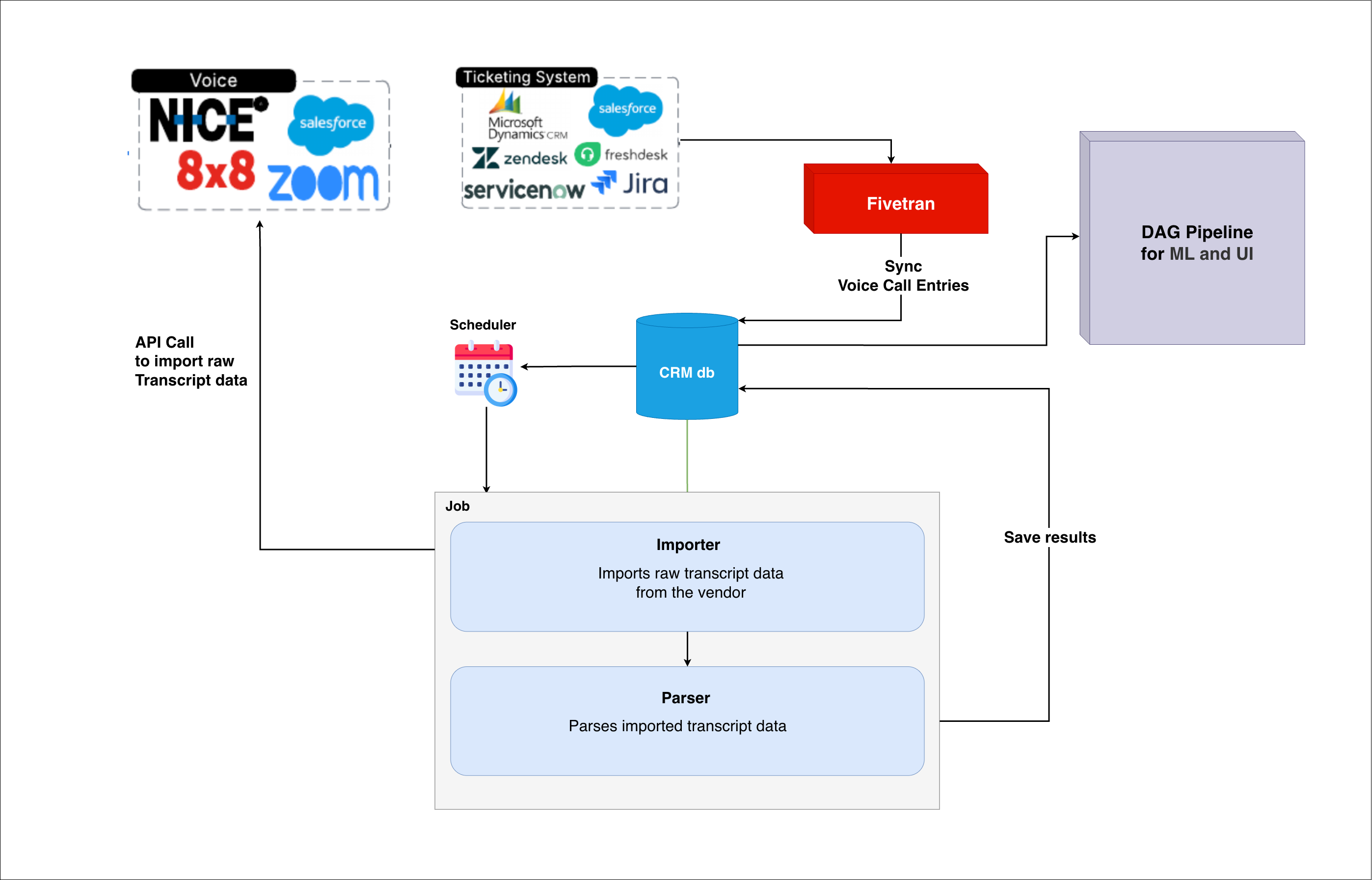 This feature is available for all customers who use Zoom to interact with their customers.
Elevate
GenAI Scorecards for AutoQA - with generated Reason & Coaching statements PREMIUM BETA
With AutoQA you now can get GenAI powered reason statements and targeted coaching statements for each behaviour, along with the grading itself, which is also now GenAI powered. Click here to know more.
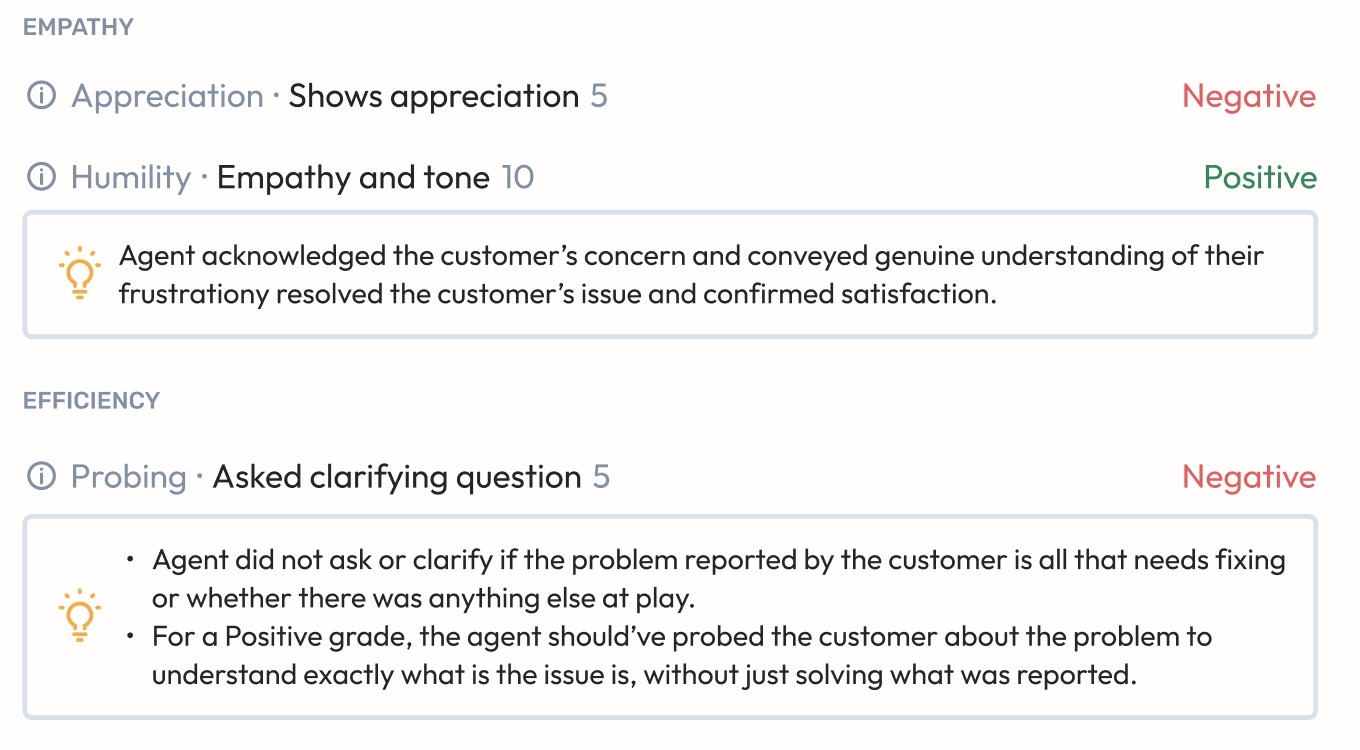
This is currently for Beta customers only - if you’d like to get involved, please reach out to us.
Coaching & feedback workflow from within Search AUTOQA
While conducting your daily checks, do you wish you could get a deeper view into some cases without actually going into the Case Details page every time?
Now, while investigating cases from the Search page, once you’re in the card view - you can now quickly access detailed scoring data for each case, and provide coaching notes or feedback by quoting and replying to any of the comments.
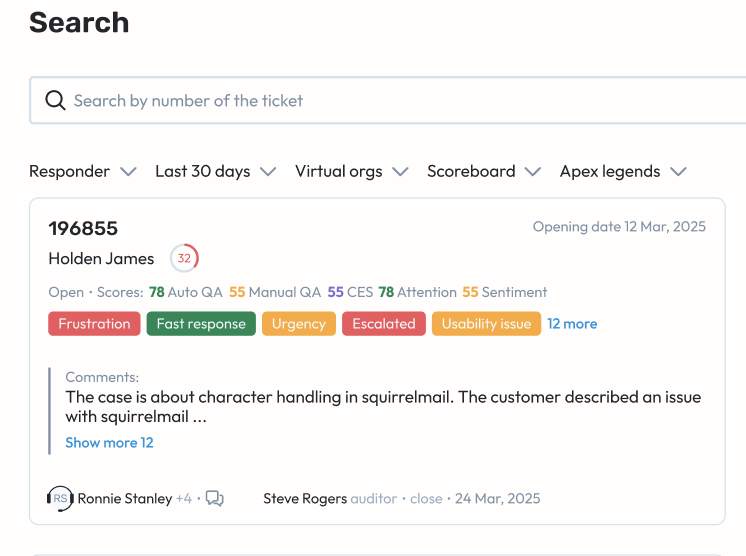
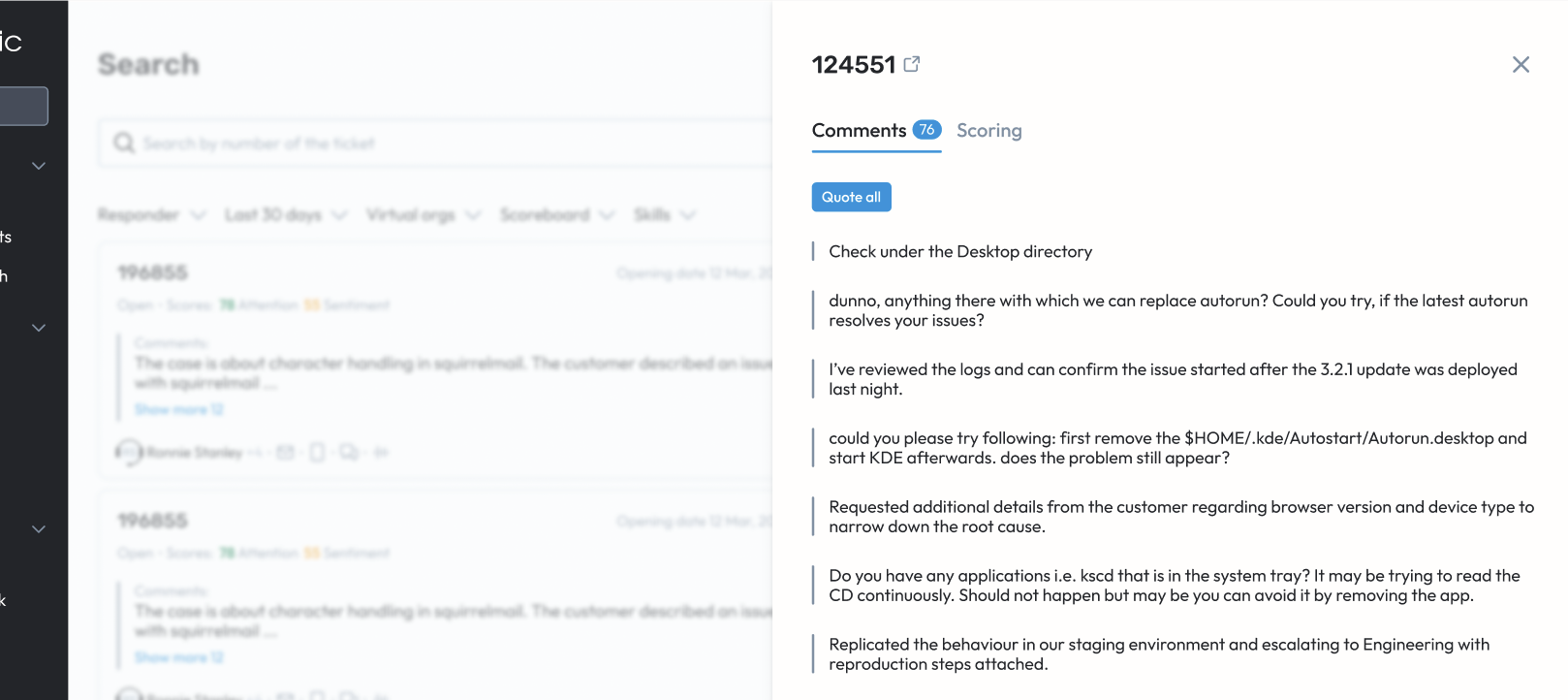
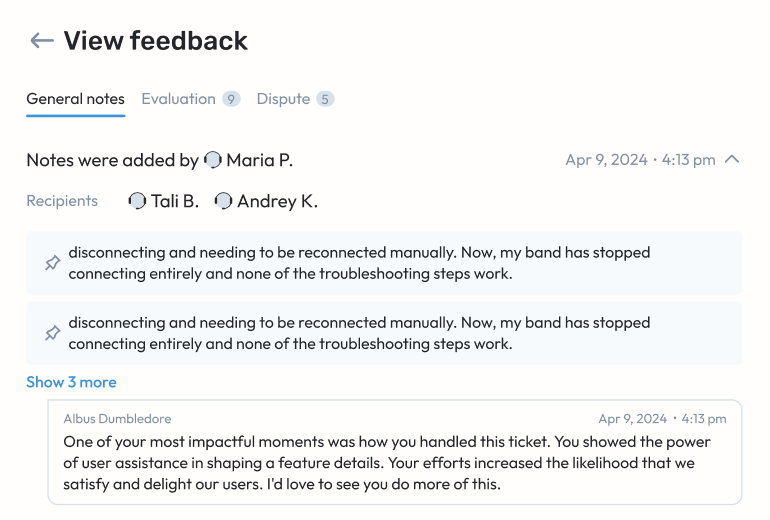
You can still go into the Case Details page at any point for an in-depth analysis for each case.
Customer Effort Score Insights AUTOQA SL
You ask, we listed! Effort Score insights and breakdown details are here!
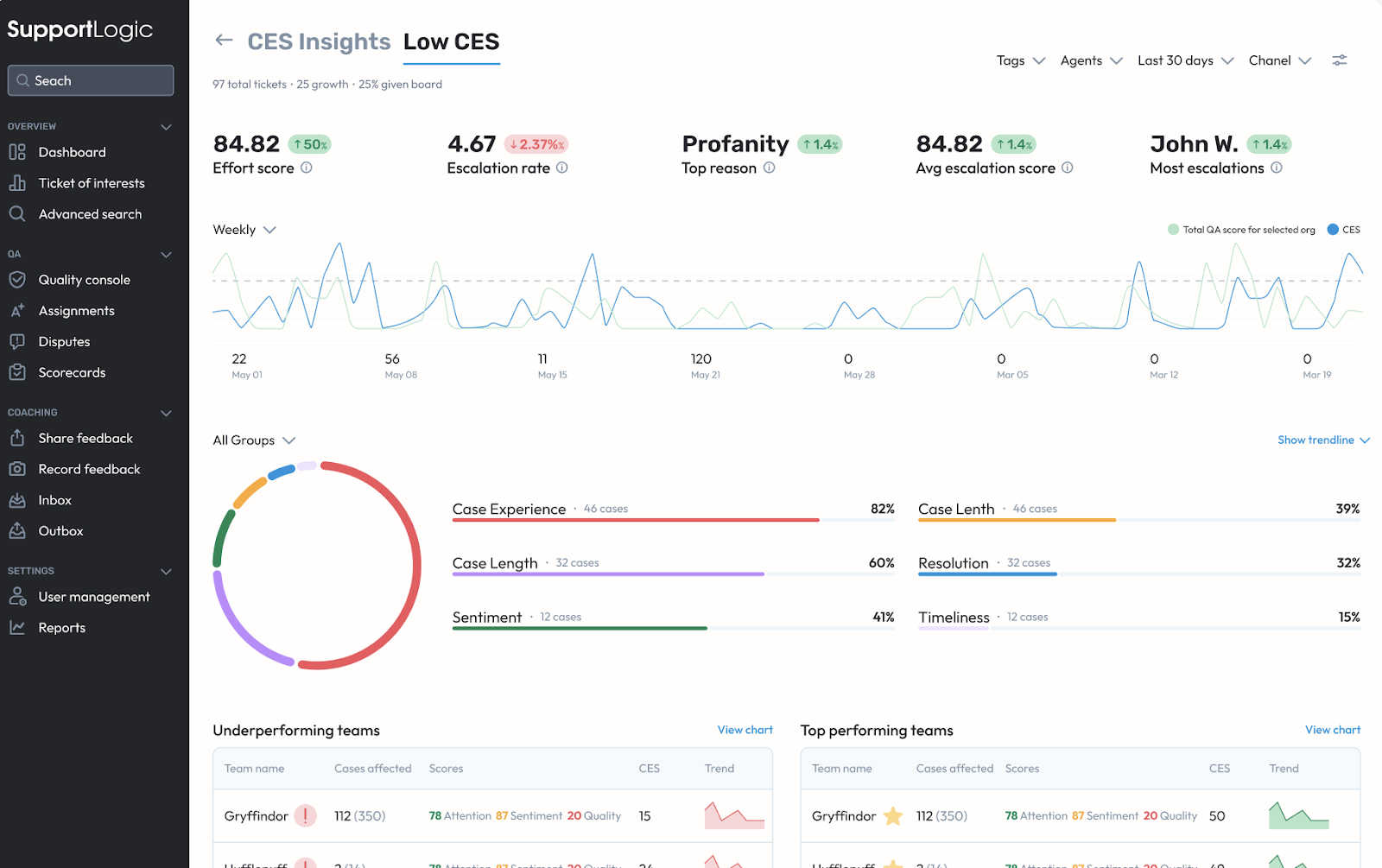
First, you get two new dashboard pages - CES Insights and Low CES. They both provide a contribution analysis for CES, while the Low CES page specifically looks into those cases that have a “low” CES, as defined for the Low CES board in the Ticket of Interest page.
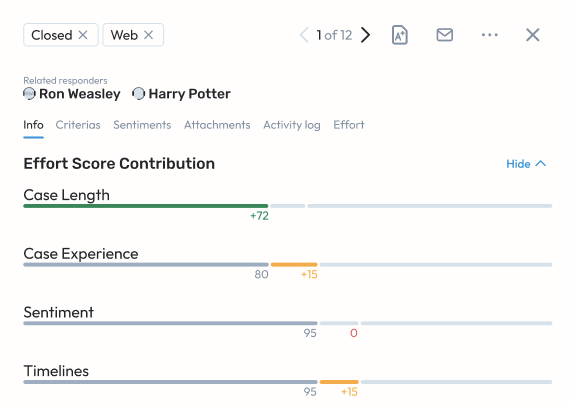
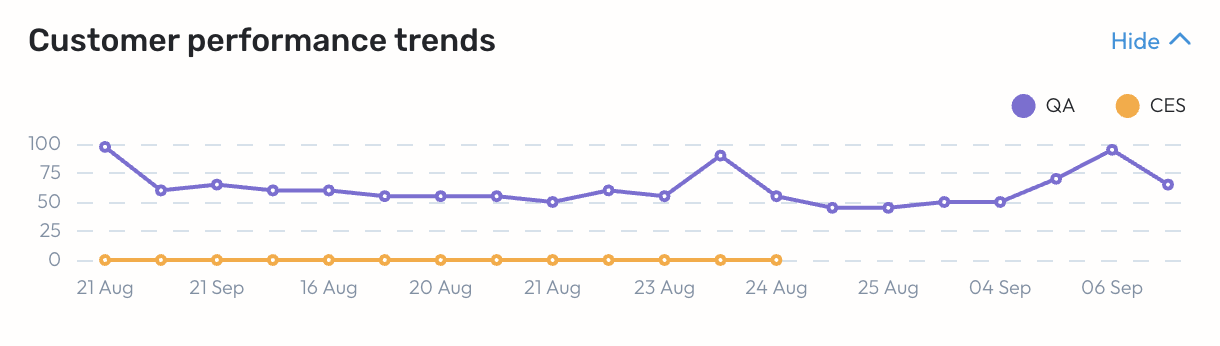
Next, you get a contribution analysis for the CES for each case as well ..
.. and finally, to top it off, we’ve added a CES filter on every key page, so you can properly integrate Customer Effort into your everyday workflows.
New UI for User Management pages
The Users and Roles pages have got their clean, new makeover.
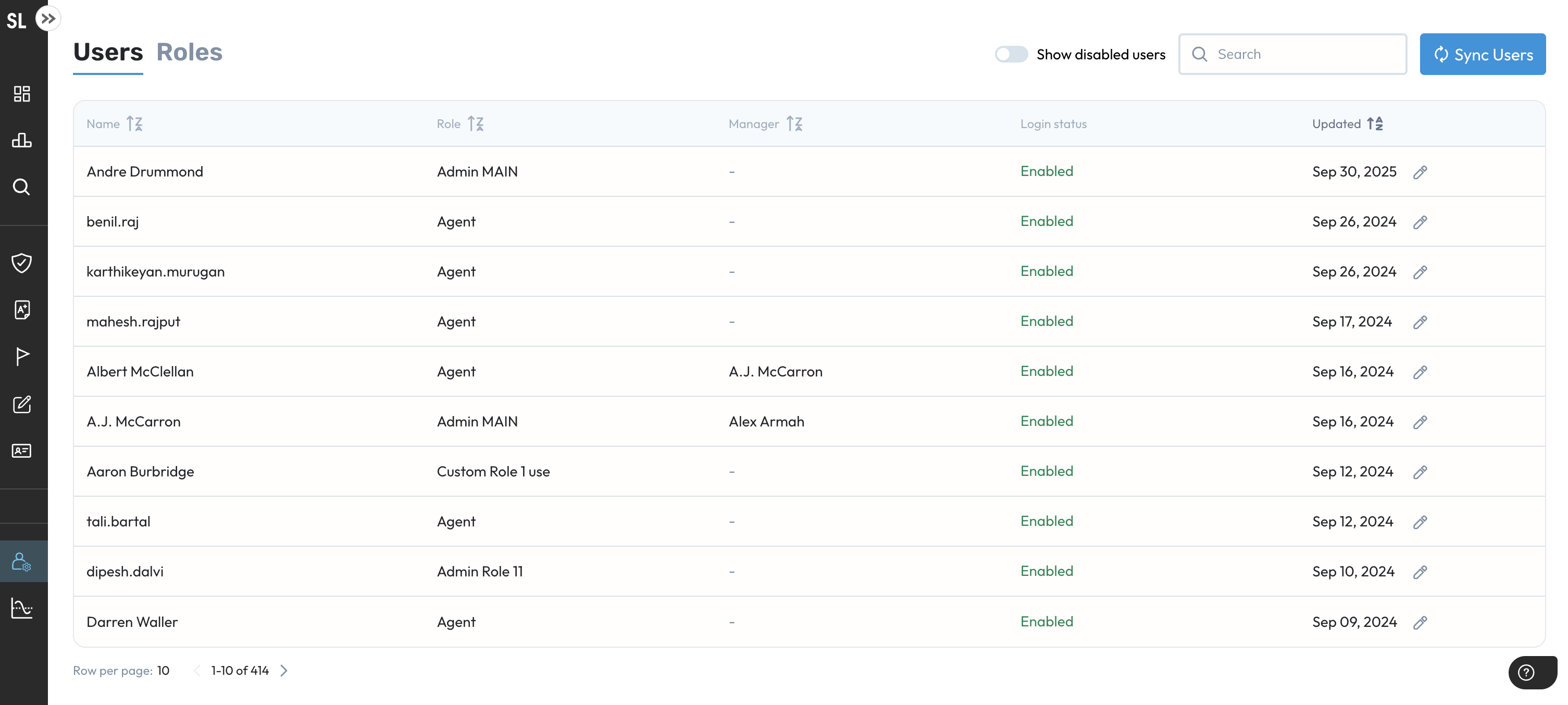
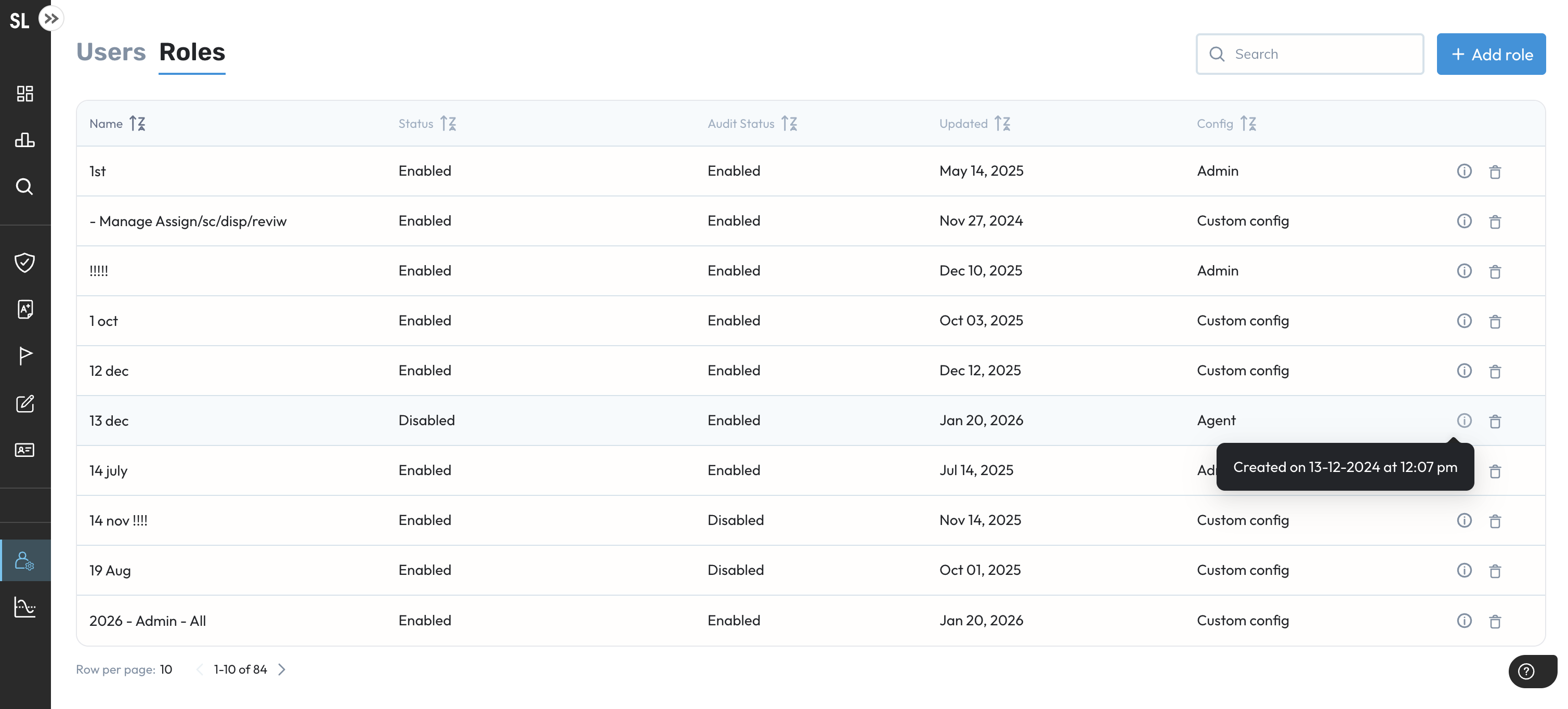
Along with this, what we’ve also done is provided you with information about a Role’s creator and the creation timestamp data within the page, as seen below.
Personal Virtual Orgs & Virtual Teams in Elevate
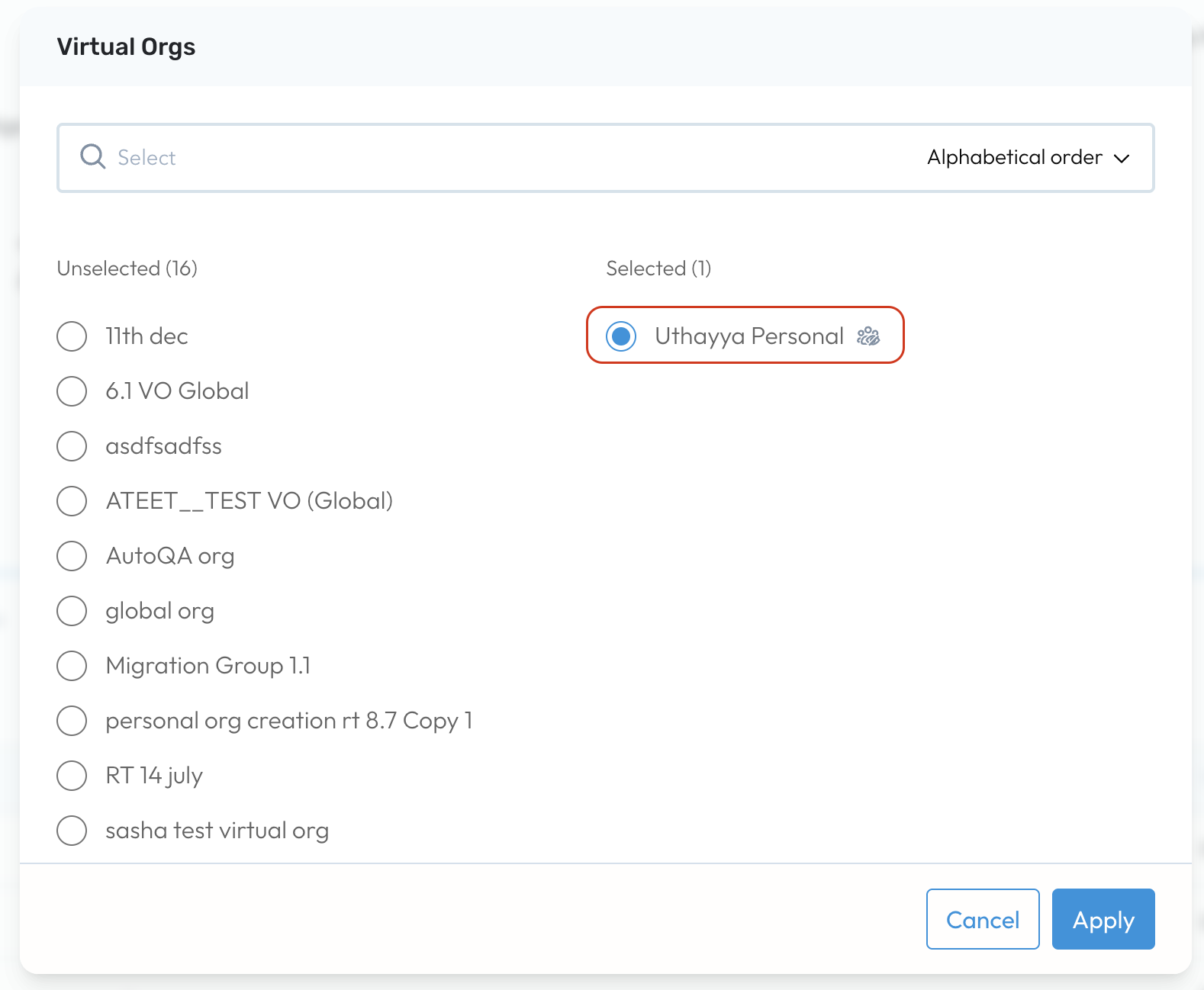
Access your personal Virtual Orgs (VO) and Virtual Teams (VT) in Core from anywhere within Elevate. Be it the Dashboard or creating assignments - wherever you have the option to select a VO or a VT, you can now also choose any of your personal ones.
Minor Enhancements
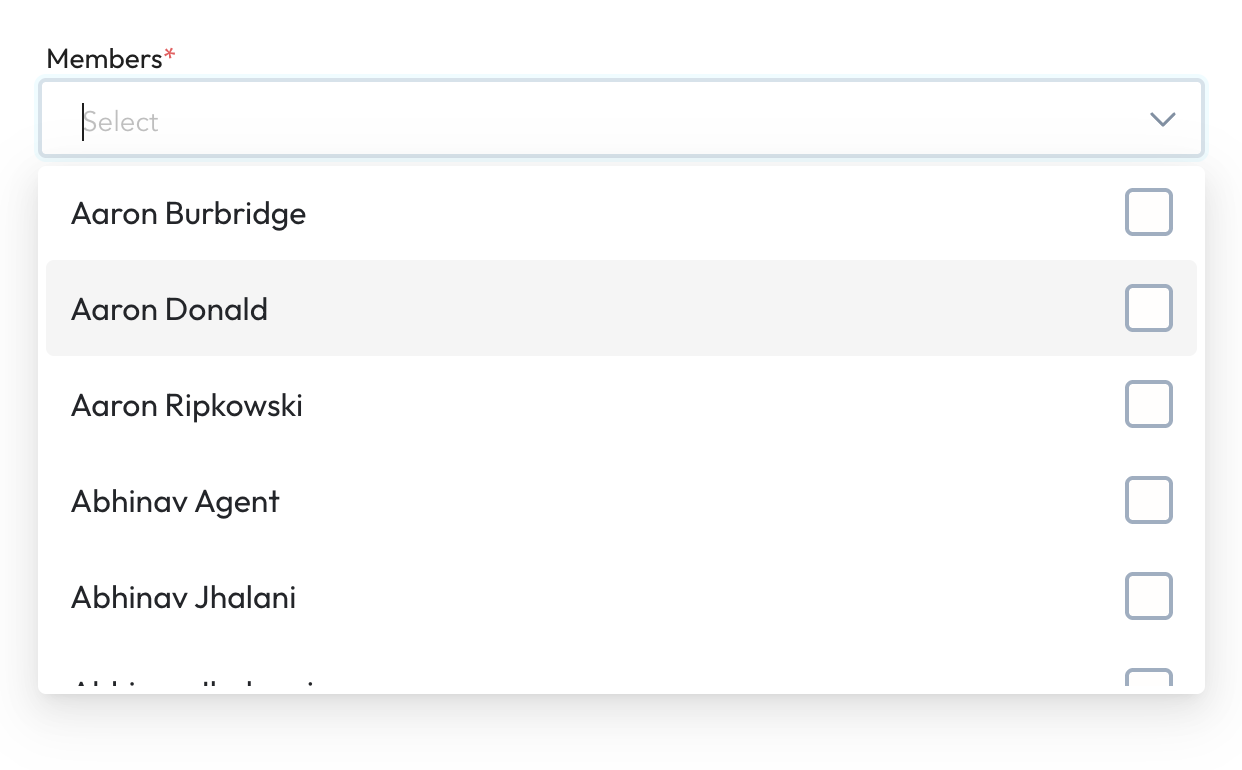
Alphabetical sorting of all users listed within dropdowns
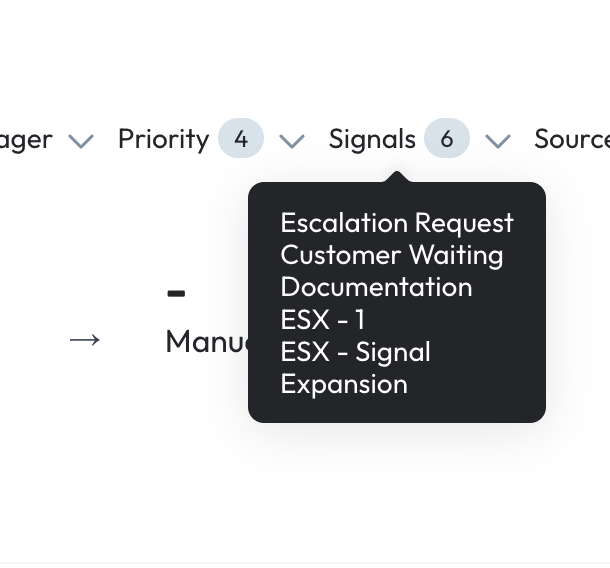
Tooltips for filters that display the selected values
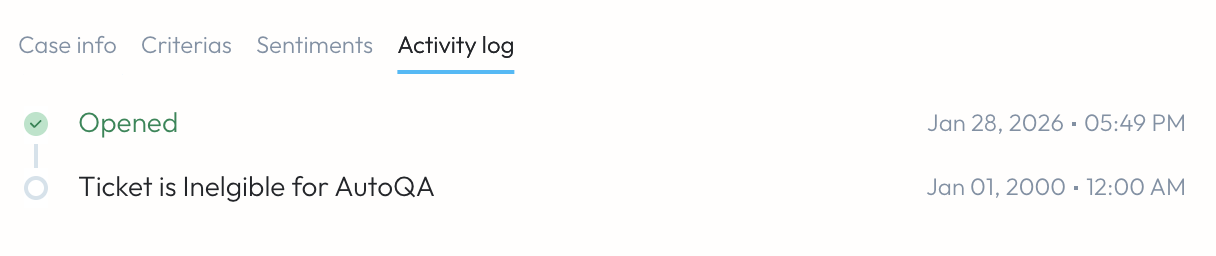
New Activity Log entries for Excluded and Ineligible tickets AUTOQA
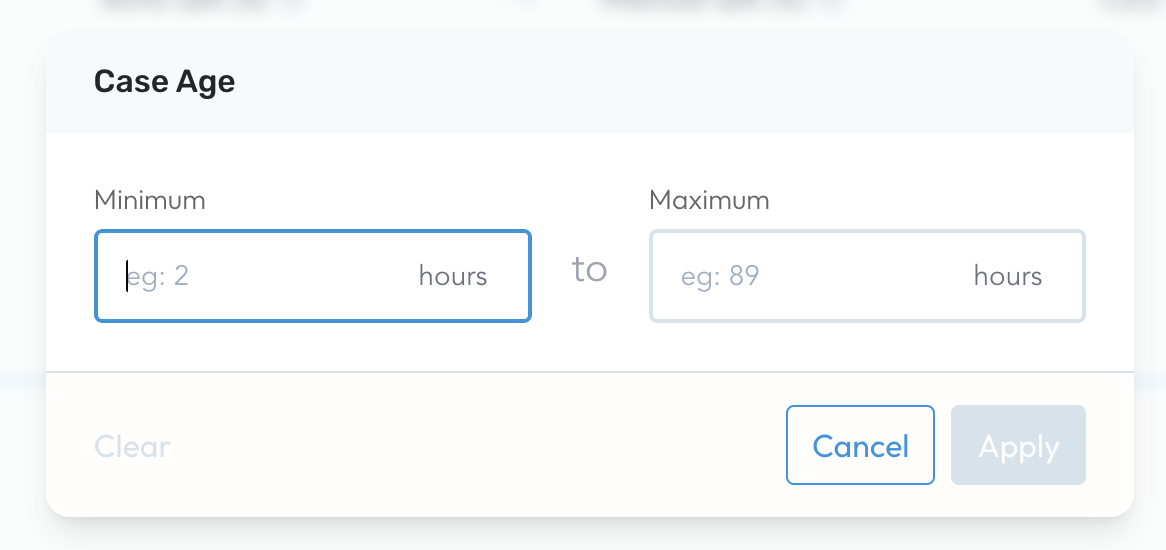
Case Age filter added to Elevate
Was this article helpful?
That’s Great!
Thank you for your feedback
Sorry! We couldn't be helpful
Thank you for your feedback
Feedback sent
We appreciate your effort and will try to fix the article