Draft Response Generation
Agents can generate a draft response based on:
- Case Summary
- Knowledge Summary
- Latest customer communication
Drafts are always editable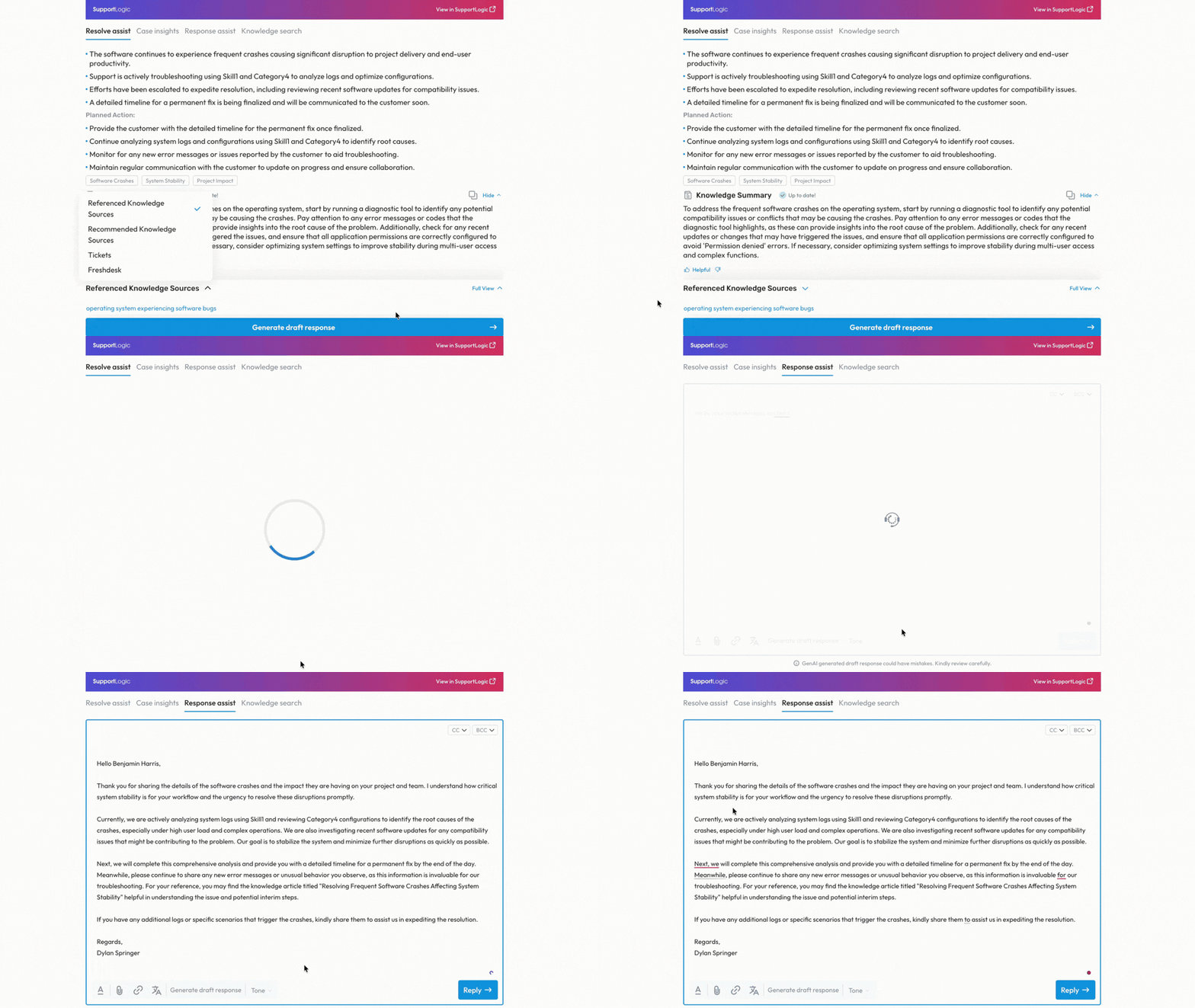
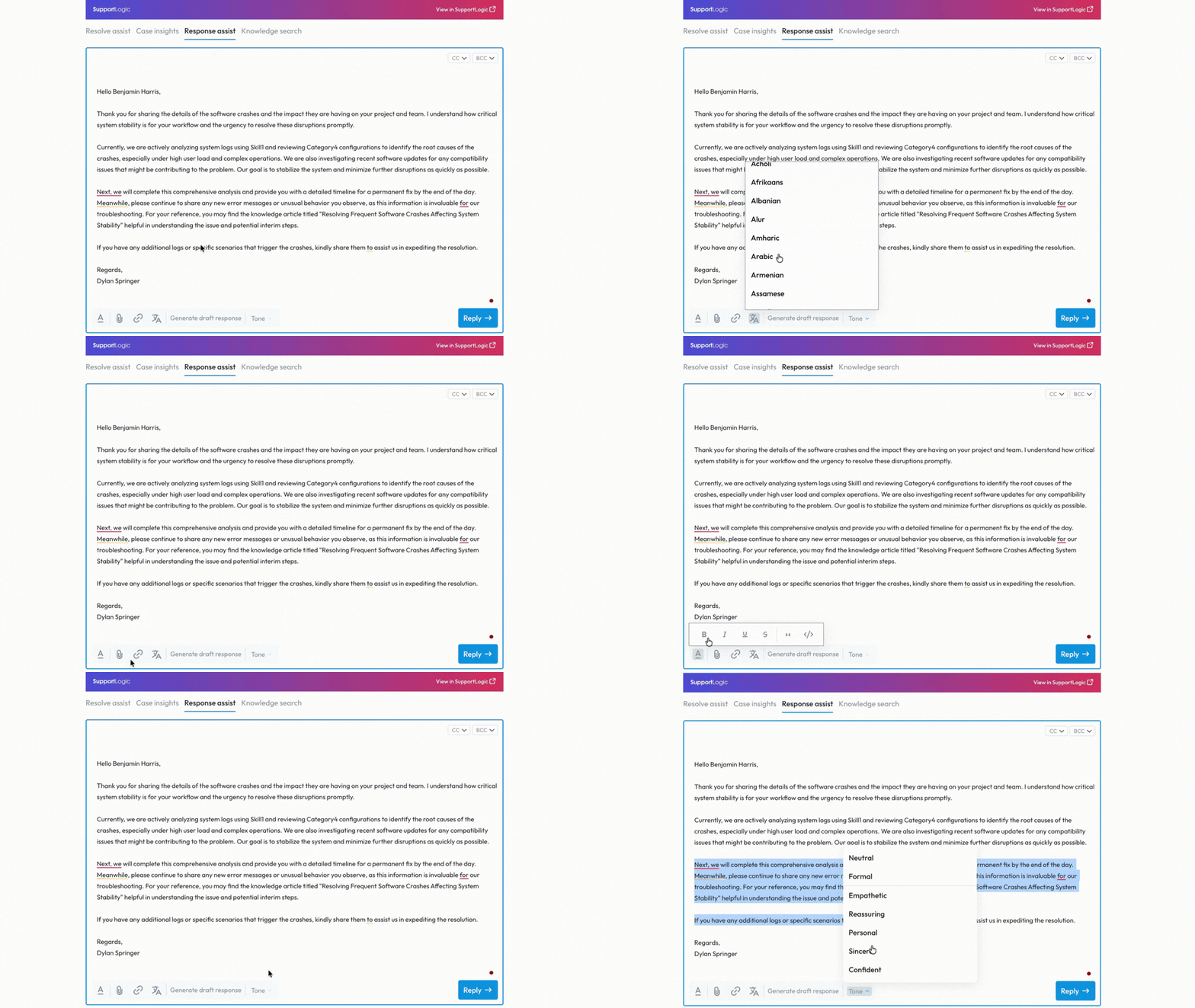
Response Assist Tools
Agents can:
- Edit in a rich text editor
- Adjust tone (empathetic, formal, concise)
- Translate responses
- Check grammar and spelling
- Send replies synced back to the CRM
Sending Responses
- Replies are posted as public case comments
- Emails are sent to configured recipients
- All activity is written back to the CRM
Related Articles
Was this article helpful?
That’s Great!
Thank you for your feedback
Sorry! We couldn't be helpful
Thank you for your feedback
Feedback sent
We appreciate your effort and will try to fix the article