Purpose
This article explains the purpose and behavior of the Customer Notes feature available in the Account Hub. It clarifies how notes can be used for internal communication and how notifications are triggered when a note is added.
Description
Within the Account Hub, while viewing a specific account, users have the option to add notes.
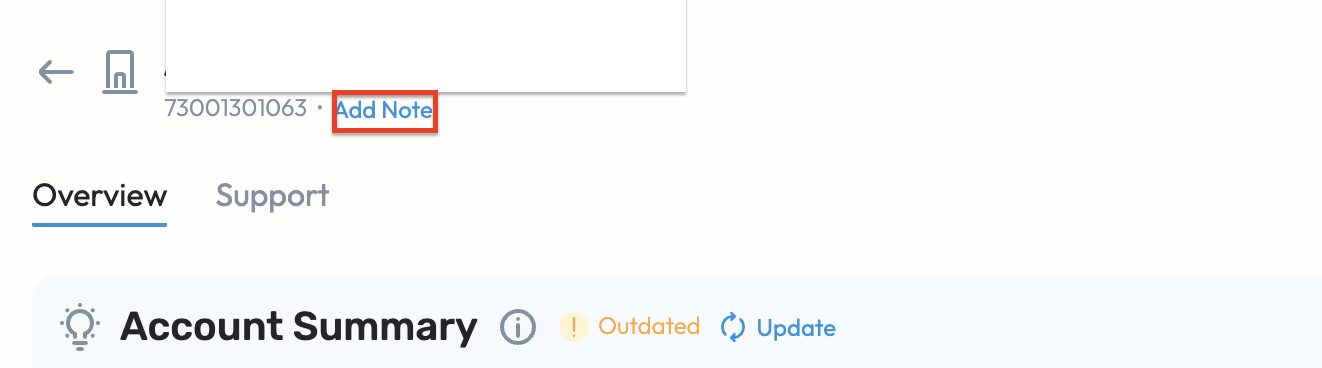
These notes can be used to:
Share important customer-related updates
Provide internal references for ongoing cases
Communicate critical information to relevant teams
Ensure better collaboration across agents handling the same account.
Notification Behavior
When a note is added to an account, notifications are automatically triggered for:
- All agents who have open cases associated with that account
- All users who have favorited the account
This ensures that important updates are proactively communicated to relevant stakeholders.
Notification Channels & Preference Order
Notifications will be sent based on the user’s login configuration and channel availability.
- Users who have signed in with Slack in the application will receive notifications via Slack.
- Notifications follow this priority order:
Microsoft Teams → Slack → Email
The system will use the first available notification channel in this order.
For example:
If a user has Teams enabled, the notification will be sent via Teams.
If Teams is not available but Slack is connected, it will be sent via Slack.
If neither Teams nor Slack is available, the notification will be sent via Email.
Was this article helpful?
That’s Great!
Thank you for your feedback
Sorry! We couldn't be helpful
Thank you for your feedback
Feedback sent
We appreciate your effort and will try to fix the article