How to Export the Users Report in SupportLogic

Overview

SupportLogic provides an easy way to export a report containing all users configured in the platform. This report can be used for auditing, user management, and administrative purposes.


Steps to Export the Users Report

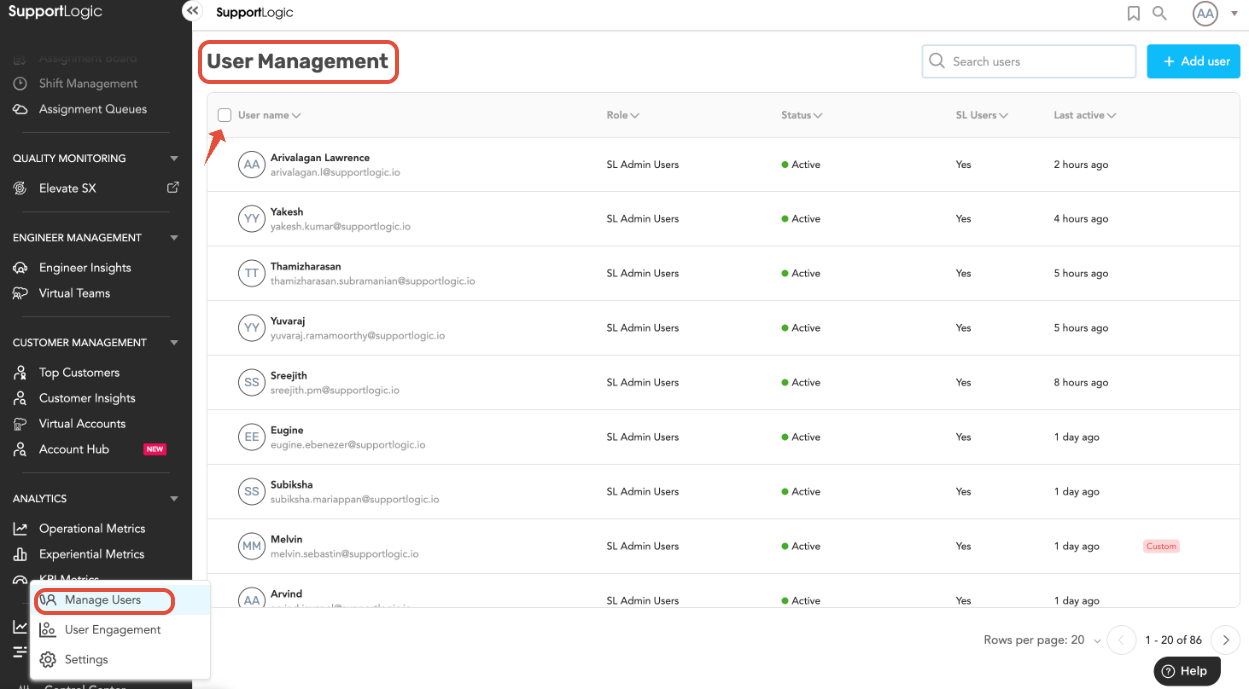
  1. Navigate to: Control Center → Manage Users
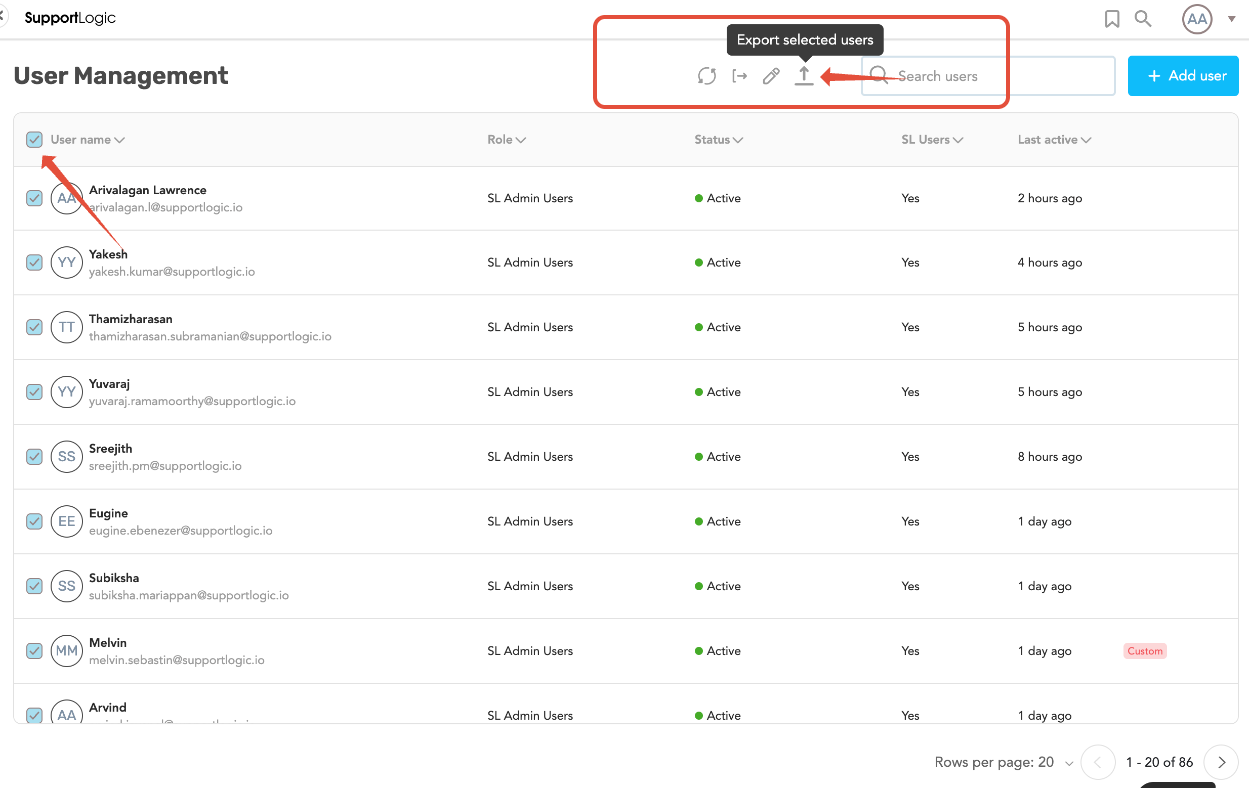
  2. In the users list, select the checkbox next to the user name column to select all users.
  3. Click on Export Selected Users.
  4. The report will be generated and downloaded.


What the Report Includes

The exported Users report contains:

  • All users added to SupportLogic
  • User-related details available in the Manage Users section

This allows administrators to review and manage user data efficiently outside the platform.


Summary

  • The Users report can be exported directly from the Manage Users page
  • Selecting all users ensures a complete report export
  • The report includes all users configured in SupportLogic

If additional help is needed with user management or report exports, please contact SupportLogic Support.

Was this article helpful?

That’s Great!

Thank you for your feedback

Sorry! We couldn't be helpful

Thank you for your feedback

Let us know how can we improve this article!

Select at least one of the reasons
CAPTCHA verification is required.

Feedback sent

We appreciate your effort and will try to fix the article