How to Search for Cases Using Specific Keywords in SupportLogic

Overview

SupportLogic allows users to search for cases based on specific keywords within case conversations. This helps teams quickly identify trends, monitor customer sentiment, and analyze both positive and negative interactions.


Steps to Search for Keyword-Based Cases

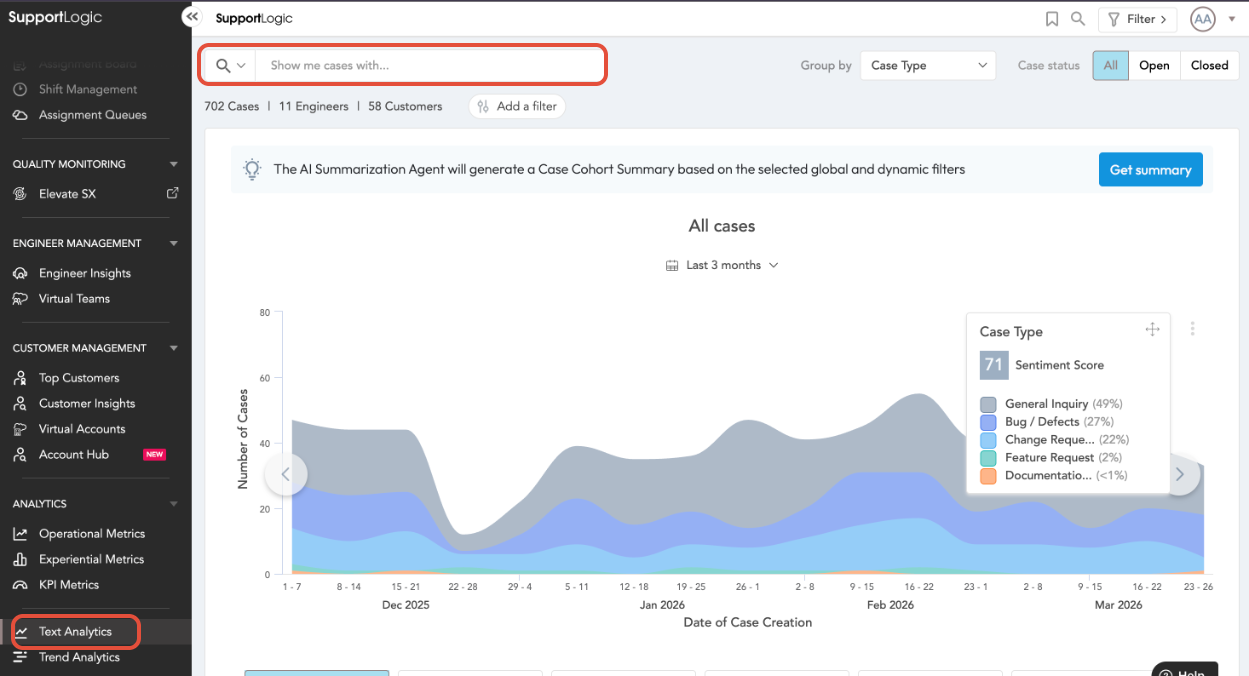
  1. Navigate to: Analytics → Text Analytics
  2. Locate the search bar at the top right labeled: “Show me cases with”
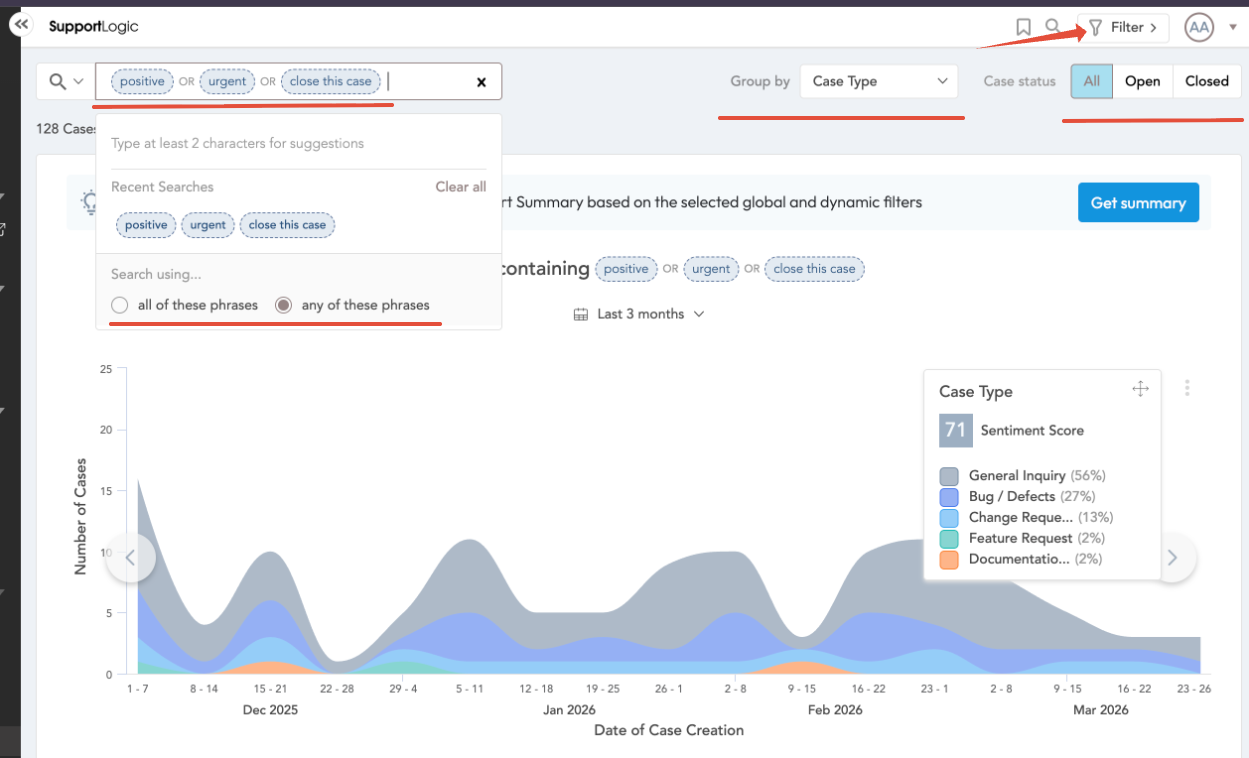
  3. Enter a keyword (for example: Positive) and press Tab to apply it.
  4. Choose one of the following options:
    • All of these phrases → Results must include all entered keywords
    • Any of these phrases → Results can include any of the entered keywords
  5. Add multiple keywords as needed using the same method.


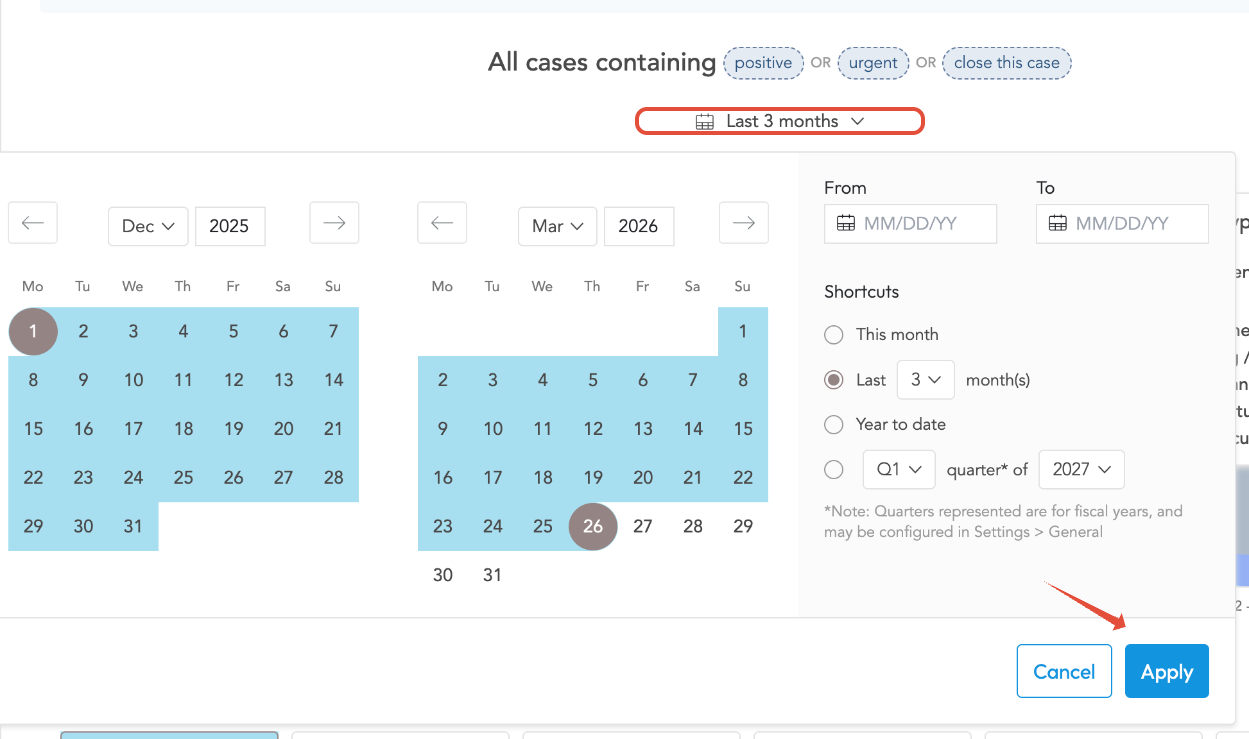
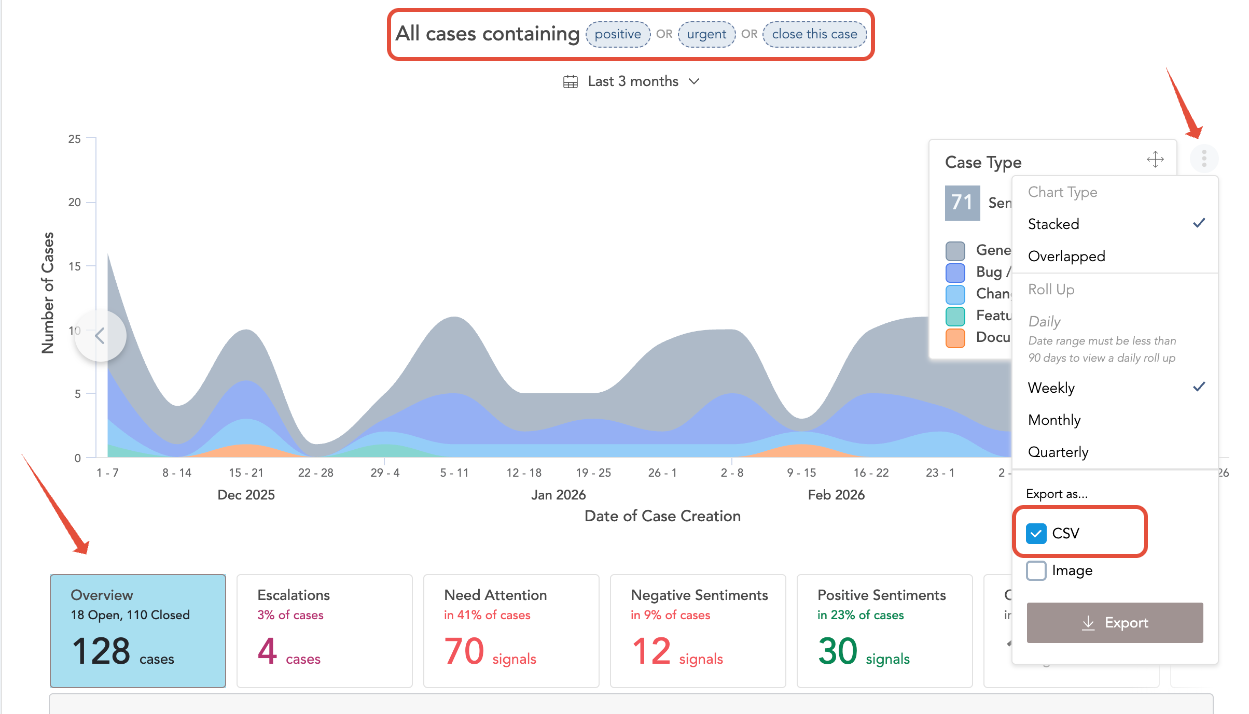
Please refer to the screenshots attached below for the step by step guidance as listed above.


Refining Your Search

To get more accurate results, use the following filters:

  • Global Filters → Filter by attributes such as account, team, or region
  • Dynamic Filters → Apply additional case-specific filters
  • Date Range → Narrow down results to a specific time period
  • Export as CSV for further analysis


Use Cases

Keyword search helps teams to:

  • Identify positive and negative customer feedback
  • Track recurring issues or themes in conversations
  • Monitor sentiment trends across cases
  • Gain insights into customer communication patterns


Summary

  • Keyword-based case search is available in Text Analytics
  • Supports multiple keywords with flexible matching options
  • Filters and date ranges help refine results
  • Enables better visibility into customer conversations and trends


If further assistance is needed with analytics or search capabilities, please reach out to SupportLogic Support.

Was this article helpful?

That’s Great!

Thank you for your feedback

Sorry! We couldn't be helpful

Thank you for your feedback

Let us know how can we improve this article!

Select at least one of the reasons
CAPTCHA verification is required.

Feedback sent

We appreciate your effort and will try to fix the article