- Core SX
- Global filters - Search introduced for single and multi select fields
- Application filters performance & stability improvements
- Coaching feedback on case comments
- Coaching permissions update
- Guided Case Review Workflow in Unified SupportHub
- Updated Likely to escalate prediction Slack Notifications
- Escalations Permission Updates
- New Escalation Management Panel
- Signal Ontology Synchronization
- Application feedback improvements
- Iframes improvements
- Resolve SX
Thanks
The SupportLogic Team
Core SX
Global filters - Search introduced for single and multi select fields
We’ve improved how filters work to make it easier to find and select values—especially when working with large lists.
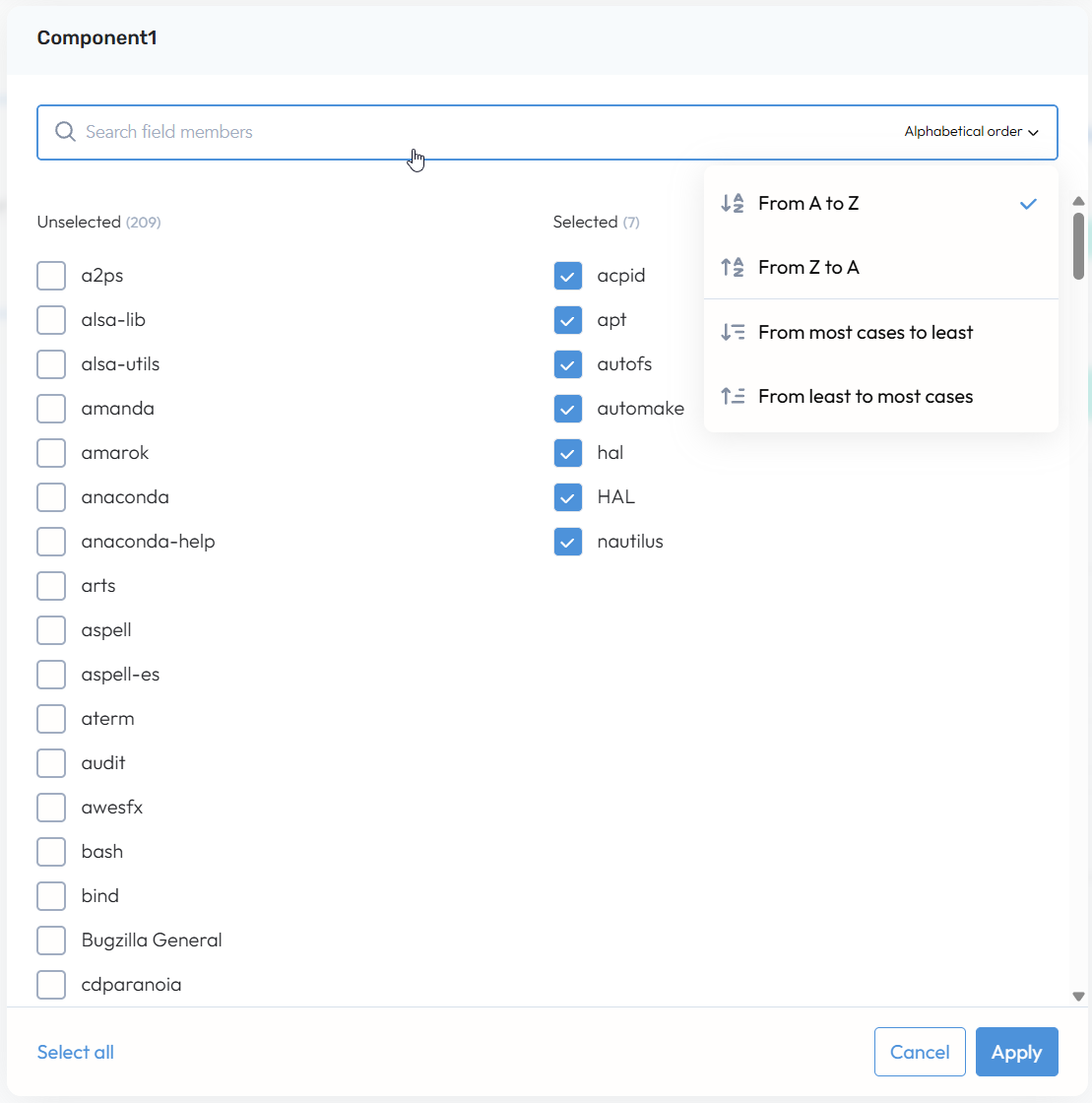
You can now search within all single-select and multi-select filters across Case, Account, and Score fields.
Results can be explored alphabetically or by case volume, helping you quickly find what you need.
Selected values appear in a dedicated “Selected” column on the right, while available options remain on the left. You can also select or unselect all values at any time for faster setup.
We’ve also removed the “Other values” group. All available filter values are now fully visible and accessible, so nothing is hidden or delayed.
Boolean filters (Yes/No) and certain variable field types remain unchanged.
Application filters performance & stability improvements
We’ve made several behind-the-scenes improvements to make the product filters faster and more reliable:
Faster results: Data now loads more quickly, especially when working with large or complex filters
Smoother filtering: Improved how filters work so responses are quicker and more consistent
Better performance at scale: Optimizations were put in place to ensure the experience remains fast even with large datasets
Reduced load times: Requests now are even more efficient, helping filter results load faster
Improved stability: Fixed issues that could cause UI slowdowns or occasional crashes
Overall, these updates provide a faster, more responsive, and more stable experience across the product filters.
Coaching feedback on case comments
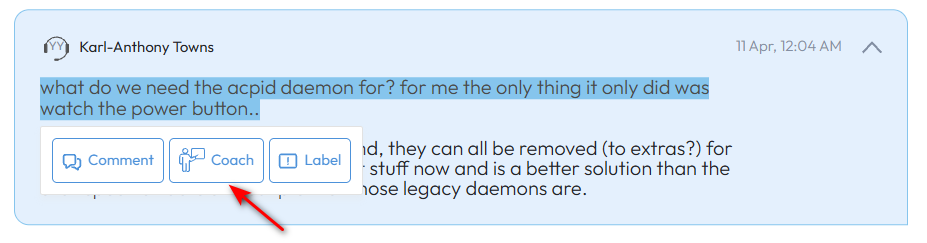
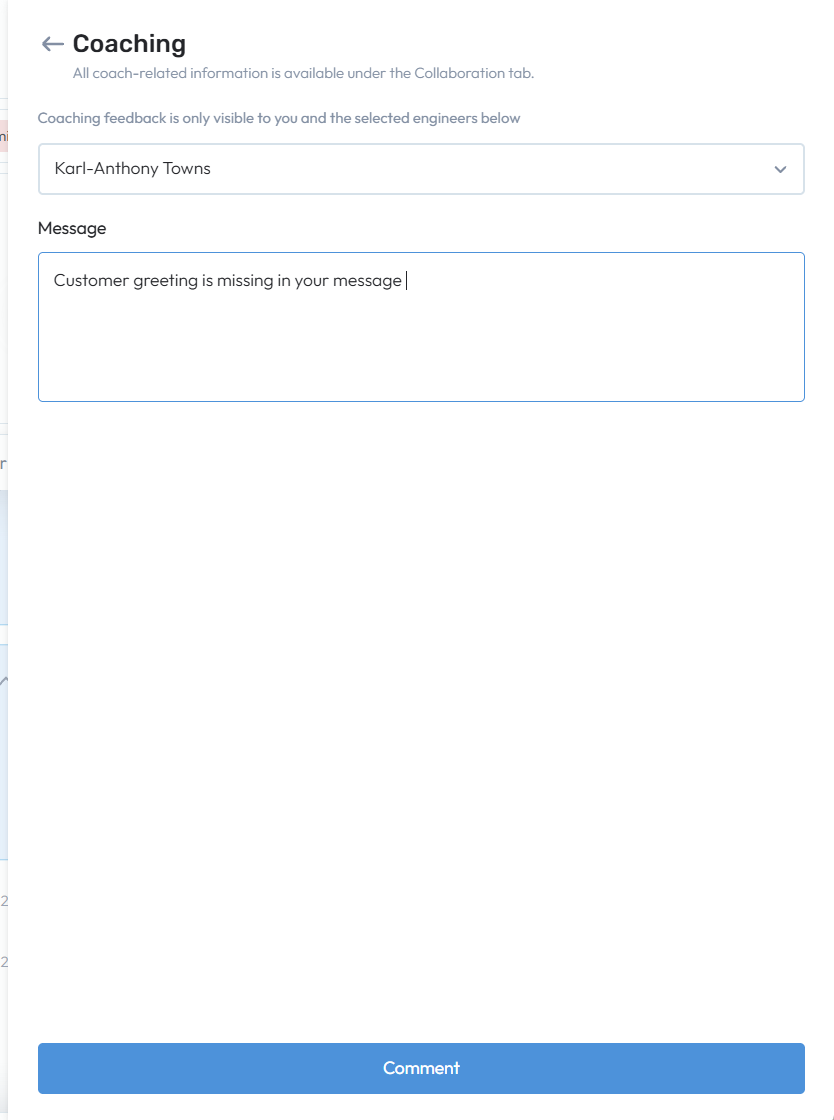
Support managers can now highlight specific parts of case comments and provide targeted, contextual coaching directly within the case timeline.
This makes feedback more precise and actionable, helping agents clearly understand what needs improvement without leaving the case view.
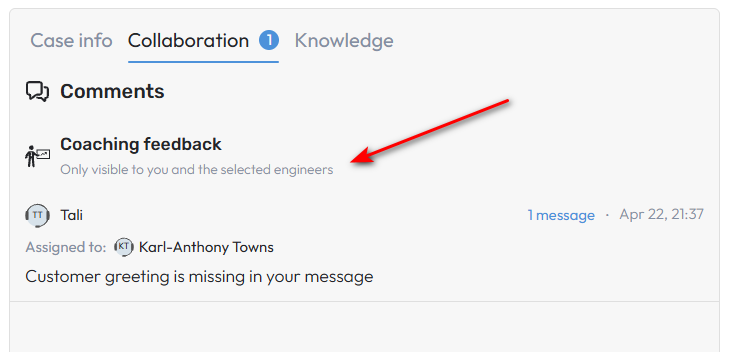
Coaching notes can be shared with one or multiple assigned agents and remain private to only those selected, enabling focused, one-on-one or small group guidance.
All coaching feedback is organized in a dedicated section within the Collaboration panel, separate from general discussions, making it easy to track and manage coaching over time.
Managers can edit or delete feedback as needed and continue conversations through threaded replies, supporting ongoing coaching and continuous improvement of agent performance.
The “Coaching Notes” permission allows you to control feature access and visibility based on user roles.
Coaching permissions update
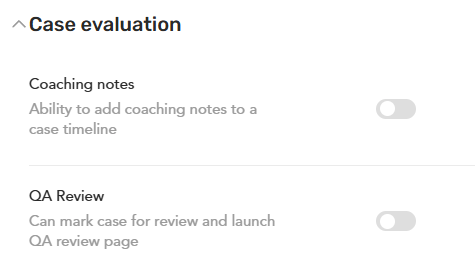
The “QA Review” permission moved from the Case group to the Case Evaluation group.
The “Case Review” permission renamed to “Coaching Notes.”
The description for “Coaching Notes” updated to: “Ability to add coaching notes to a case timeline.”
Guided Case Review Workflow in Unified SupportHub
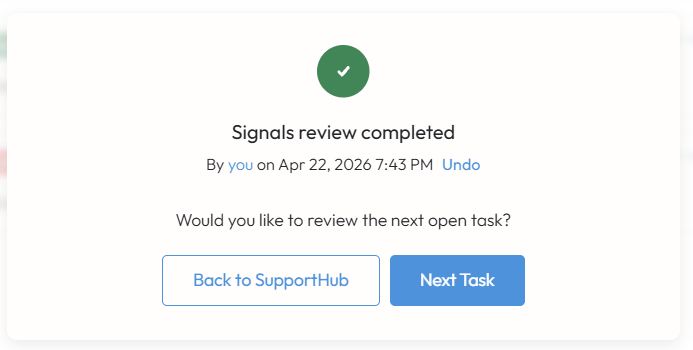
To make case reviews faster and more efficient, we’ve introduced a guided workflow within Unified SupportHub that smoothly transitions users between key review steps - such as Signals, Scores, and more.
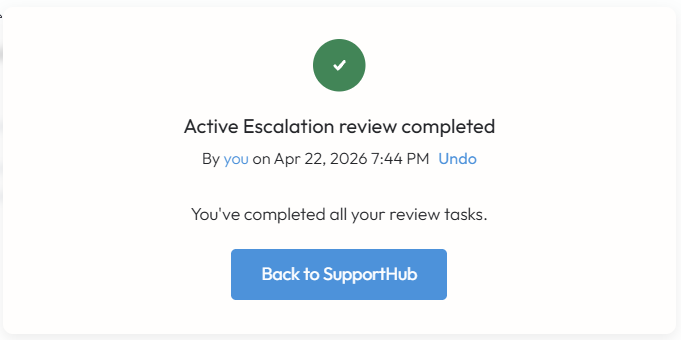
As each step is completed, users are prompted to continue to the next, ensuring all critical case insights are reviewed and recommended actions are considered.
Users can exit the review at any time and return to the case timeline.
Once all steps are completed, the workflow is automatically marked as complete, with all associated review tasks checked off - helping teams stay consistent and thorough in their case management.
Updated Likely to escalate prediction Slack Notifications
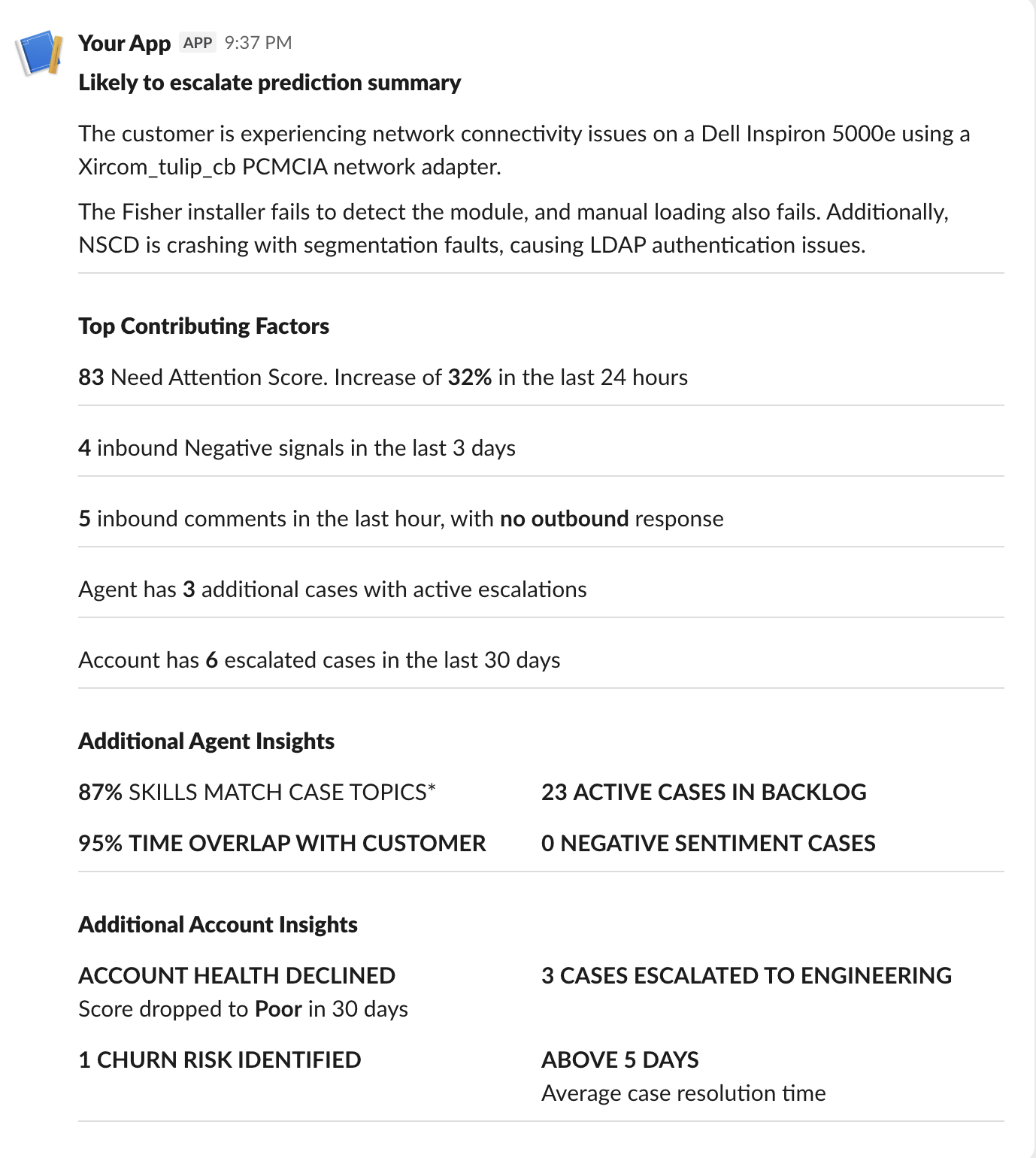
Slack notifications have been updated to include ML-driven factors behind Likely to Escalate predictions.
This ensures consistency between in-app and notification experiences, providing more context and actionable AI-driven insights wherever you engage.
Escalations Permission Updates
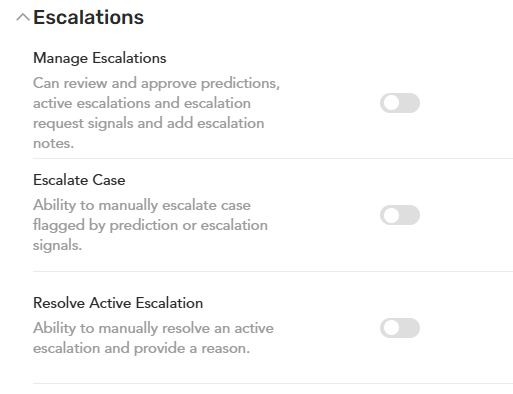
We have introduced granular Role-Based Access Control to the Escalations module by adding two new permissions and updating existing logic.
New Permissions (Escalations Group)
Escalate Case: Enables manual movement of cases from LTE/Escalation Request columns to the Active Escalation column.
Resolve Active Escalation: Enables manual resolution of active escalation on the cases and the ability to add escalation notes when moving cards to the Resolved column.
Updated Permission
Manage Escalations: Description updated to: "Can review and approve predictions, active escalations and escalation request signals and add escalation notes."
Scope: This continues to control "Start/Continue Review" buttons and access to escalation notes on both the Board and Console pages.
New Escalation Management Panel
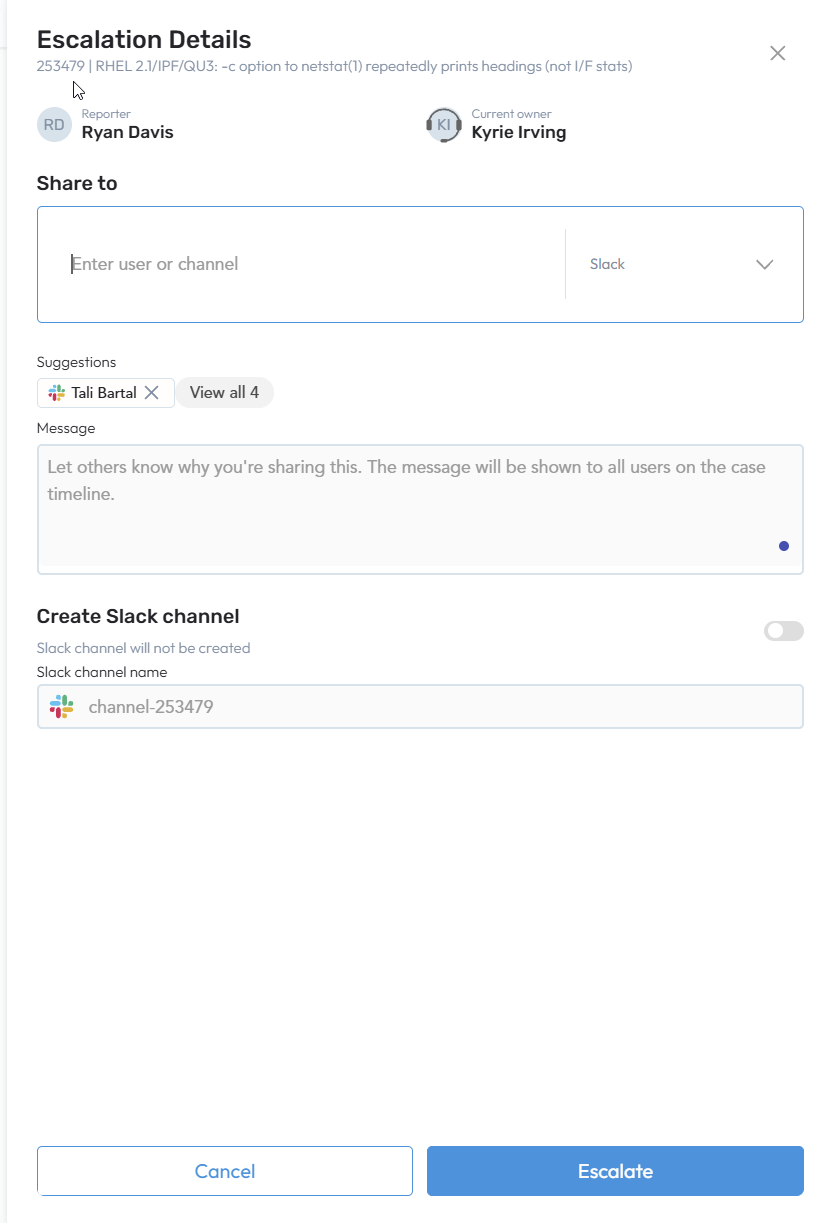
We’ve introduced a streamlined right panel to enhance how you manage and communicate escalations from the Escalations Board.
Quick Access: Clicking "Escalate" on an Likely to escalate or Escalation Request card now opens a side panel showing the Reporter and Current Assignee.
Integrated Sharing: Share cases instantly via Email, Slack, or MS Teams with an optional personalized message.
Slack Channel Toggle: Optionally create a dedicated Slack channel (defaulted to OFF).
Improved Feedback: After escalating, the panel closes automatically, and a confirmation notification appears in the top-right corner.
Signal Ontology Synchronization
We have updated the Active Escalation Summary pipeline to reprocess comments against the latest Signal Ontology at runtime. This prevents "hidden" signals from leaking into summaries by replacing stale cached data with fresh signal counts, ensuring the LLM strictly respects customer’s current visibility settings during generation.
We resolved a visibility mismatch on the New SupportHub where hidden signals were appearing on the Case Timeline despite being hidden on the Signals Carousel. Signal Ontology settings are now fully synchronized across the platform, ensuring that any signal marked as hidden is consistently excluded from both the Timeline and the Carousel views.
Application feedback improvements
Rich Text Editor in the Unified SupportHub extended to auto apply formatting when user inputs reserved formatting chars. Supported markdown conventions:
*italic***bold**~~strike~~`code`__underline__
Inside Account review workflow on the Unified SupportHub added guidance explaining what is Account Health Score.
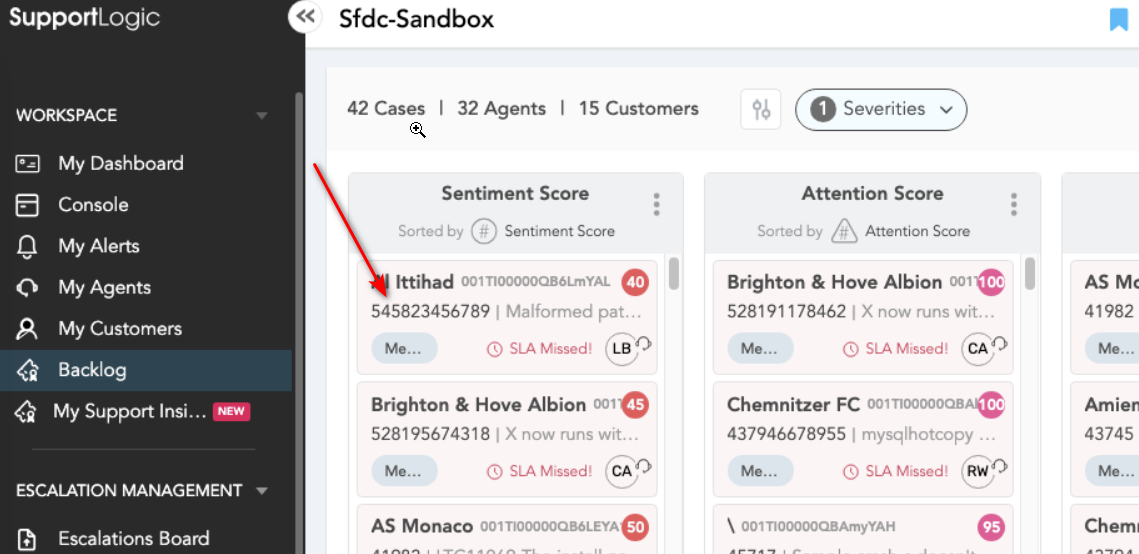
Case numbers are now truncate only after 16 characters or 50% of the card width on the Backlog page.
Iframes improvements
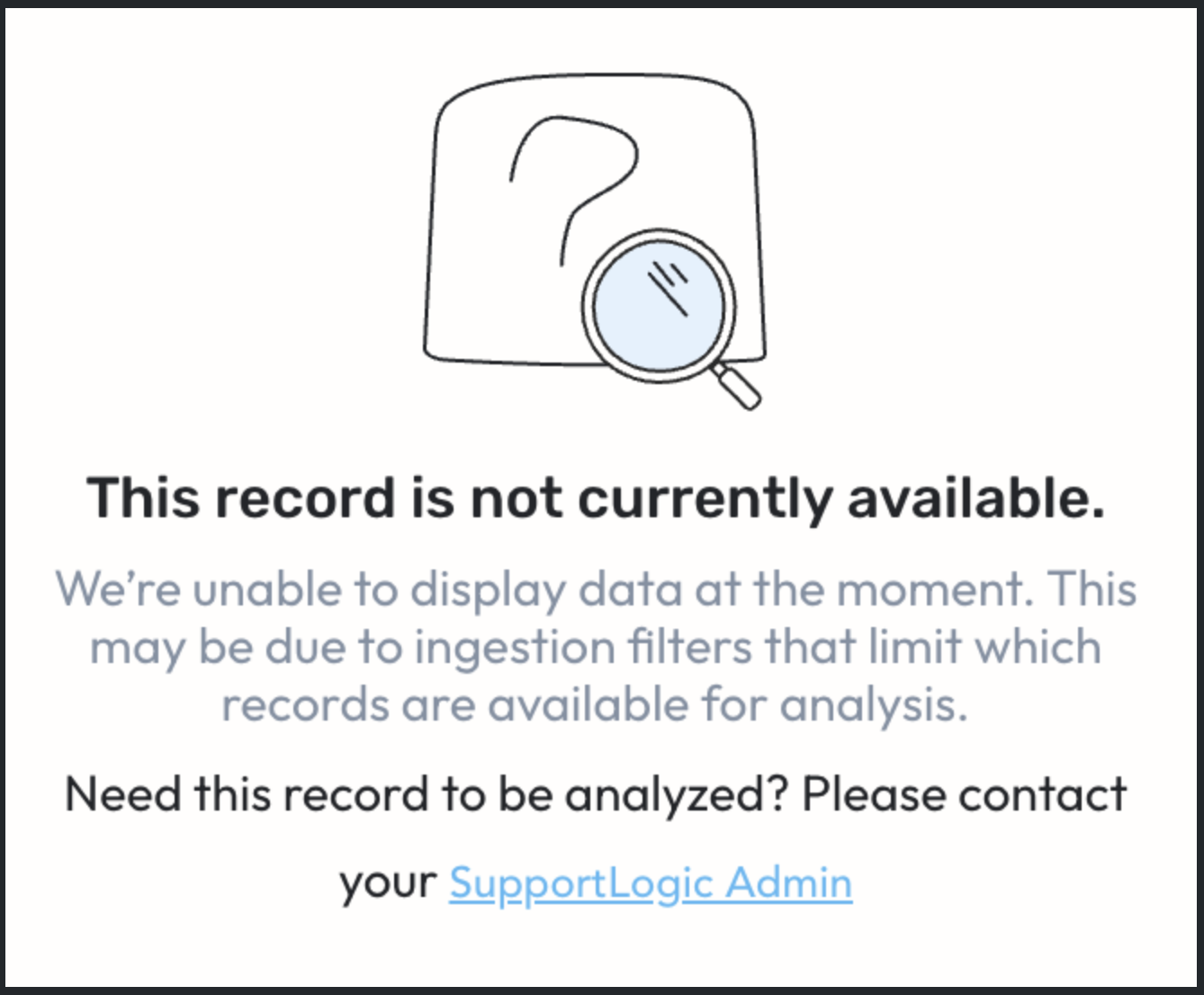
Added an in-iFrame message to inform users when SupportLogic data for a case or account is unavailable due to configured filters preventing its ingestion.
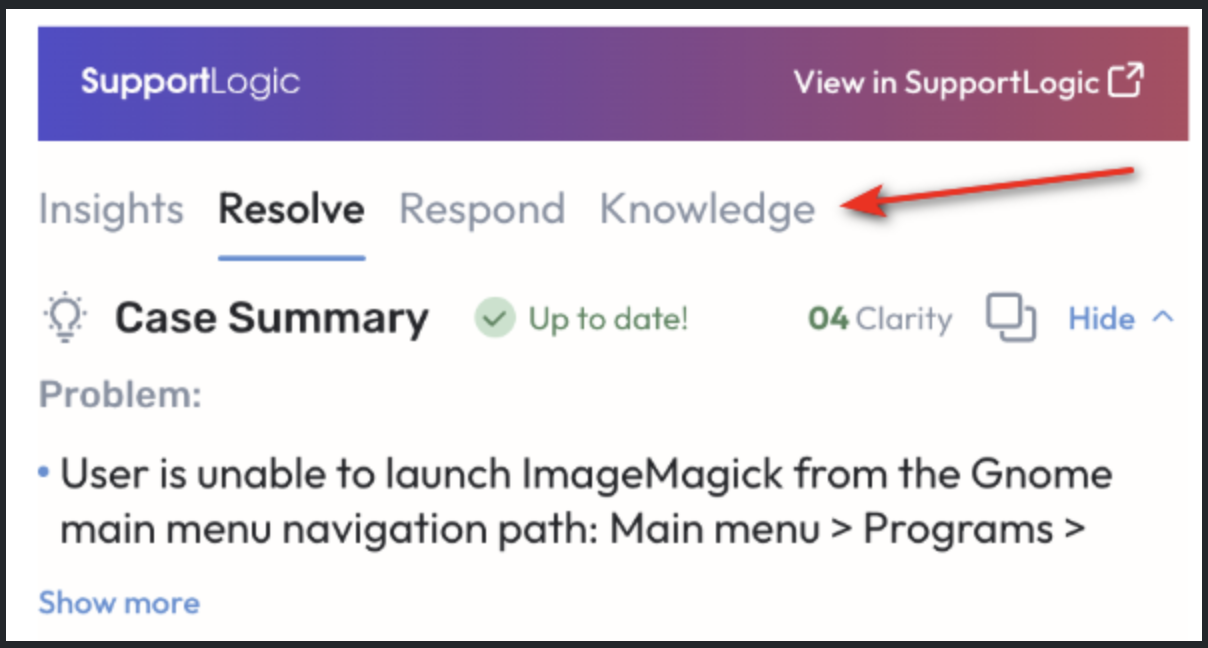
Tab names within the case iFrame have been simplified for clarity and consistency:
Case Insights → Insights
Resolve Assist → Resolve
Response Assist → Respond
Knowledge Search → Knowledge
Resolve SX
Incremental indexing extension
We enhanced our indexing mechanism to support incremental indexing, enabling faster performance for large customers.
Incremental indexing allows to update the indexes used for search underlying RAG quickly, without reindexing data that already was indexed earlier.
Only items that were updated since the previous data-update are indexed.
This shortens the data-update cycles, enabling potentially more frequent cycles.
Periodically, the entire data would still require reindexing, because the incremental updates cause index defragmentation
Was this article helpful?
That’s Great!
Thank you for your feedback
Sorry! We couldn't be helpful
Thank you for your feedback
Feedback sent
We appreciate your effort and will try to fix the article