TABLE OF CONTENTS
- New Features und Updates
Thanks
The SupportLogic Team
New Features und Updates
Core SX
SupportLogic MCP Server Beta
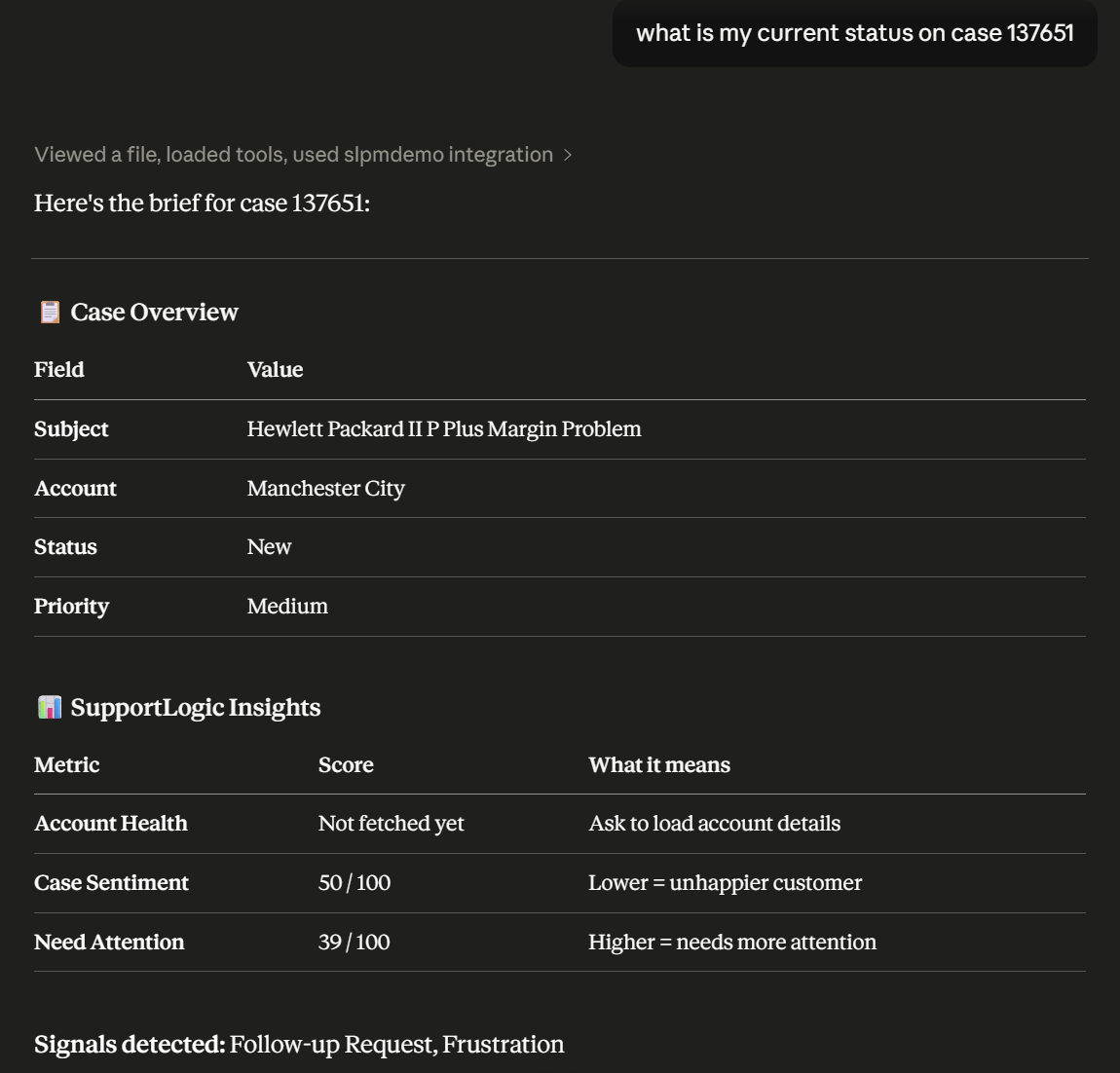
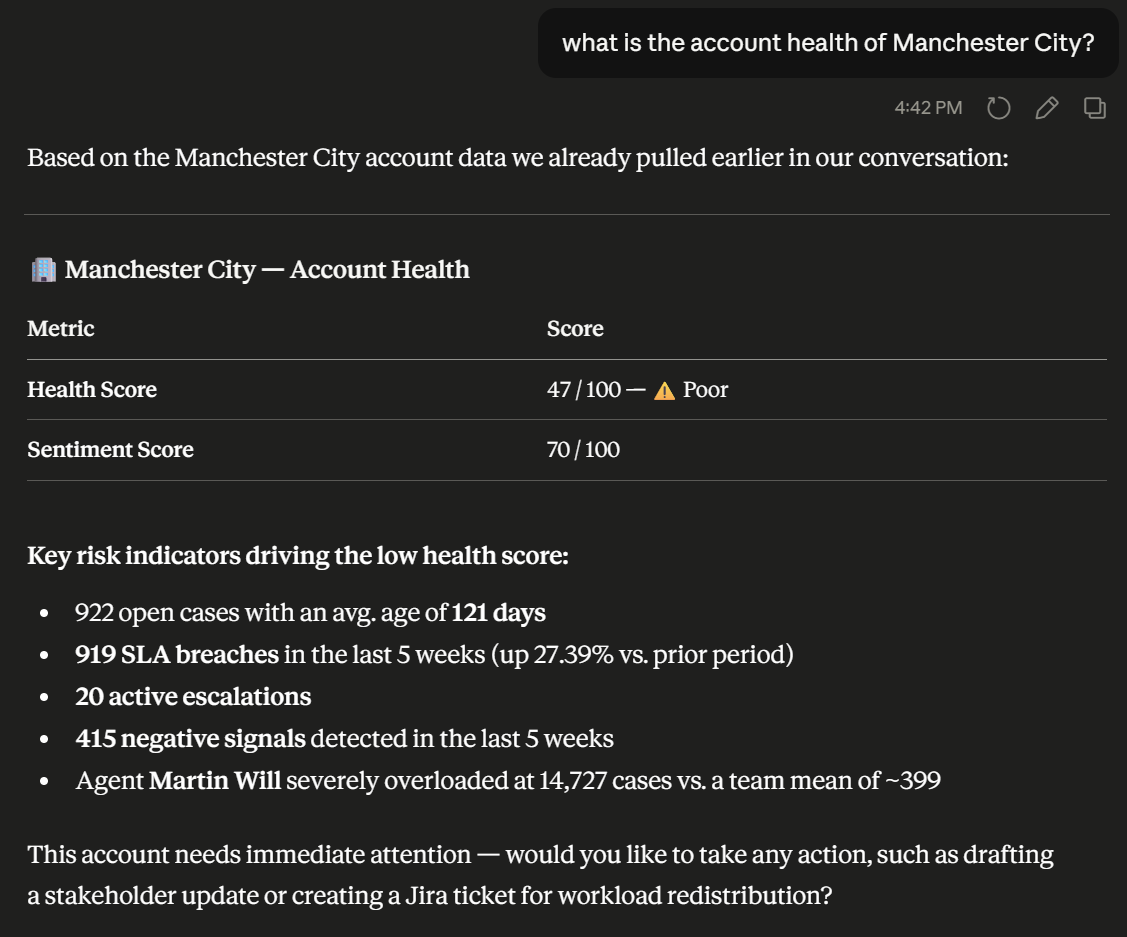
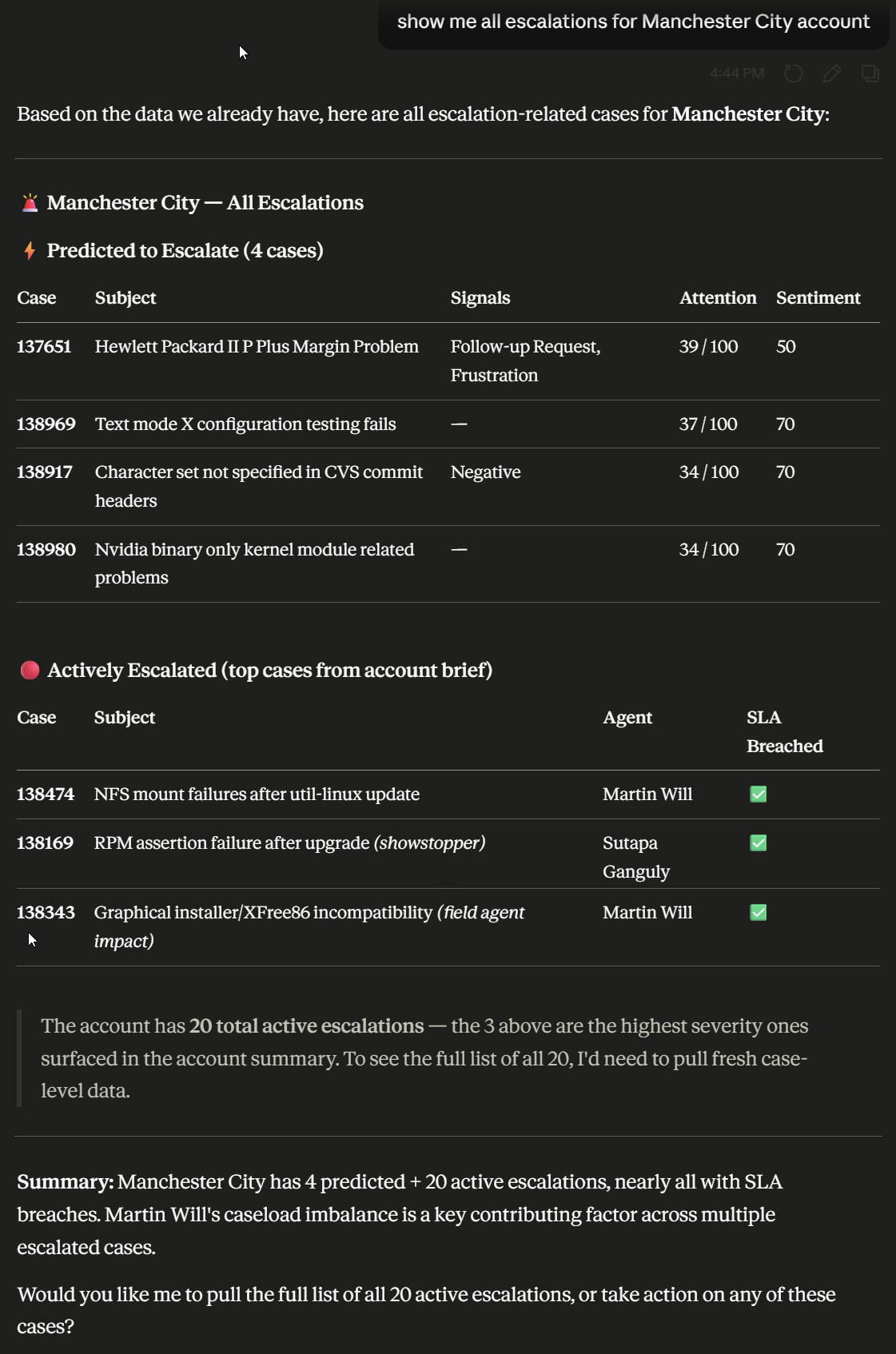
SupportLogic now exposes its core intelligence as a Model Context Protocol (MCP) server, enabling AI assistants like Claude and ChatGPT to directly access case signals, account health, and escalation data in real time.
Support teams can query live case and account context from within any MCP-compatible AI chat interface, including retrieving escalation summaries, signal scores, and case details without leaving their workflow.
The MCP server includes enriched tool responses - case summaries, account summaries, escalation details, and signal extraction - optimized so AI assistants invoke them only when contextually appropriate, reducing noise.
By surfacing SupportLogic intelligence through a standardized protocol, teams using different AI frontends can now access consistent support data without custom integrations per tool
Actionable case iFrames
Signal acknowledgment in case iFrame SL
Agents working in the case iFrame can now acknowledge signals directly within the embedded widget, closing the feedback loop without leaving the CRM.
Signal acknowledgment actions are now surfaced natively in the iFrame, matching the functionality previously available only in the full SupportHub interface.
Agents who primarily work in embedded CRM views no longer need to switch to the SupportLogic UI to mark signals as reviewed, reducing workflow interruptions.
Acknowledged signals are reflected consistently across both the iFrame and SupportHub, ensuring managers and supervisors see an accurate picture of signal engagement regardless of where agents work.
Disable send button in Response Assist widget SL
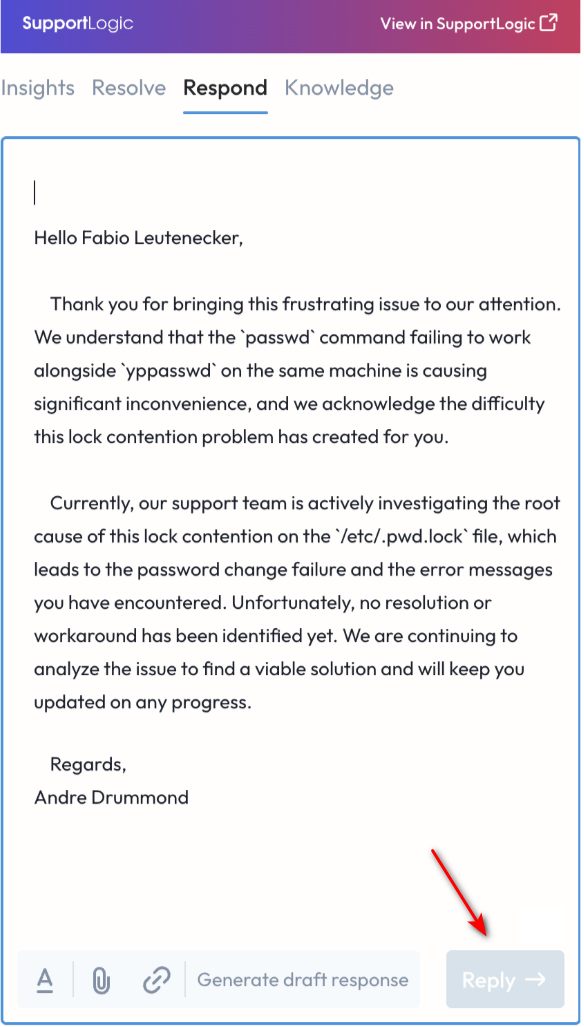
Administrators can now configure the Response Assist widget to disable or gray out the send button, giving teams control over when AI-generated responses are sent directly from the iFrame.
A feature flag allows the send button to be disabled in the Response Assist widget, requiring agents to review and copy the suggested response into their CRM rather than submitting it in one click.
This configuration supports compliance and quality workflows where all outbound responses must pass a human review step before delivery to customers.
Teams that want to gradually roll out AI-assisted responses can use this control to encourage adoption of AI suggestions while maintaining human oversight of final sends.
SupportHub Improvements
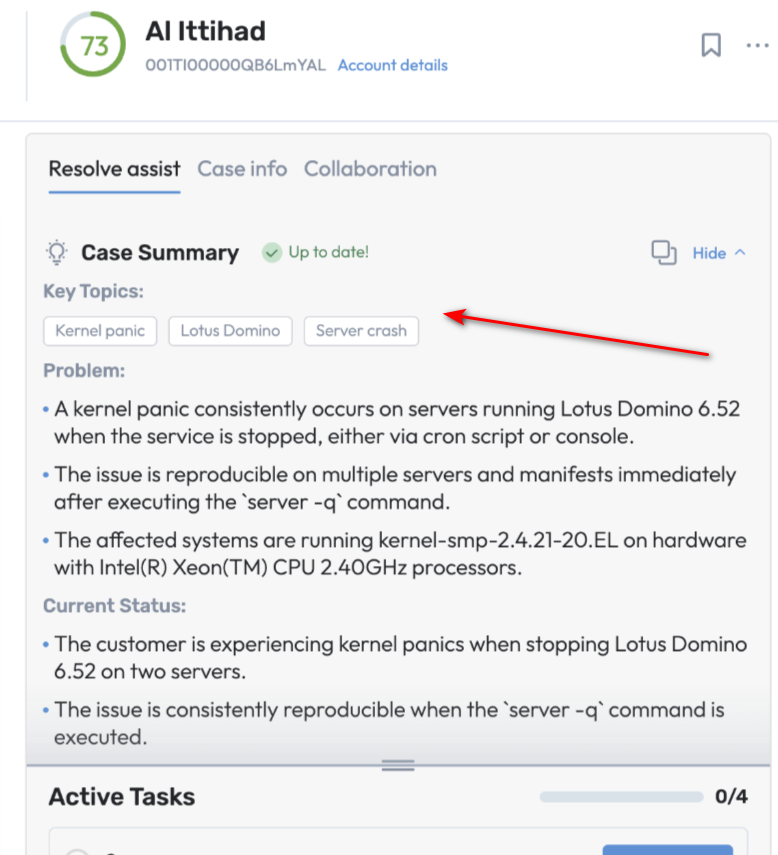
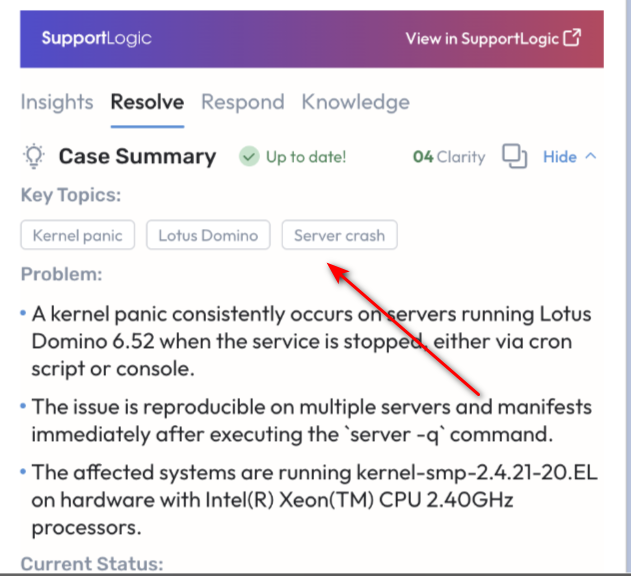
Case summary tags surfaced at top of Resolve Assist tab
AI-generated case summary tags now appear at the top of Resolve assist tab on SupportHub and the case iFrame for faster at-a-glance context.
Support engineers can see key classification and topics identification immediately when opening a case, shortening triage time on high-volume queues.
The change applies consistently across both the full SupportHub experience and the iFrame widget, ensuring a unified view regardless of where agents work.
Search for related cases from SupportHub
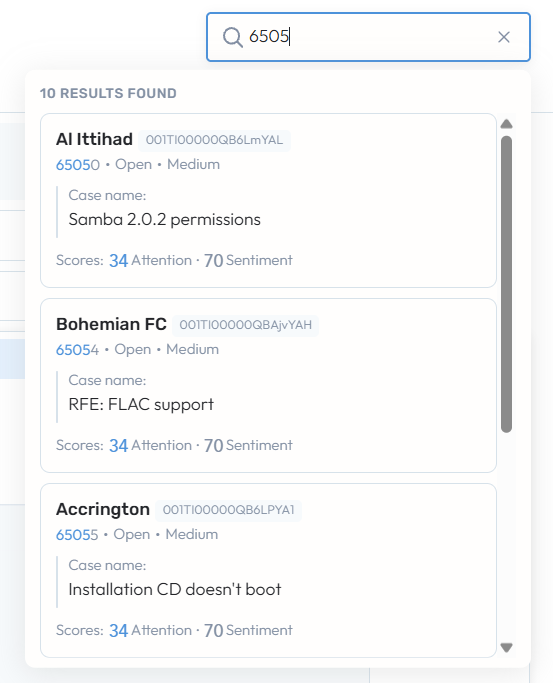
Users can now search for other cases directly from the SupportHub page without leaving the current case context.
A new in-context search capability lets agents look up related or reference cases from within SupportHub, keeping them in their primary workflow.
Reduces context-switching by eliminating the need to navigate away to the main search interface when cross-referencing case history or finding similar issues.
Supports faster resolution for cases that benefit from precedent - agents can pull up relevant prior tickets and compare notes without interrupting their current session.

Signal review and "Reviewed" tag from case comments
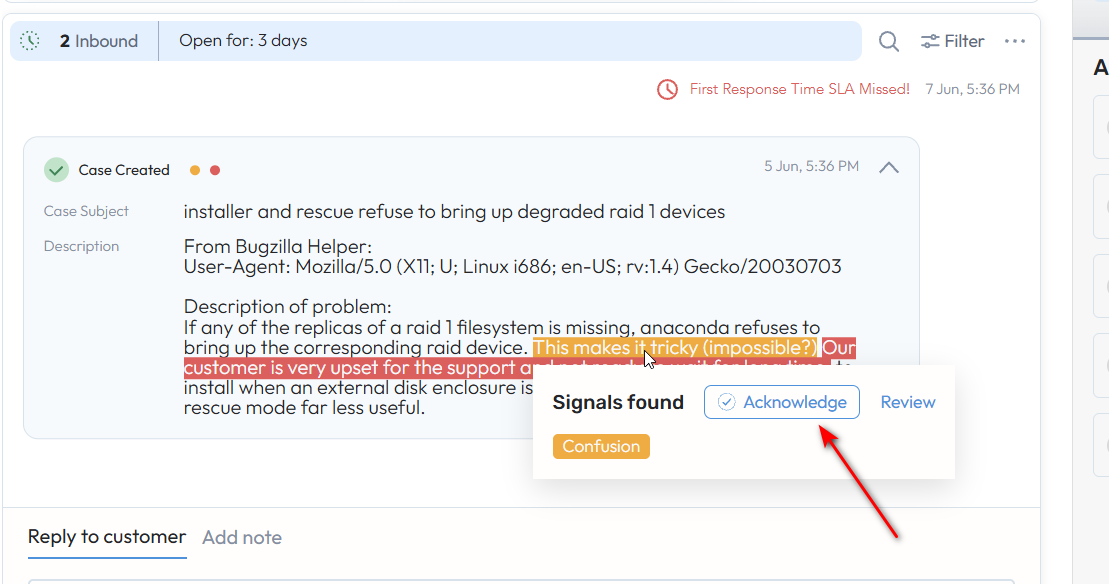
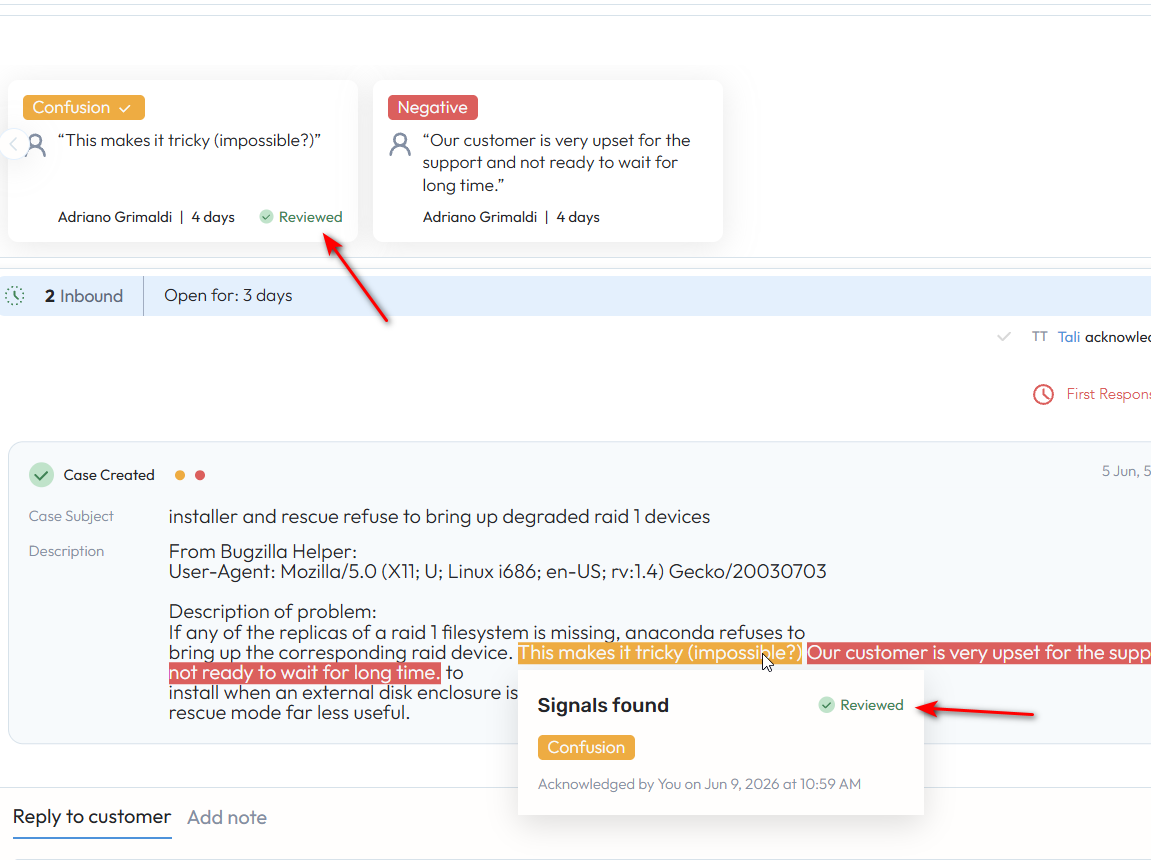
Users can now review a signal directly from a case comment and mark it with a "Reviewed" tag, bringing signal acknowledgment into the natural comment workflow.
A new review action is accessible inline on comments where signals are detected, allowing one-click acknowledgment without navigating to the signals panel.
Reviewed signals are tagged visibly within the comment thread, giving teams a shared record of which signals have been acted on and by whom.
This surfaces SupportLogic signal data in the places agents already spend their time, increasing adoption of the signal review loop.
LTE Prediction Accuracy - Unique Responder Count Fix
A fix to the LTE escalation model ensures that case owner and responder change counts are calculated using unique individuals, preventing inflated change counts from triggering false escalation predictions.
Previously, the same person reassigning or responding multiple times could be counted multiple times, causing the model to incorrectly treat routine case activity as an escalation signal.
With this fix, LTE predictions better reflect genuine ownership instability, improving model precision and reducing false positives for accounts with high responder activity.
This improvement primarily benefits customers with high-volume support queues where case ownership changes frequently, such as accounts using round-robin or shift-based assignment models.
Resolve SX
Agentic hyper-personalized first response ML API SL Beta
A new ML API supports hyper-personalized first response generation, drawing on case context, historical agent communication patterns, and account-level signals to produce tailored draft responses.
The API processes incoming case data and generates response drafts that reflect the specific tone, vocabulary, and resolution patterns most effective for the account or customer segment being served.
Unlike generic response templates, personalization is driven by learned patterns from prior successful cases, enabling responses that feel contextually appropriate rather than formulaic.
The API is designed for integration with Response Assist and iFrame workflows, and is being validated in limited deployments as part of the Beta program before broader rollout
Knowledge tab loads immediately on new case creation
The Knowledge tab in the case iFrame now loads and displays content immediately when a new case is created, eliminating the previous blank-state delay.
Previously the Knowledge tab would fail to render until a case was fully saved; the iFrame now initializes Knowledge content in parallel with case creation to present relevant articles right away.
Agents working in embedded CRM views get instant access to suggested knowledge articles at the moment a case is opened, supporting faster first responses.
This resolves a critical gap in the iFrame experience for customers using the Knowledge tab as a first-line deflection tool during the case intake phase.
Elevate SX
Custom AutoQA Scorecards
With Elevate, now you can automate any kind of behaviour or task that you need for your QA org. You’re no longer bound to our in-house, out-of-the-box AutoQA scorecard and you can provide us with any request or ask and have that added to your AutoQA scorecard. Using GenAI, we will create a custom scorecard entirely from scratch, or just add a few new behaviours to your existing scorecard - its entirely your call. Gone are the days that AutoQA could only support upto 60% of your scorecard.
Moreover, all of this comes with the goodness of generated reason and coaching statements for grades for all your agents. If this is something you’d be keen to explore, please reach out!
Search page optimisation
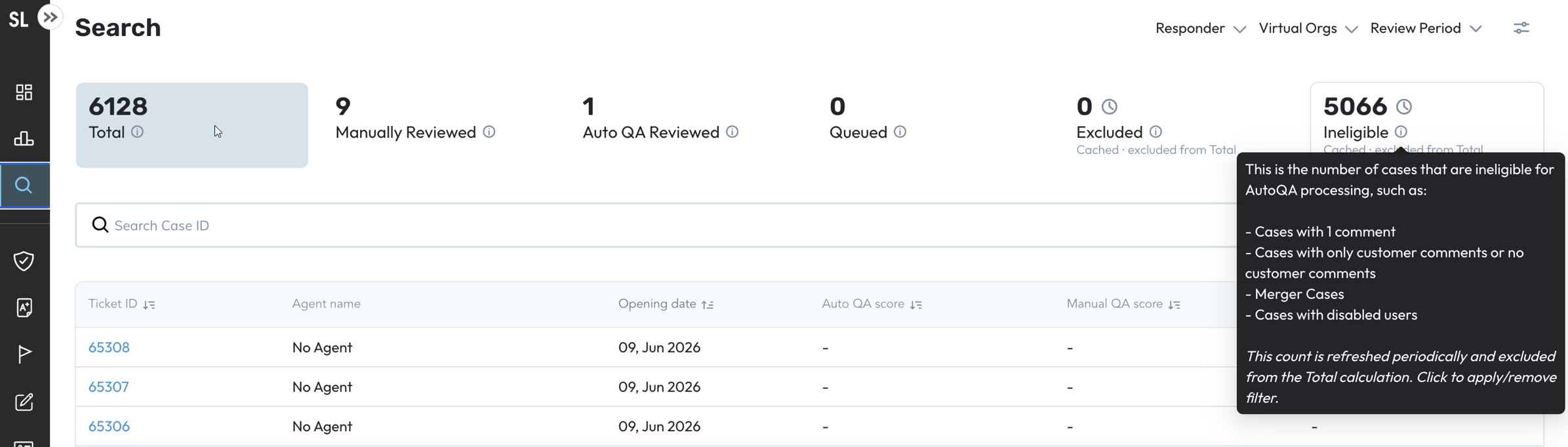
Advanced Search within Elevate has been optimized for performance and result accuracy, including improvements to how excluded and ineligible cases are bucketed and how search results are ordered.
Excluded and ineligible case buckets have been removed from the Total count within the Search page and the numbers within these buckets have been cached for performance improvements (we’ve added indicators in the UI for the same).
Was this article helpful?
That’s Great!
Thank you for your feedback
Sorry! We couldn't be helpful
Thank you for your feedback
Feedback sent
We appreciate your effort and will try to fix the article