Standard signal exports from the Console, Backlog, or Sentiments views primarily contain signal creation and detection data. Signal acknowledgment is tracked separately as a platform engagement metric and can be accessed through the Engagement page under Analytics module.
To view and export acknowledged signal data, please follow these steps:
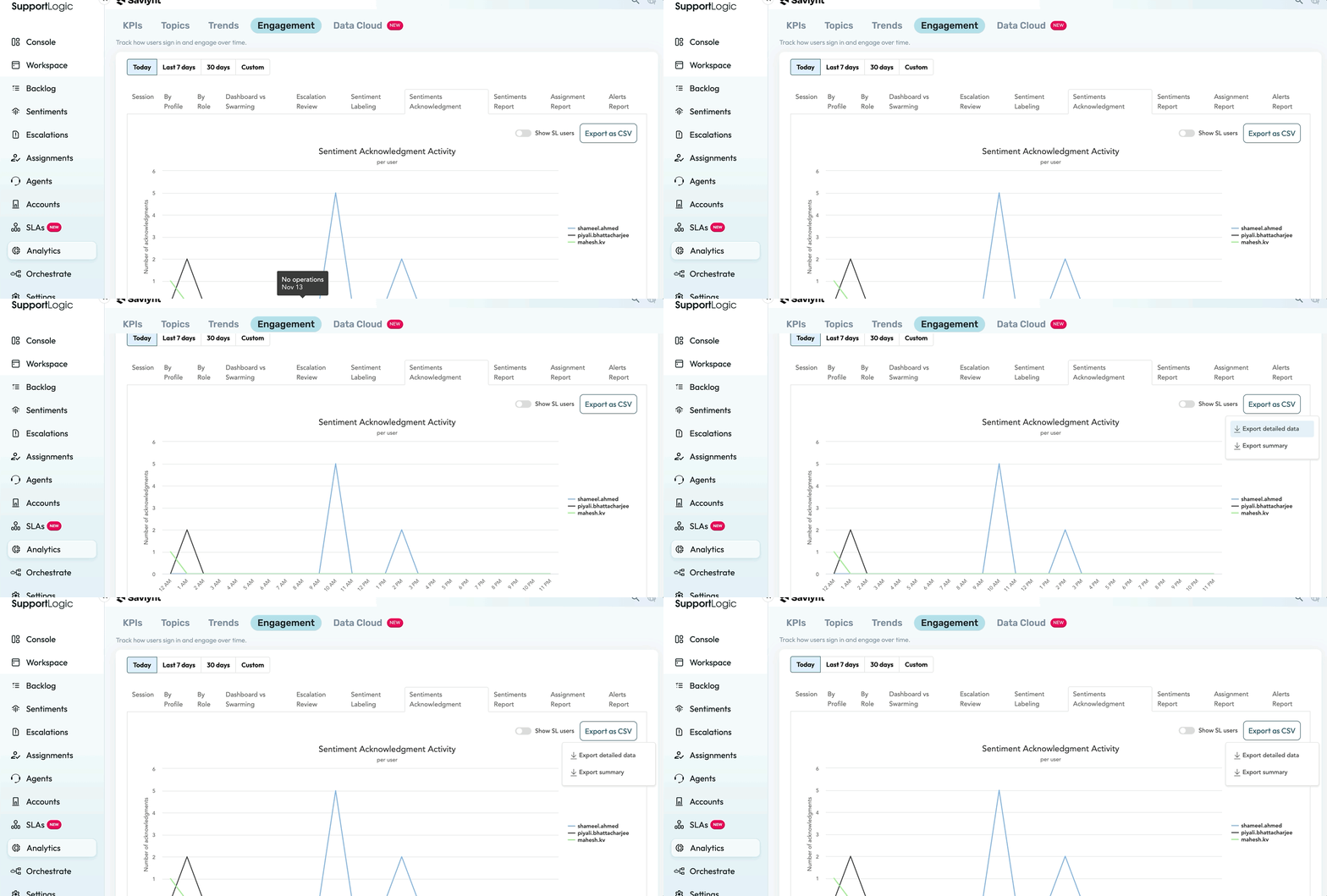
- Navigate to Analytics > Engagement. (In the legacy UI, this was available under Control Center > User Engagement.)
- Open the Sentiments Acknowledgment tab/report.
- Select the required date range and apply the relevant filters.
- Click Export to download the acknowledgment data.
The export includes the following details:
- Case ID
- Signal Name (e.g., Negative, Urgency, Frustration)
- Signal Creation Date and Time
- Acknowledgment Date and Time
- Delta (time taken to acknowledge the signal)
- User Name and User Email of the person who acknowledged it
The Sentiments Report also provides a view of daily signals created versus acknowledged.
Was this article helpful?
That’s Great!
Thank you for your feedback
Sorry! We couldn't be helpful
Thank you for your feedback
Feedback sent
We appreciate your effort and will try to fix the article