The “View As” (or “View as This User”) feature allows SupportLogic administrators to view the application exactly as a specific user or agent sees it.
This simulation capability enables admins to verify role assignments, scope filters, page layout visibility, and custom permissions without needing the user's login credentials.
Some of the key use cases of this feature are
Verify Scope & Case Visibility: Ensure a user or role only sees the cases allowed by their assigned scope fields (e.g., specific accounts, product lines, or queues).
Confirm Page & Menu Layouts: Validate which menus, tabs, and sub-elements appear for a given role after customizing layouts.
Troubleshoot Access Discrepancies: Test and confirm user experience when an agent or manager reports missing queues, filters, or features.
You can make use of this guide to get a complete understanding of a " View as agent " option.
Steps to View as agent
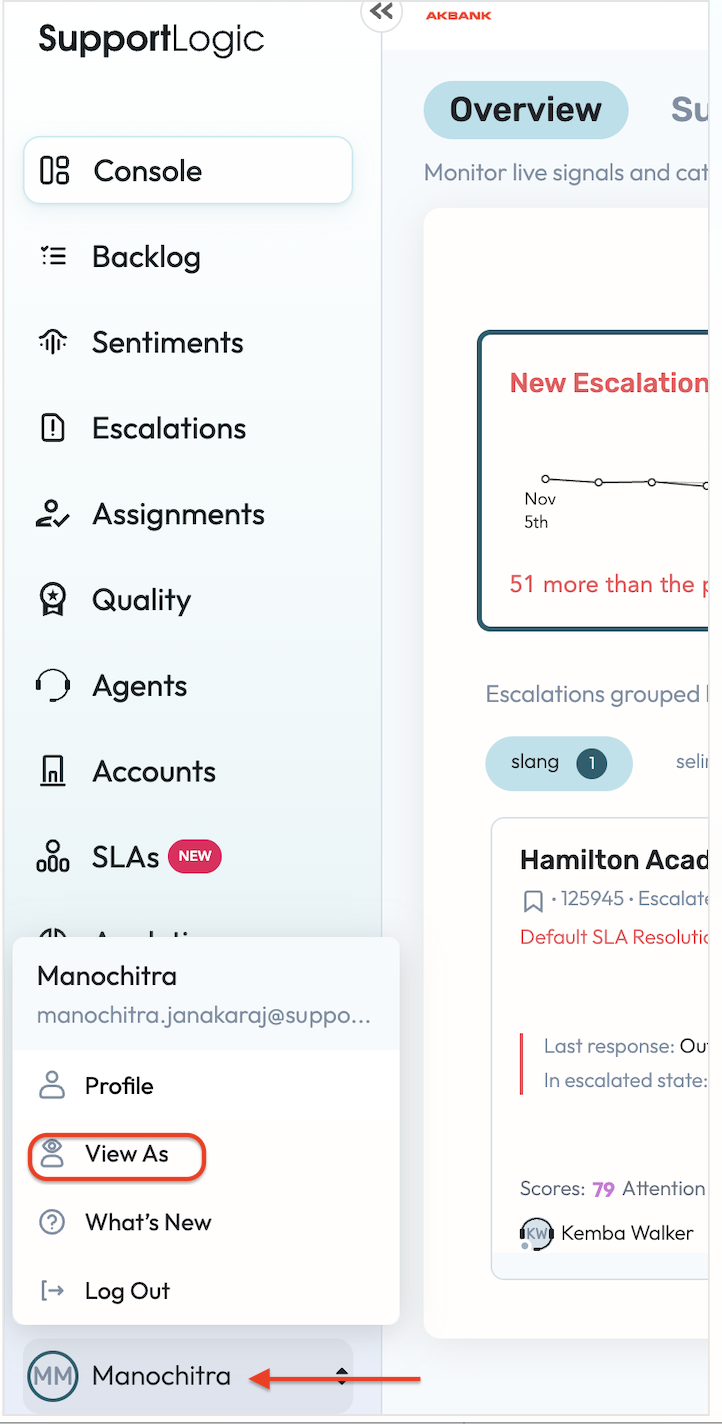
- Go to profile icon
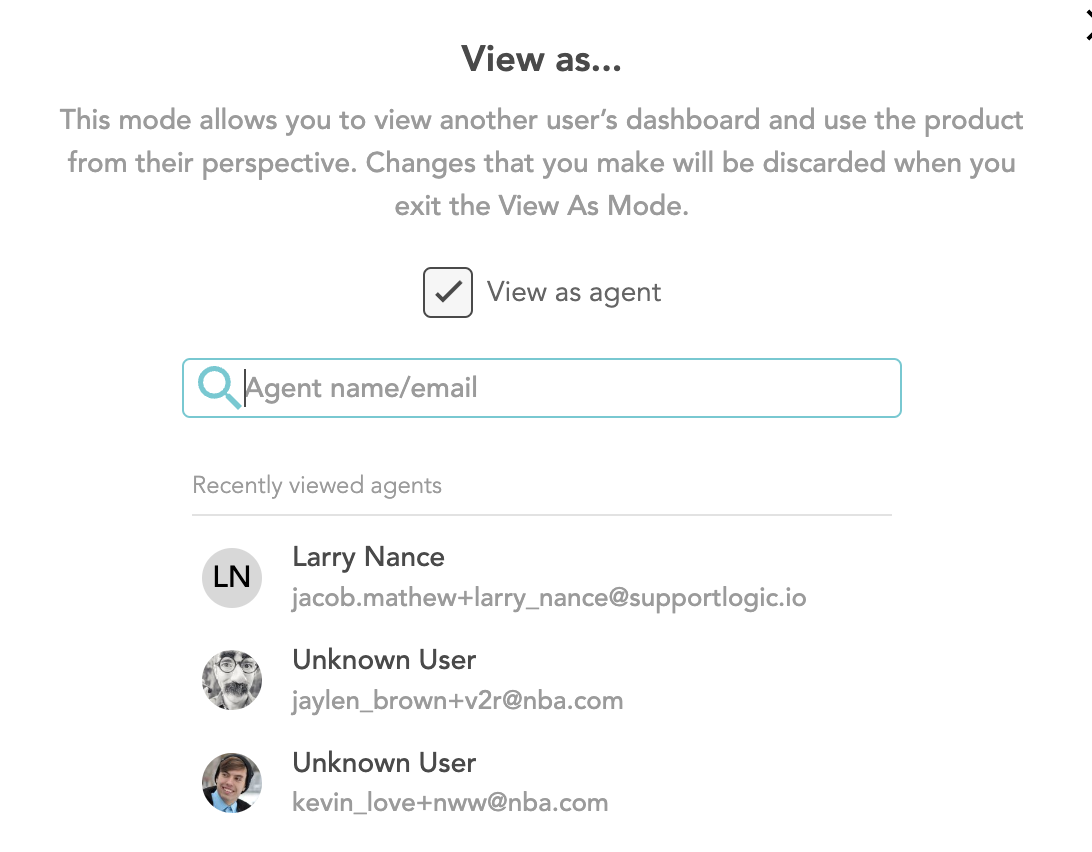
- Select View as agent
- Enter the Agent email / username
Was this article helpful?
That’s Great!
Thank you for your feedback
Sorry! We couldn't be helpful
Thank you for your feedback
Feedback sent
We appreciate your effort and will try to fix the article