Purpose
This article explains how tickets are marked for review in SupportLogic ESX and how Manual QA scorecards are used, assigned, and managed.
1. How is a ticket marked for review?
A ticket can be marked for review in Three ways:
a. Automatic Review (Auto QA)
If Auto QA is enabled, tickets are automatically selected for review.
b. Manual Selection
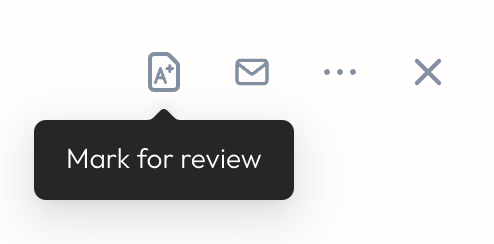
Any user with the appropriate permissions can manually mark a ticket for review directly from the ticket view. On the right corner we might have a specific icon to mark a case for review , please refer to the below screenshot.
c. Assignments (Planned Reviews)
Assignments allow managers to pre-plan which tickets should be reviewed.
You can:
Create structured assignments for QA teams
Include multiple tickets
Use specific scorecards
Monitor progress and completion
Assignments recommended when:
If we want a systematic QA process
If we require each reviewer to complete a certain volume of QA
If we need consistent evaluation across the team
For more details please refer to this article- Manual QA
2. Can a ticket be tagged for review if no Manual QA scorecards exist?
Yes. A ticket can still be marked for review even if no Manual QA scorecards are currently configured.
However:
The ticket cannot be evaluated manually until at least one Manual QA scorecard is created.
The “Marked for Review” tag only indicates that the ticket needs QA attention, not that a scorecard is available. Please refer to the below screenshot.
3. What happens if we do have Manual QA scorecards?
If your organization uses Manual QA scorecards, the preferred scorecard is assigned directly in the Scorecards section under Scorecards in the ESX UI.
From this page, you can:
Create new scorecards
Edit existing ones
Enable/disable (activate or deactivate) scorecards
Choose which scorecards are active for reviews
When reviewers manually evaluate a ticket, they will be able to select any active scorecard from this list during the review process.
For more details please refer to the KB article : Scorecards
Was this article helpful?
That’s Great!
Thank you for your feedback
Sorry! We couldn't be helpful
Thank you for your feedback
Feedback sent
We appreciate your effort and will try to fix the article